



When you have multiple GitHub accounts for multiple organization repositories, each account can only have permission from a specific organization. How can we manage it effectively and smoothly? SSH Config is an excellent choice for you.
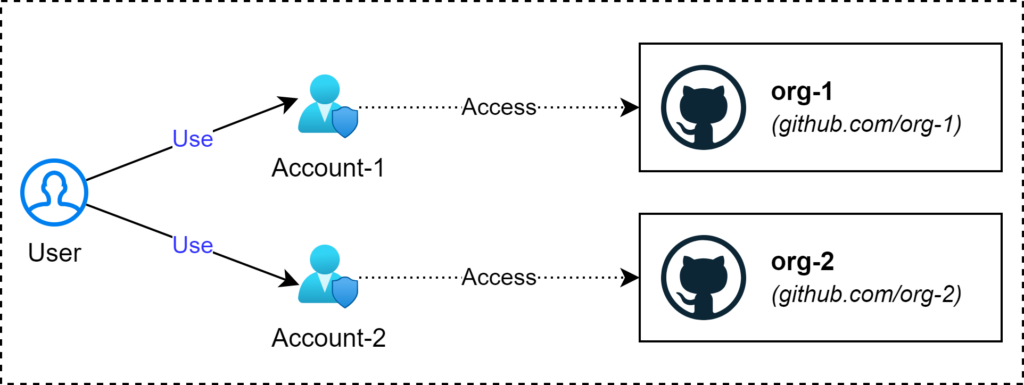
Step 1: Generate an SSH key and upload it to Multiple GitHub Accounts
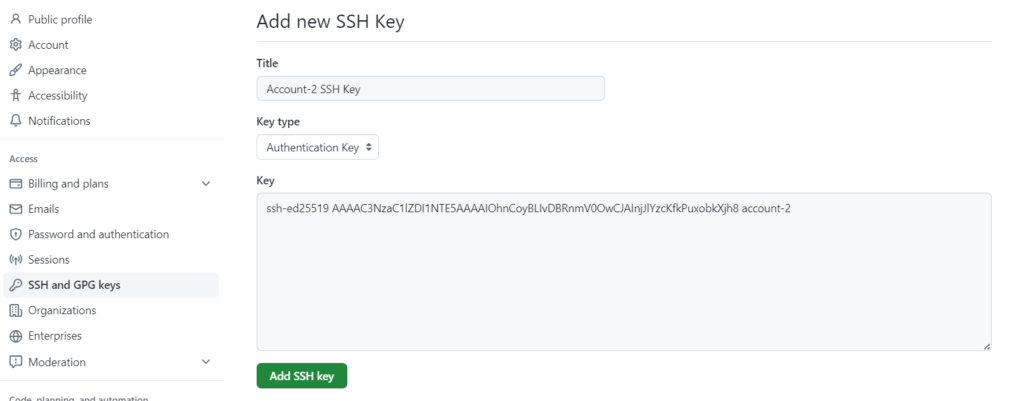
Follow the guidance of GitHub: Generating a new SSH key and adding it to the ssh-agent – GitHub Docs, to generate SSH keys and upload them to accounts (such as Account-1, Account-2)
- Run the command to generate an SSH key for account-1 and store it to “~/.ssh/account-1/id_ed25519”
ssh-keygen -t ed25519 -C "account-1"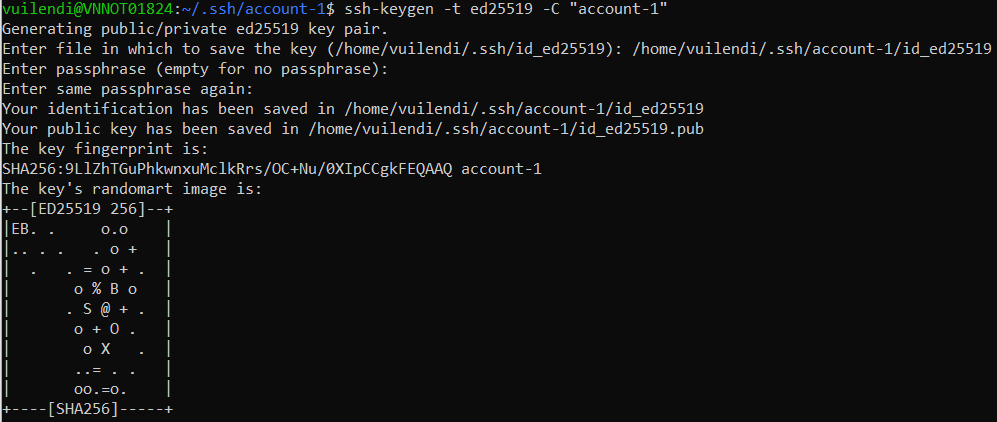
- Copy content from “~/.ssh/account-1/id_ed25519.pub” to paste to GitHub Account-1
cat ~/.ssh/account-1/id_ed25519.pub
- Go to Account setting in GitHub Account-1, and paste content.
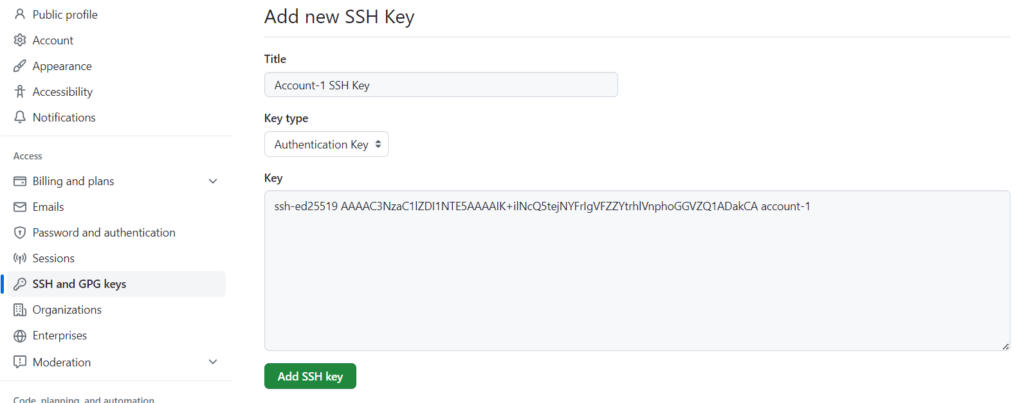
- Repeat the above steps to generate an SSH Key for GitHub Account-2.
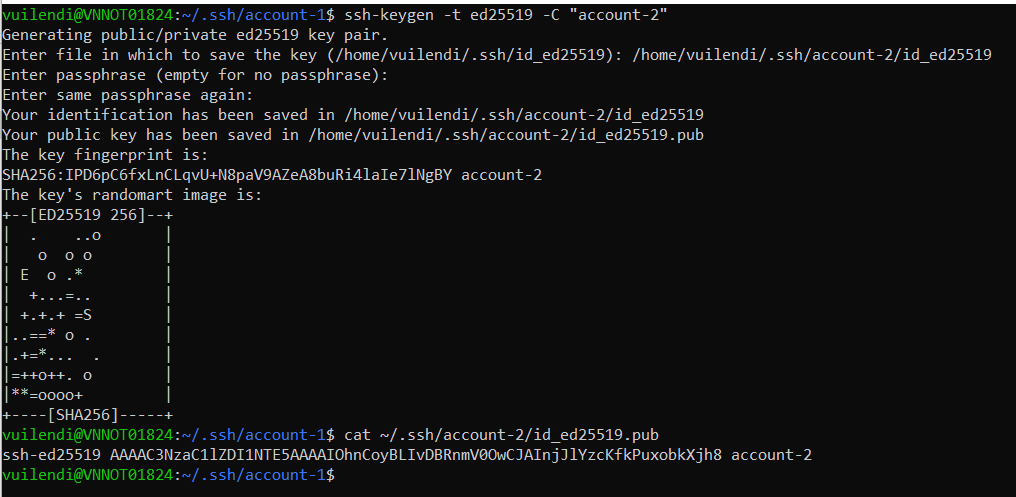
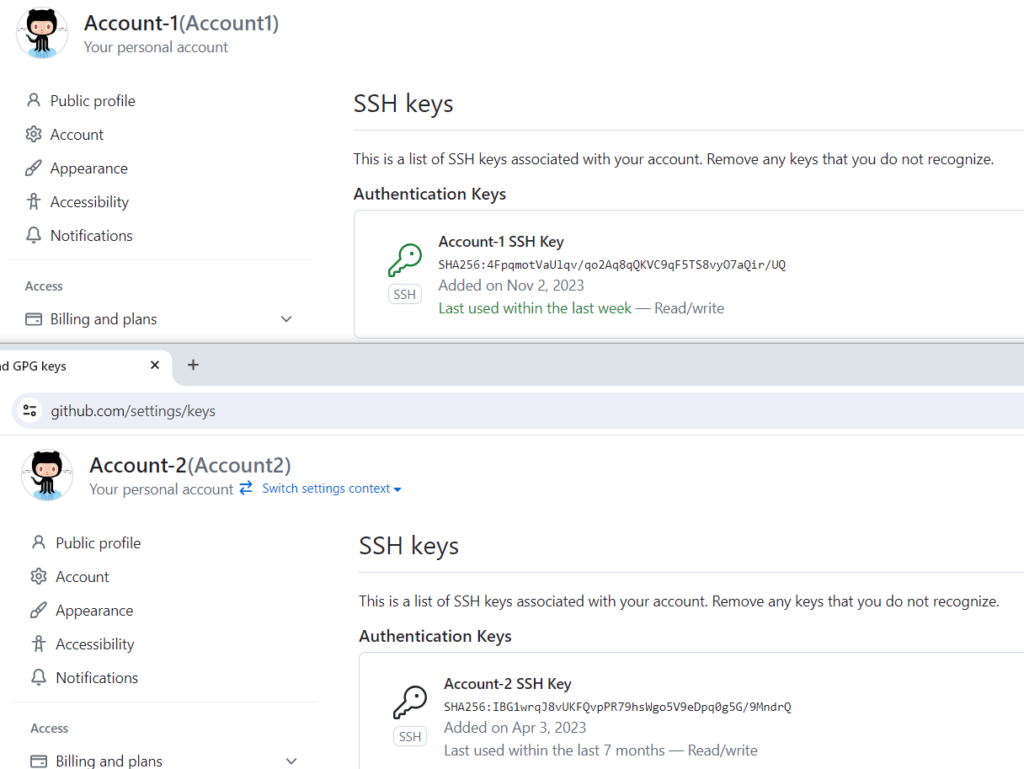
- After that, we can see SSH Keys in these accounts.
Step 2: Create an SSH config file to manage Multiple GitHub Accounts
To manage multi-account for SSH, we can create a config file (~/.ssh/config)
nano ~/.ssh/configIn our example, we will input content as below:
Host Org1
    HostName github.com
    User git
    IdentityFile ~/.ssh/account-1/id_ed25519
    IdentitiesOnly yes

Host Org2
    HostName github.com
    User git
    IdentityFile ~/.ssh/account-2/id_ed25519
    IdentitiesOnly yes

Host *
    HostName github.com
    User git
    IdentityFile ~/.ssh/id_ed25519
    IdentitiesOnly yes
After that, we can clone a specific organization repository by “git clone” command
- For example, clone repository name “account.git” in org1 with account-1
git clone Org1:org-1/account.git- Clone repository name “order.git” in org2 with account-2
git clone Org2:org-2/order.git- Cone repository name “example.git” in org1 with account-1 and update some config (email, name, etc.)
git clone --config user.name=MinhNashTech --config user.email=vuilendi@gmail.com Org1:org-1/example.gitConclusion
When you need to use multiple GitHub accounts to handle tasks in multiple different organizations, you should use SSH config to manage multiple SSH keys. That brings a lot of advantages for you:
- Don’t need to change a lot of using the command line of yours.
- There’s one place to manage multiple SSH accounts.
- It is easy and more secure than using a username and password to handle tasks in GitHub.
- The syntax for git is shortened when using host alias defined in the SSH config file.