



Introduction
Overview of Open Delta Sharing
Delta sharing is an open protocol that is developed by Databricks for securely sharing data with other organizations, regardless of the computing platform they use. Through open delta sharing, we can share the data with non-databricks members directly. So that they can access our data and perform some analysis as per their business need.
What is Share?
In open delta sharing, a share is a read-only collection, which contains the tables, views, notebook, etc. that a provider wants to share with other non-databricks teams.
What is Provider?
A provider is the engineer who shares the data with a recipient. He can manage the share by adding new assets. deleting the share, assigning the recipient, and revoking access assets from the recipient.
What is Recipient?
A recipient is the engineer who accesses the shared data and uses that data for their analytics performance. If a provider deletes a recipient from their delta sharing, then the recipient loses access to all shares it could previously access.
Advantages of Open Delta Sharing
1. Share live data directly without copying it.
2. Strong security, auditing and governance
3. Scale to massive datasets
4. Support a wide range of clients

How to Share Data through Open Delta Sharing
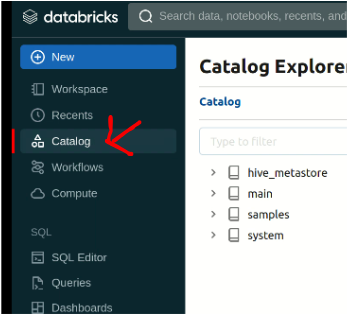
1. Login to Databricks account. Your account must be Unity Catalog enabled and Granted Delta Sharing by the metastore admin.
2. Now navigate to Delta Sharing and click on the Delta Sharing Tab as per the below instructions.
Catalog > Delta Sharing > Shared By Me
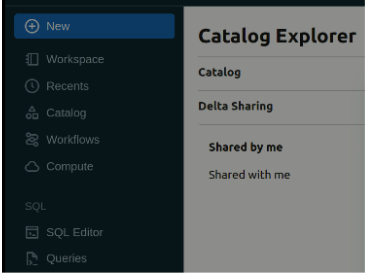
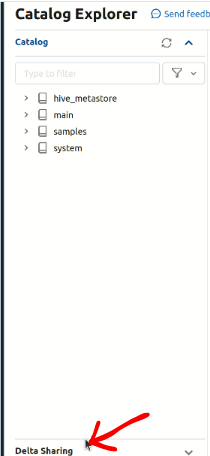
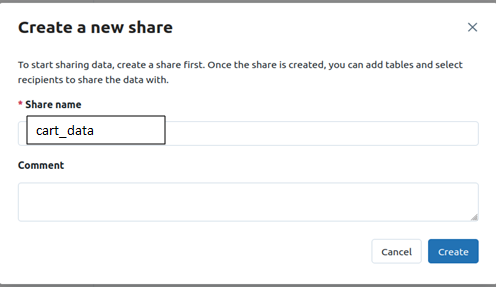
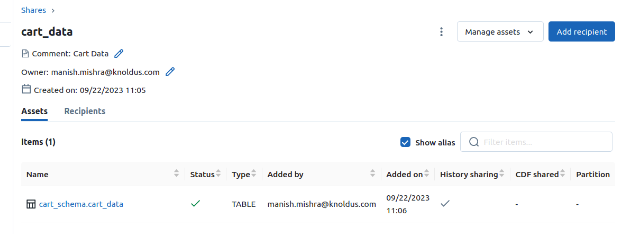
3. Create a share: Share includes all the data assets you want to share. After creating the share inside that add the data asset such as table, view, etc.
4. By Clicking on the manage assets we can add and remove the data assets such as table, view, etc.
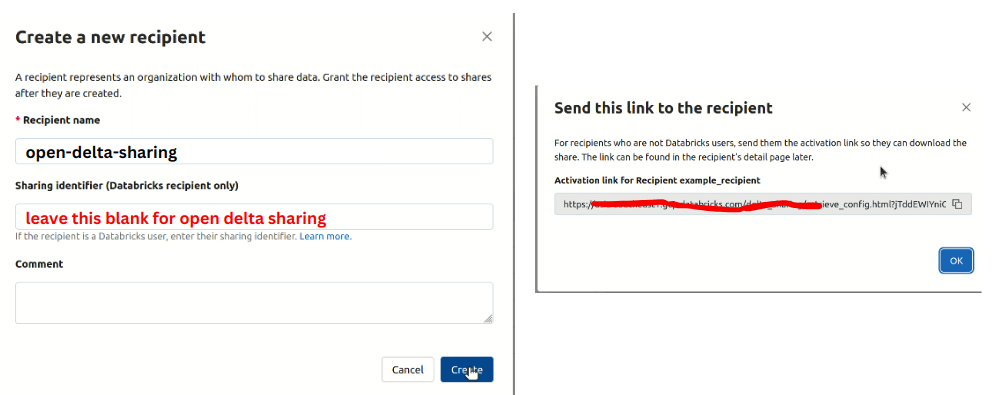
5. Create a recipient: For open Delta Sharing you don’t need metastore identifier.
When you click on create after that it will generate a URL you have to share it with the recipient.
When the recipient clicks on that URL a credential file will be downloaded and it will be downloaded only once. So keep it in the safe directory or place.
6. Now navigate to shared by me > recipient and click on share data and after that provide access to the data.
Now we are going to discuss how the recipient accesses the data and how to create visualisation from shared data,

Analysis through Power BI
Microsoft Power BI is a business intelligence (BI) platform that provides non-technical users with tools for visualizing, analyzing, aggregating, and sharing data.
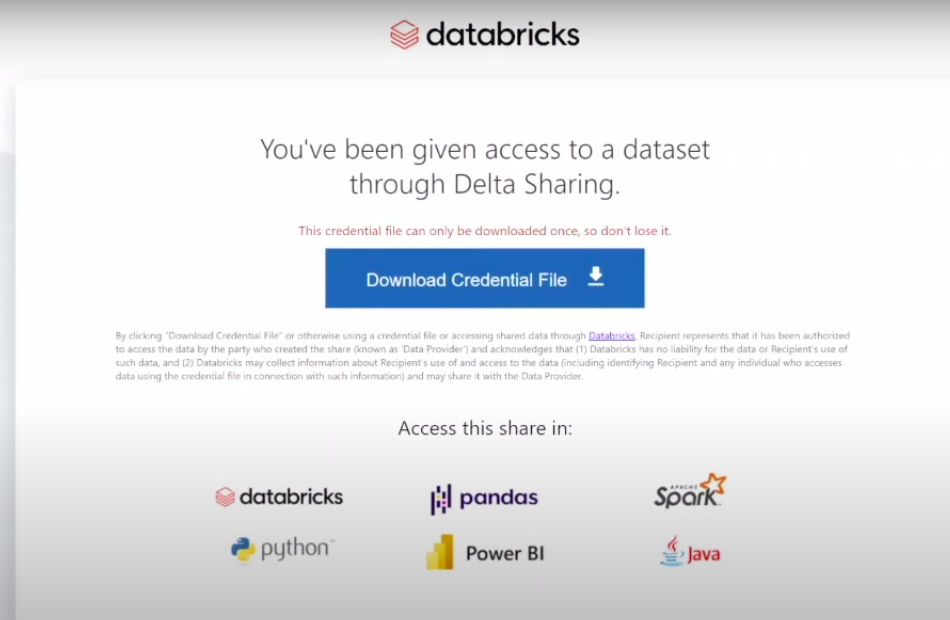
1. The client can access the link shared by the provider and when the client clicks the URL a credential file will be downloaded which contains an endpoint link, bearerToken, and many more details but these two are most important.
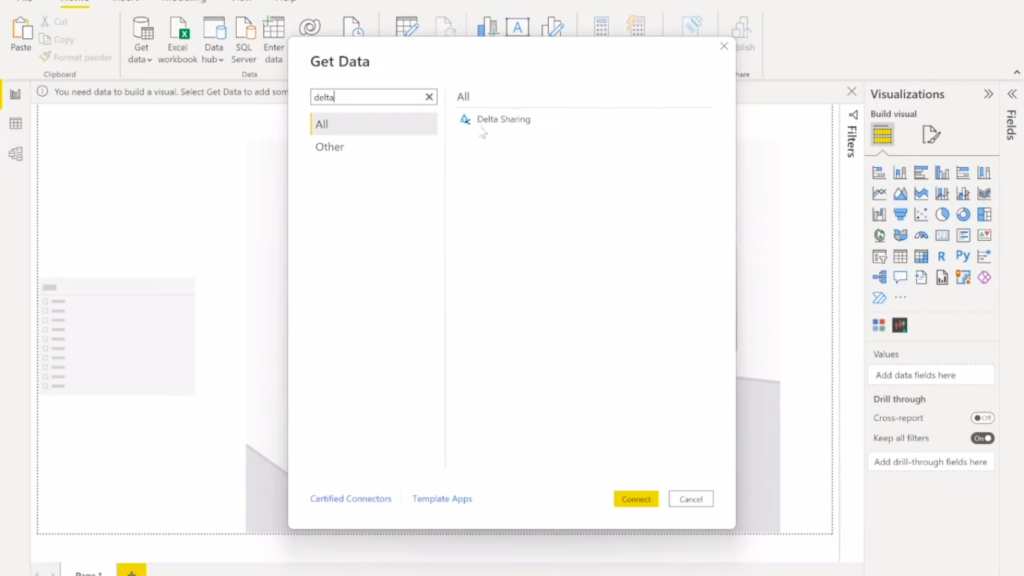
2. Open Power BI Tool Search for Delta Sharing and after that take the endpoint URL & BearerToken from the file and paste it into Power BI Tool under Delta Sharing Credentials.
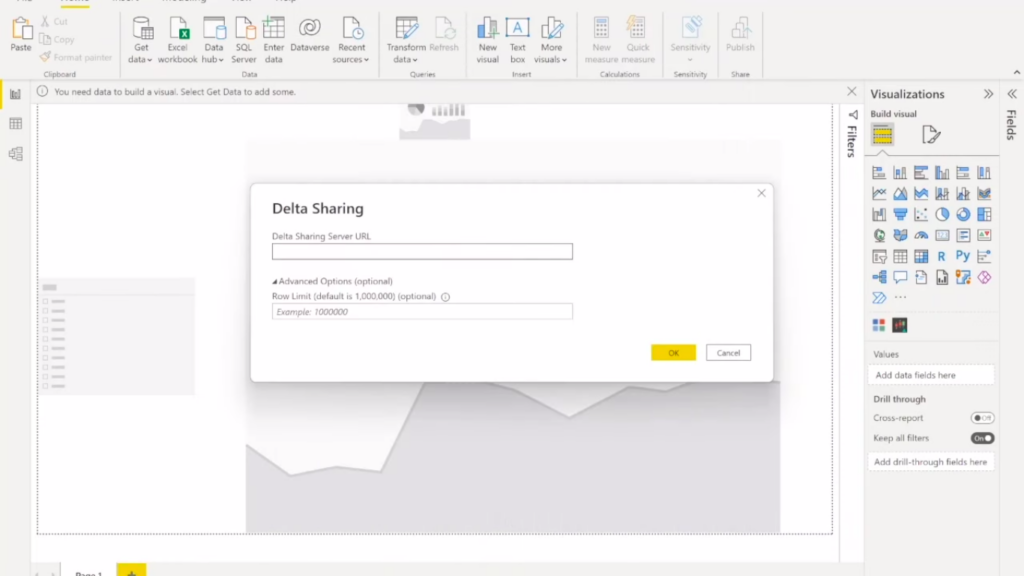
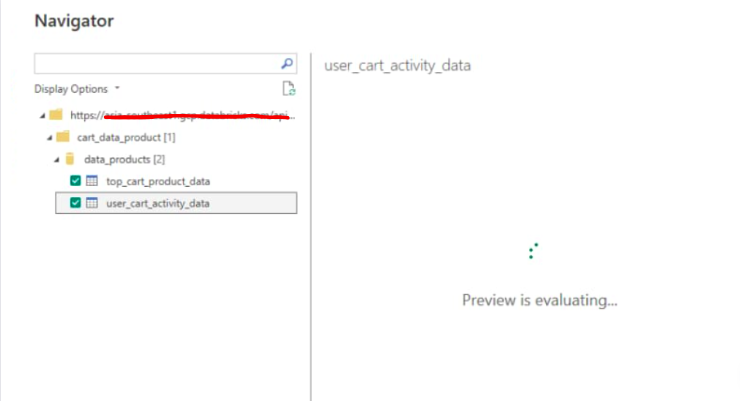
3. Select the table, view you want to use for your visualization.
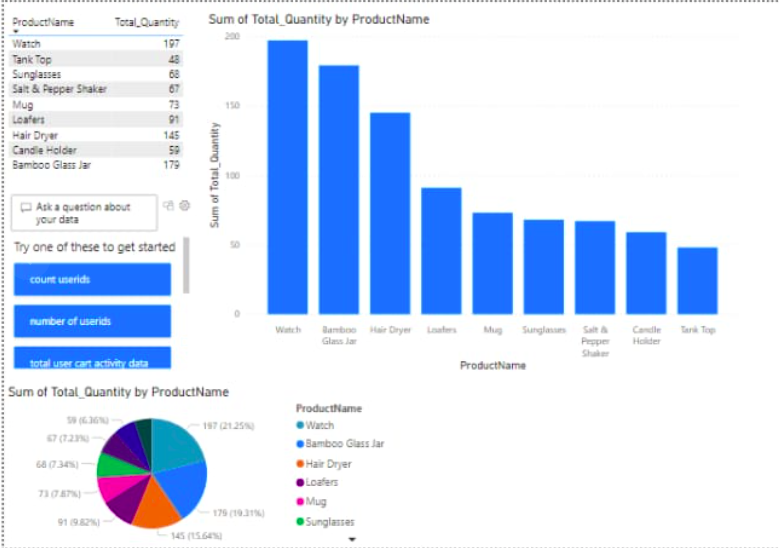
4. Now arrange the column and select the graph such as bar graph, line graph, pie chart, etc for your visualization.
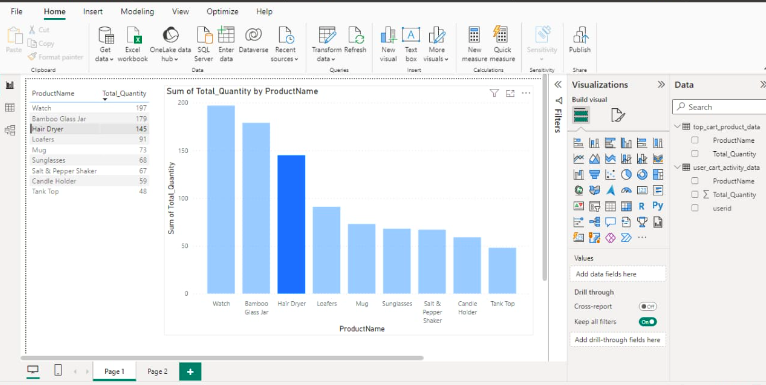
Data Analysis Dashboard
Conclusion
Open Delta Sharing, a protocol developed by Databricks, facilitates secure data sharing across different organizations, enabling non-Databricks members to access and analyze shared data. Providers manage shares, adding and removing assets, while recipients utilize shared data for analytics. The process ensures live data sharing without copying, robust security measures, scalability, and broad client support. Integration with Microsoft Power BI enhances visualization capabilities, allowing clients to easily analyze and interpret shared data for informed decision-making.
Related Article

Delta Sharing( Databricks to Databricks)

Databricks Job Workflow

Delta Time Travel