




Introduction
Overview of Delta Lake
Delta Lake is an open-source storage layer that is created on the top of the data lake. Delta Lake provides benefits such as ACID transaction, Open format, ingestion of both streaming and batch data, and time travel which is discussed in detail.
Overview of Delta Time Travel
Delta Time Travel is a feature that is provided by Delta Lake. Delta time travel allows the user to switch to the previous version of the delta table.
Some of the benefits of Delta Time Travel are:
- Historical Data Analysis
- Rollback to the previous version in case of new data quality is not valid
- Supports Schema Evolution
Different Ways of Time Travel in Databricks
In Databricks, there are two ways through which we can travel to the previous version of the delta table. The data format should be in delta, parquet, etc. by default the data saved in Databricks Unity Catalog is a type of delta.

Version Number
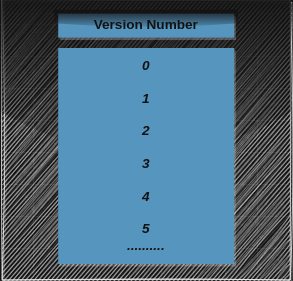
The delta table has the version number of the table through which we can view the previous data of the table and we can rollback to that data as well. The version number always starts with 0.
Example of Version Number
Timestamp
The delta table has the timestamp of the table through which we can view the previous data of the table and we can rollback to that data as well.
Example of Timestamp

Method to Switch Delta Version
1. Open a databricks notebook and attach a running computer (cluster) to that notebook.
2. It provides only four languages to code (Scala, Python, R, SQL) you can select as per your knowable language.
3. If the data is inside the Datbricks Unity catalog then you can navigate to that particular table and in the History tab you can find the version and timestamp of that table or by code also you can do.

4. If the data is inside the DBFS then you can do it from code only.
5. Run the below SQL Query to get the table or data history it contains the version and timestamp of the table data.
Command: DESCRIBE HISTORY <path_name>;
Example: DESCRIBE HISTORY main.schema.table;
6. Now if you want to view the data of the previous version.
dataframe = spark.sql("SELECT * FROM main.cart_schema.cart_data VERSION AS OF 4")
display(dataframe)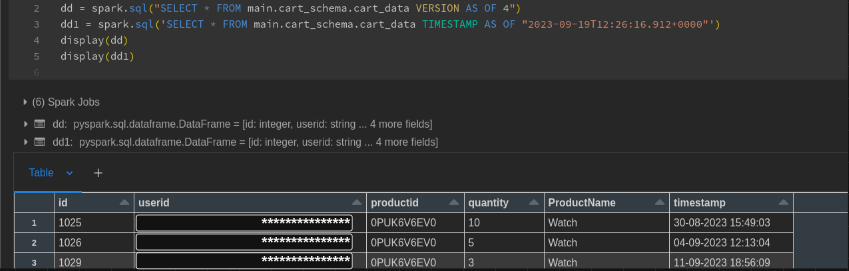
dataframe = spark.sql('SELECT * FROM main.cart_schema.cart_data TIMESTAMP AS OF "2023-09-19 12:26:16.912"')
display(dataframe)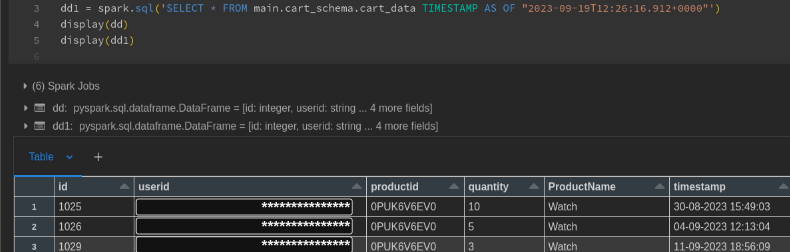
7. If the version or timestamp that you have passed to the command is wrong, it will throw an Error. You can’t able to switch to the previous version.
8. Run the RESTORE command to rollback to the previous version of the data and your new data will be lost for more information visit this site.
RESTORE TABLE <table_path> TO VERSION AS OF <version>;Conclusion
Delta Lake serves as an open-source storage layer of top data lakes, offering features like ACID transactions, open format support, and the ability to handle both streaming and batch data. One notable feature is Delta Time Travel, enabling users to access and revert to previous versions of Delta tables. This functionality proves valuable for historical data analysis, addressing data quality issues, and supporting schema evolution. In Databricks, users can time travel using version numbers or timestamps, either through the notebook interface or programmatically with SQL queries. Careful consideration of version or timestamp accuracy is crucial, and the RESTORE command allows for rollback if needed. Overall, Delta Time Travel enhances data management and analysis capabilities within the Delta Lake ecosystem.
1 thought on “Unlocking Time’s Secrets: A Databricks Delta Time Travel Guide”
Pingback: Time Travel in Delta Tables – Curated SQL
Comments are closed.