


In our previous blog post Amazon Bedrock – What, Why, and How?, we got introduced to Amazon Bedrock. In case anyone missed it, Amazon Bedrock is AWS’s fully managed platform for building & scaling GenAI apps. It leverages a wide array of Foundation Models (FMs). Hence, whether we’re exploring AI for the first time or building mission critical enterprise apps, Amazon Bedrock makes it easy to get started without worrying about the underlying infrastructure.
In this guide we will walk through a step‑by‑step guide to setup Amazon Bedrock. So, that we can begin playing with Bedrock’s playgrounds, models, and APIs.
Step-by-Step: How to Setup Amazon Bedrock
1. Sign-In (or Create) AWS Account
Before using Bedrock, you must have an AWS account. In case you’re don’t have one, simply create one through AWS and complete verification.
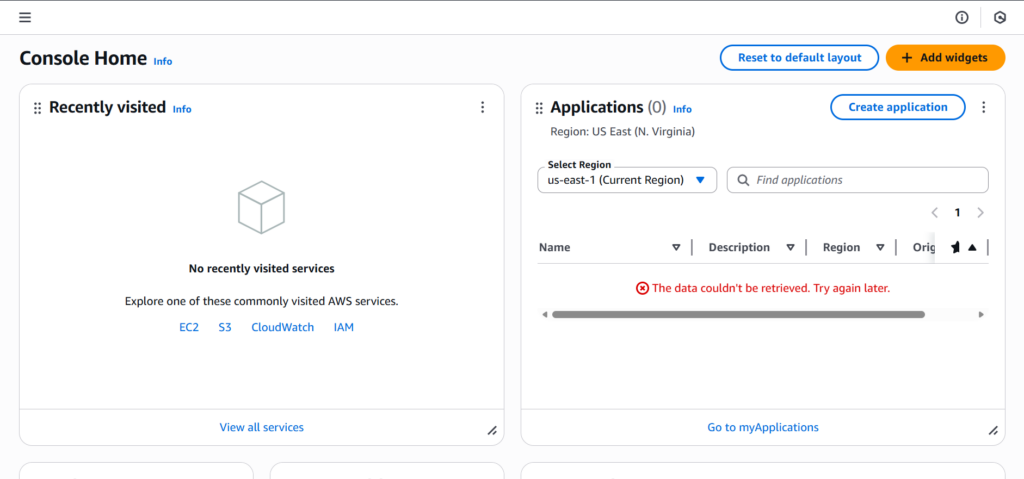
2. Navigate to Amazon Bedrock
In the AWS console search bar, type “Bedrock” and select “Amazon Bedrock” service.
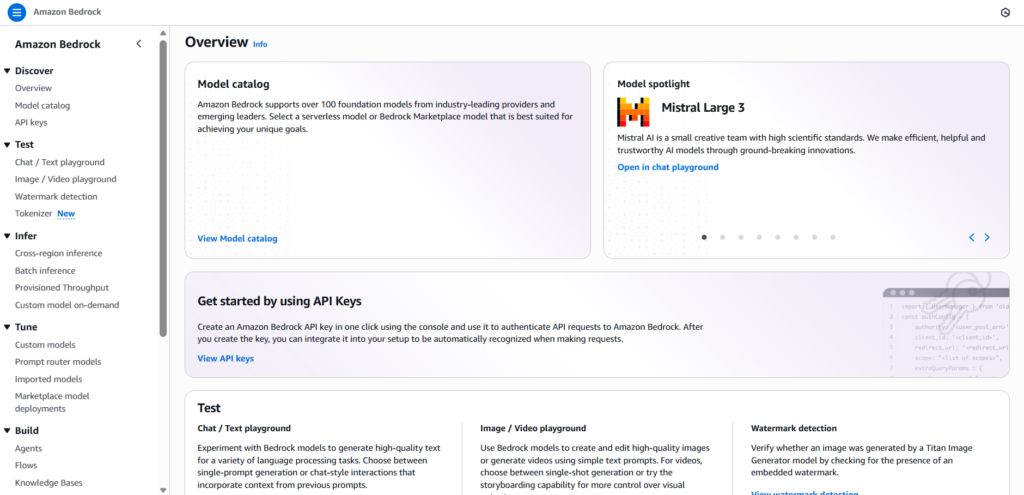
3. Explore the Bedrock Playgrounds
Bedrock offers multiple playgrounds for testing AI models without writing code. They are:
I. Chat / Text Playground
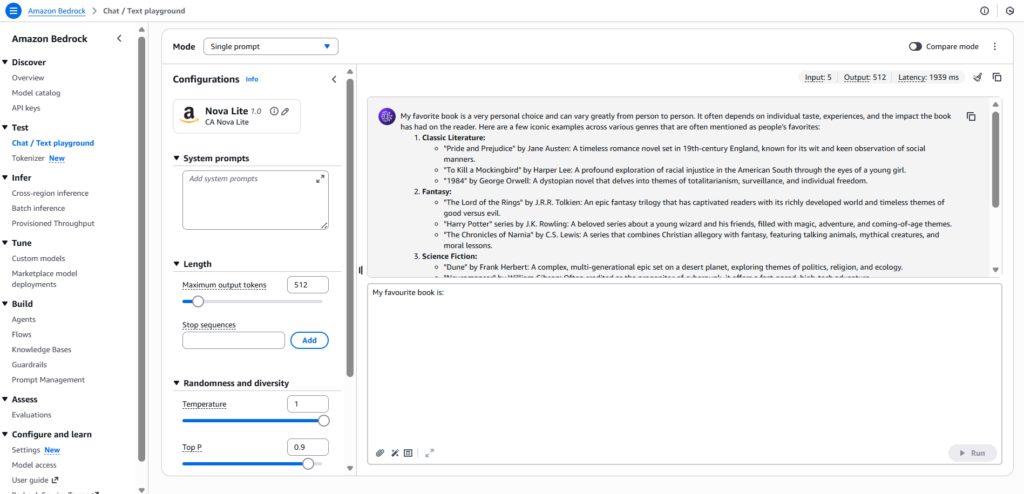
Here we can either have a conversation by iteratively submitting prompts and respond to each prompt (Chat). Or, we can generate a single response from a LLM Model (Text).
For reference, in the following screenshot we can observe that we are using Amazon Nova Lite v1.0 model to have a conversation (chat). Along, with the prompt responses we can also see other metrics like Input/Output tokens which are necessary to track expenditure on models along with latency to track models’ performance.
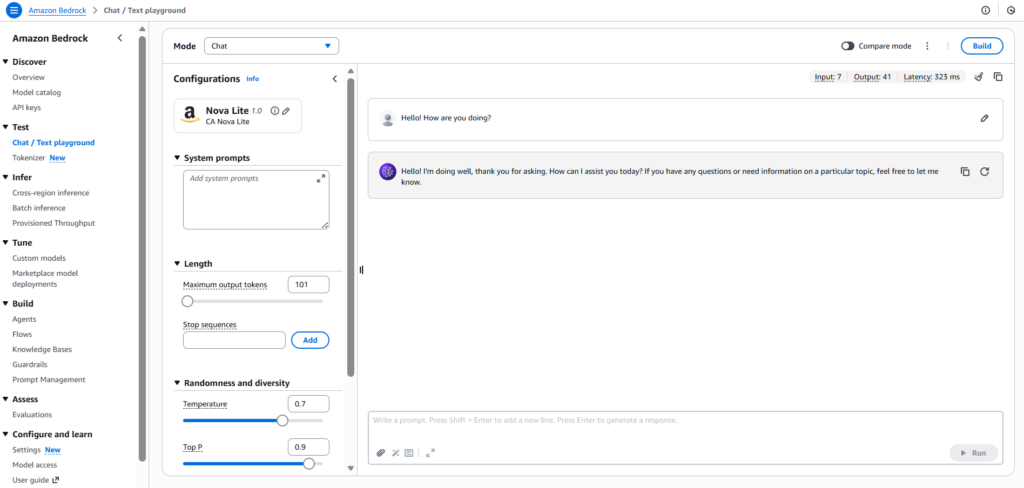
We can also adjust parameters like Temperature and Top P. They help in adjusting models’ probability of selecting outputs with different likelihoods and limit a models’ percentage of candidates to consider for output, respectively.
II. Tokenizer
Tokens is a crucial unit for AI Cloud model, since, it decides the structure of cost of AI Model being used in the Cloud. Hence, with the tokenizer, we can estimate the number of tokens in our input and refine it as necessary to adjust for cost, as well as token quotas.
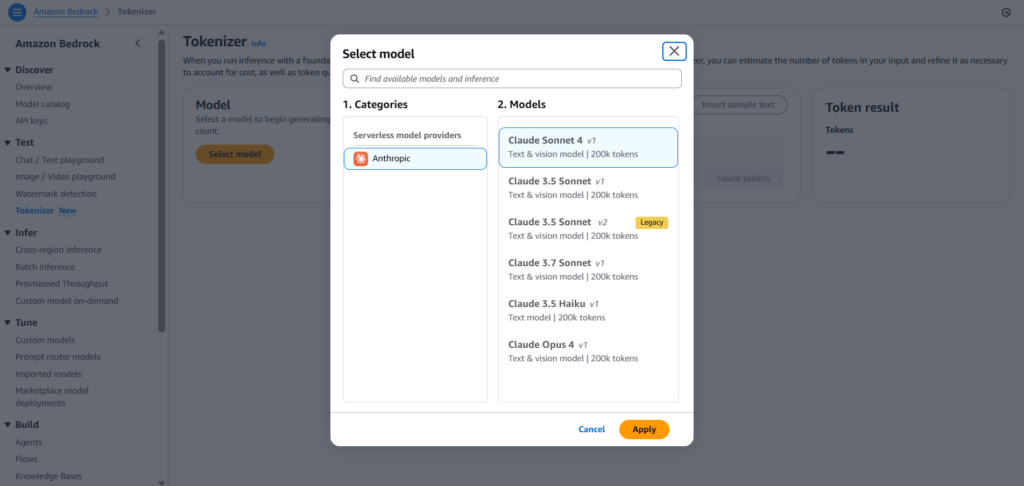
Note: Since, Tokenizer is a new playground (test) feature of Amazon Bedrock. Hence, it might not be active or have no models available in some AWS Regions right now.
In Summary
As observed, setting up Amazon Bedrock is a pretty straightforward task. By following just a few steps, as shown above, we can start building some pretty creative GenAI applications within minutes.
In our future blog posts, we will see different features of Amazon Bedrock, like Prompt Engineering, RAG, Agents, etc. in detail. So stay tuned 🙂