



Hi Folks!! In this blog, we are going to learn how we can integrate Spark with ArangoDB and Big Query to build a simple ETL pipeline.

ArangoDB: ArangoDB is a multi-model database system. It supports three data models (graphs, JSON documents, key/value) with one database core and a unified query language AQL (ArangoDB Query Language).
Apache Spark: Apache Spark is an open-source, distributed processing engine used for big data workloads. It utilizes in-memory caching, and optimized query execution for fast analytic queries against data of any size.
Big Query: BigQuery is Google Cloud’s serverless, fully managed, petabyte-scale, and cost-effective analytics data warehouse that lets you run analytics over vast amounts of data in near real time.
Minimum Requirements and Installations
To start the application, you will need ArangoDB runs locally and Big Query on your google cloud account. The minimum requirement for the application:
python 3.8.0, spark 3.4(pyspark), ArangoDb(latest), BigQuery
install gcloud sdk(https://cloud.google.com/sdk/docs/install)
Connecting to ArangoDB and reading Collections.
use docker-compose.yml to start a arangoDB docker container.
version: '3.7'
services:
  arangodb_db_container:
    image: arangodb:latest
    environment:
      ARANGO_ROOT_PASSWORD: rootpassword
    ports:
      - 8529:8529
    volumes:
      - arangodb_data_container:/var/lib/arangodb3
      - arangodb_apps_data_container:/var/lib/arangodb3-apps

volumes:
  arangodb_data_container:
  arangodb_apps_data_container:
run docker-compose up -d to start the docker container. You can access ArangoDB browsing localhost:8529.
login with user “root” and password “rootpassword“.

Select _system database and add your own user database.

Now, login with your own user database:
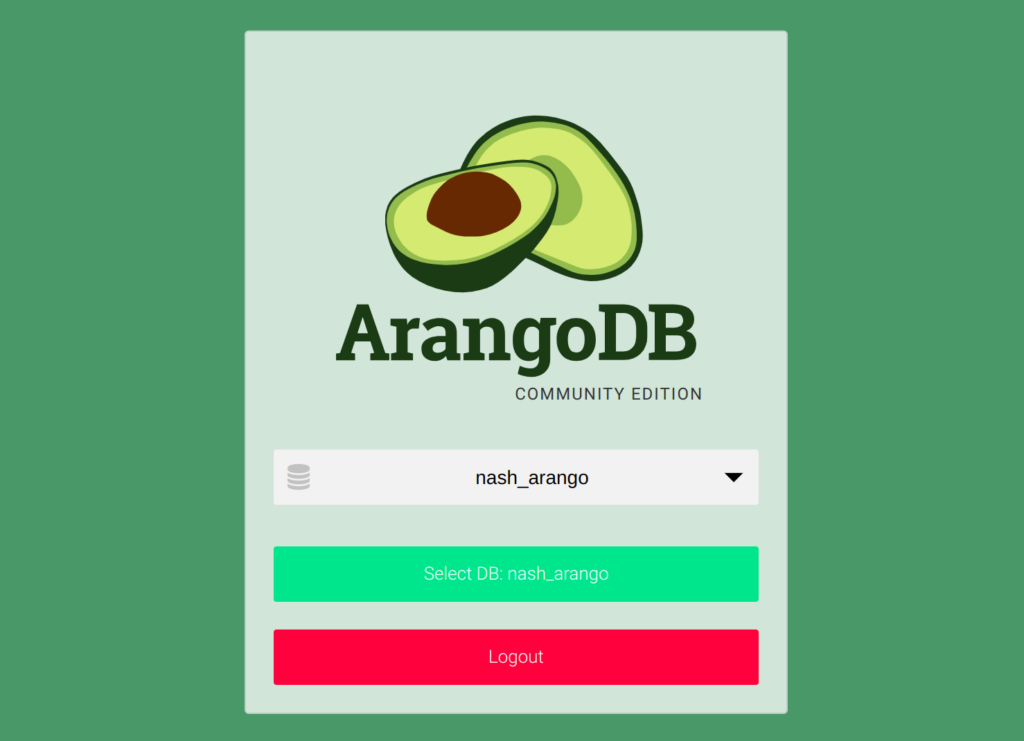
Add your collection and upload documents in the database you have created:
Sample documents:
{
  "id": 7,
  "name": "John Doe",
  "age": 22,
  "updatedAt": 1695569714963,
  "hobbies": {
    "indoor": [
      "Chess"
    ],
    "outdoor": [
      "BasketballStand-up Comedy"
    ]
  }
}

{
  "id": 5,
  "name": "Steve Doe",
  "age": 25,
  "updatedAt": 1695569714963,
  "hobbies": {
    "indoor": [
      "Ludo"
    ],
    "outdoor": [
      "Cricket"
    ]
  }
}

Now, Read the documents with pyspark:
 df: DataFrame = spark.read.format("com.arangodb.spark") \
        .option("query", query) \
        .option("batchSize", 2147483647) \
        .options(**arango_connection) \
        .schema(doc_schema).load()
In the above code snippet, reading the arangoDB. Passing a query which is a AQL(Arango Query language)
for example –
1. Reading all documents from hobbies collection
FOR doc IN hobbies RETURN doc
2. Reading the documents, inserted between current timestamp and current timestamp minus 6 hour.
FOR doc IN hobbies
FILTER DATE_TIMESTAMP(DATE_SUBTRACT(DATE_NOW(),”PT6H”)) <= d.updatedAt AND d.updatedAt <=
DATE_TIMESTAMP(DATE_NOW()) SORT d.updatedAt ASC RETURN doc
Option arango_connection is the arangoDB connection configuration.
 arango = {
      "endpoints": "localhost:8529",
      "password": "rootpassword",
      "database": "nash_arango",
     }
Option doc_schema specify the schema before writing it to bigquery
hobbies_schema: StructType = StructType([
    StructField("_id", StringType(), nullable=False),
    StructField("_key", StringType(), nullable=False),
    StructField("_rev", StringType(), nullable=False),
    StructField("name", StringType()),
    StructField("id", IntegerType()),
    StructField("age", IntegerType()),
    StructField("hobbies", StructType([
        StructField("indoor", ArrayType(StringType())),
        StructField("outdoor", ArrayType(StringType())),
    ])),
    StructField("updatedAt", StringType())
])
Note: specify the "batchSize” in a option carefully. if you have the huge number of documents keep the batch size larger otherwise you will get exception “Cursor not found“. https://github.com/arangodb/arangodb-spark-datasource/issues/46
Writing Spark DataFrame to Bigquery.
df.write.format('bigquery').mode("append") \
        .option('table', bq_table) \
        .option("project", bq_project) \
        .option("dataset", bq_dataset) \
        .option("writeMethod", "direct") \
        .option('credentialsFile', 'key.json') \
        .save()
In the above code snippet, writing the spark dataframe contains the arangoDB documents to a target big query table. Here,bq_table: table name.bq_dataset: bigquery datasetbq_project : GCP project ID
key.json: A service account json key having bigquery write permissions.
Result
It will write the arangoDB documents to target Big Query table with a schema you specified.

Find the complete code here.
Thanks for reading. Stay connected for more future blogs.