


Understanding Asynchronous Programming
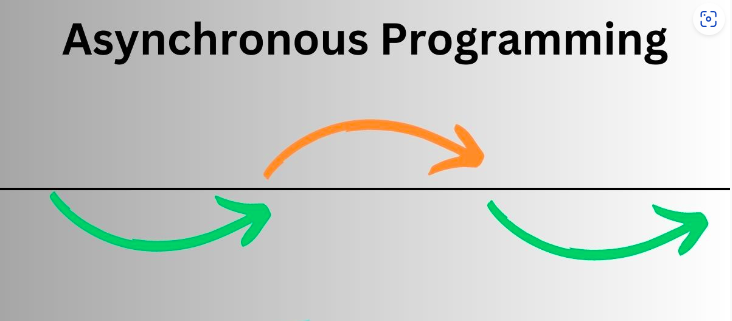
Asynchronous programming is a design pattern that allows a program to initiate a task and move on to other tasks before the first task finishes. This is particularly useful for operations that involve waiting, such as file I/O, network requests, or database queries. By not blocking the main thread, your application can remain responsive, providing a smoother experience for users.
Why Asynchronous Programming?
– Improved Responsiveness: In a graphical user interface (GUI) application, async programming helps keep the UI responsive by offloading lengthy operations to background threads.
– Better Resource Utilization: Asynchronous methods can make better use of system resources, leading to more efficient applications.
– Scalability: For server-side applications, async programming can handle more concurrent requests, improving scalability.
Basics of `async` and `await`
In C#, the `async` and `await` keywords make asynchronous programming more accessible by simplifying the syntax and reducing the complexity associated with traditional approaches like callbacks or manual thread management.
The `async` Keyword
In C#, the `async` and `await` keywords make asynchronous programming more accessible by simplifying the syntax and reducing the complexity associated with traditional approaches like callbacks or manual thread management.
Here’s a basic example of an asynchronous method:
public async Task<string> FetchDataAsync()
{
    // Simulate a delay (e.g., network request)
    await Task.Delay(2000);
    return "Data fetched";
}
In this example, `FetchDataAsync` is marked as `async`, and it returns a `Task<string>`. Inside the method, `await Task.Delay(2000)` asynchronously waits for 2 seconds before returning the string “Data fetched”.
The `await` Keyword
The `await` keyword is used to pause the execution of an asynchronous method until the awaited task is complete. It makes the code easier to read and maintain by avoiding complex callback patterns.
When you use `await`, the method execution is paused at that point, and control is returned to the caller until the awaited task finishes. Here’s how it works:
public async Task ProcessDataAsync()
{
    string data = await FetchDataAsync();
    Console.WriteLine(data);
}
In this example, `ProcessDataAsync` waits for `FetchDataAsync` to complete before proceeding to print the data. This makes the code behave as if it’s synchronous, even though it’s running asynchronously.
Deep Dive into `Task` and `Task<T>`
The `Task` and `Task<T>` classes represent asynchronous operations in C.
– `Task`: Represents an asynchronous operation that does not return a result. It’s used when you don’t need to return any value from the method.
 public async Task DoWorkAsync()
    {
        await Task.Delay(1000);
        Console.WriteLine("Work done");
    }
– `Task<T>`: Represents an asynchronous operation that returns a result of type `T`. It’s used when you need to return a value from the method.
  public async Task<int> CalculateResultAsync()
    {
        await Task.Delay(1000);
        return 42;
    }
Error Handling in Asynchronous Methods
Handling errors in asynchronous methods is similar to synchronous methods but requires some additional consideration. Exceptions thrown in asynchronous methods are captured and stored in the `Task` object.
To handle exceptions, you can use `try` and `catch` blocks within the asynchronous method:
public async Task<string> FetchDataWithErrorHandlingAsync()
{
    try
    {
        // Simulate a delay
        await Task.Delay(2000);
        throw new InvalidOperationException("An error occurred");
    }
    catch (Exception ex)
    {
        Console.WriteLine($"Error: {ex.Message}");
        return "Error fetching data";
    }
}
In this example, any exceptions thrown during the asynchronous operation are caught and handled, preventing them from crashing the application.
Best Practices for Asynchronous Programming
1. Avoid Blocking Calls: Avoid using `.Result` or `.Wait()` on tasks, as they can lead to deadlocks and performance issues. Always prefer `await` for asynchronous operations.
2. Use `ConfigureAwait(false)` When Appropriate: By default, `await` attempts to marshal the continuation back to the original context (e.g., the UI thread). If you don’t need to resume on the original context, use `ConfigureAwait(false)` to avoid unnecessary context switches.
public async Task<string> FetchDataAsync()
    {
        await Task.Delay(2000).ConfigureAwait(false);
        return "Data fetched";
    }
3. Avoid `async void` Methods: Except for event handlers, avoid using `async void` methods. They don’t return a `Task` and make it difficult to handle exceptions and manage task completions.
Real-World Examples
Let’s look at a couple of practical examples to see how async programming can be applied in real-world scenarios.
Example 1: Making a Network Request
public async Task<string> GetHttpContentAsync(string url)
{
    using (var httpClient = new HttpClient())
    {
        HttpResponseMessage response = await httpClient.GetAsync(url);
        response.EnsureSuccessStatusCode();
        string content = await response.Content.ReadAsStringAsync();
        return content;
    }
}
In this example, `GetHttpContentAsync` makes an HTTP GET request asynchronously. It waits for the response and then reads the content without blocking the main thread.
Example 2: Interacting with a Database
public async Task<List<Customer>> GetCustomersAsync()
{
    using (var dbContext = new MyDbContext())
    {
        return await dbContext.Customers.ToListAsync();
    }
}
Here, `GetCustomersAsync` retrieves a list of customers from a database asynchronously, leveraging Entity Framework’s asynchronous capabilities to avoid blocking the thread.
Performance Considerations
Asynchronous programming can significantly impact performance. However, it’s essential to understand when and where to use it:
– Context Switching: Each `await` might result in a context switch, which can affect performance. Minimize context switches by using `ConfigureAwait(false)` when you don’t need to return to the original context.
– Scalability: Async methods can handle more concurrent operations, making your application more scalable. However, ensure that async methods are not overused, as excessive async operations can lead to increased complexity and potential performance hits.
Summary
Asynchronous programming with `async` and `await` in C# can greatly enhance the responsiveness and performance of your applications. By understanding and implementing these concepts effectively, you can write more efficient and maintainable code. Remember to follow best practices, handle exceptions gracefully, and be mindful of performance implications.