



This blog is an introduction to Classless Internet Domain Routing (CIDR) notation. we will explain how an IP address maps to a series of 32-bit octets, how to declare a range of IP addresses as your CIDR block, and how to divide that range to provide IP address access to your subnets.
In order to get the most out of your usage of AWS security groups or AWS access control lists, it’s important to understand CIDR notation. It’s how we describe IPv4 addresses when we are looking at them in sequence.
What is IPv4 notation?
To understand CIDR blocks, we first need to understand IPv4 notation in the first place. Now, we are all used to seeing an IP address.
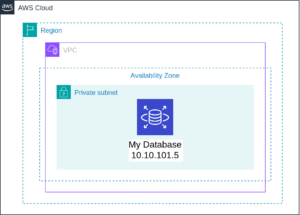
You can see the IP address of my database in the picture above. Underneath the hood, it’s a 32-bit binary number. This actually is important for us to understand how we break it down.
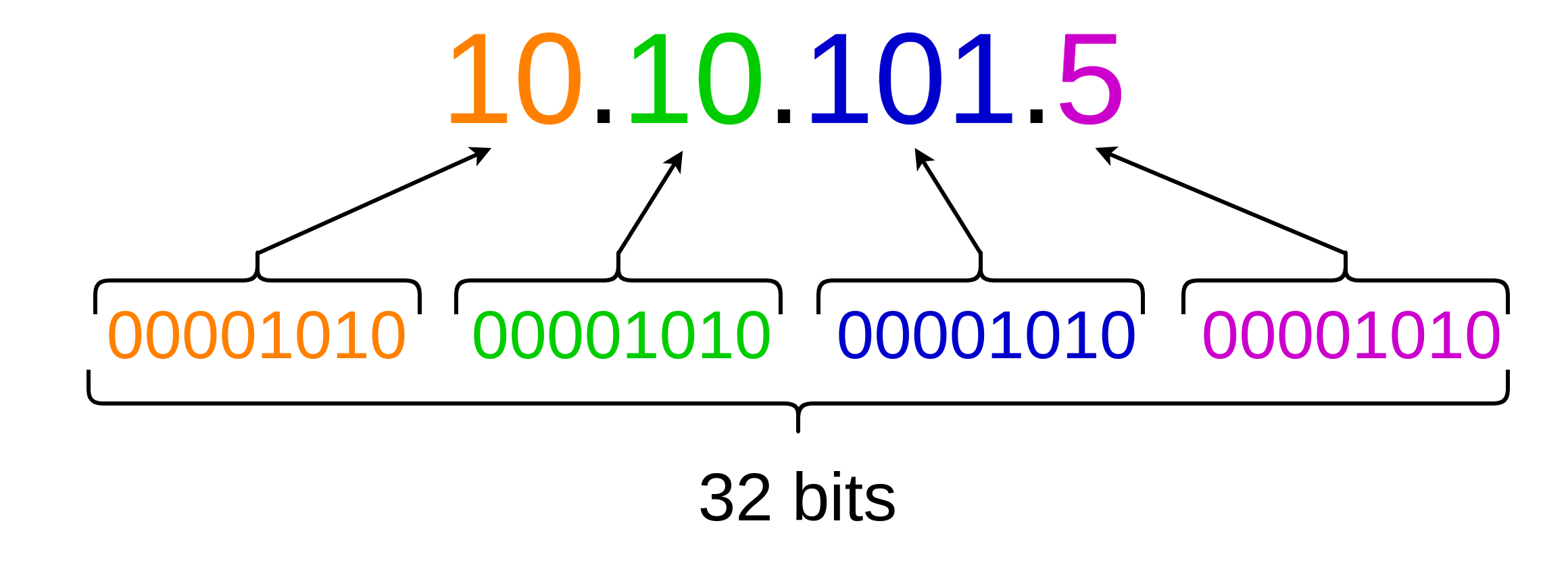
So, the first 10 maps to the first octet of the 00001010, another octet for the second 10, the third octet, and the fourth octet, each one ranging from 0 to 255 as far as our numbers. What we want to do is not describe a single number, but we want to describe a range of numbers. We want to know, for example, all of the possible IP addresses that begin with the number 10.10 but I am wildcarding the rest of them 10.10.*.*. So to describe a range of numbers that begin with 10.10, I am using CIDR notation.
What is CIDR notation?
CIDR stands for Classless Internet Domain Routing. What we need to do is we need to think about it actually in terms of the 32-bit number underlying the octets that we as humans like to read. What I am really saying in this case is I want to freeze the first 16 bits and wildcard the rest.
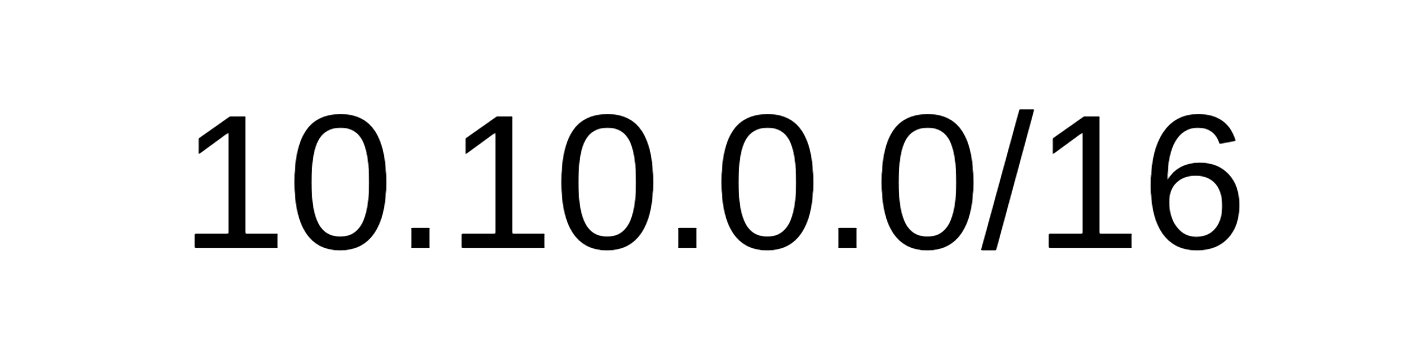
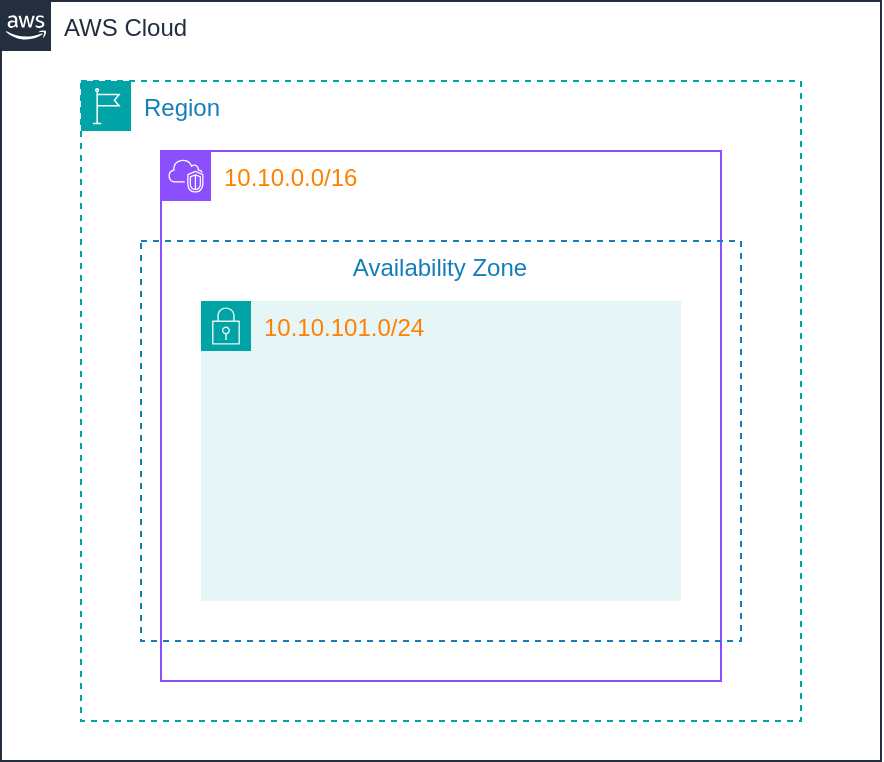
So 10.10.0.0/16 indicates in this case, the first two octets, never change. The last two can be whatever you want. And CIDR notation is then simply determining how many bits are you freezing. The rest are all being wildcarded in IPv4 notation.
Applying CIDR notation
-
For AWS Virtual Private Cloud (VPC)
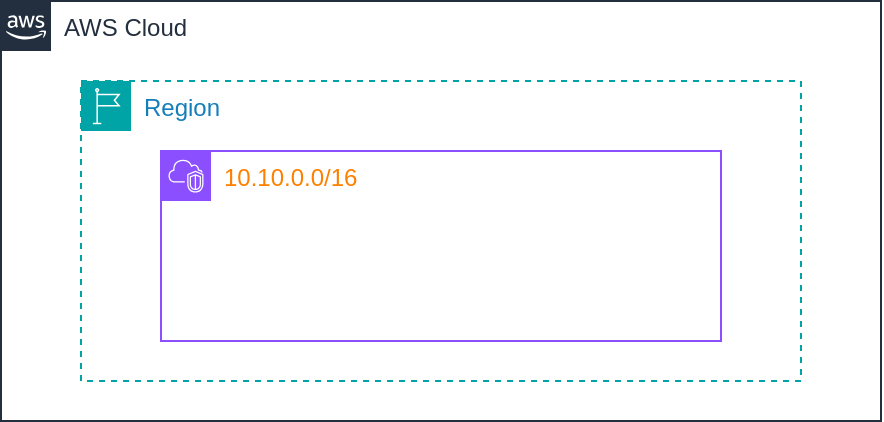
/16 is the most common number we will see for a VPC CIDR block. It’s also the most you’re allowed to do. You certainly could go smaller than /16, and smaller being /17, /18, /19, and so on in this case, and you can go as small as /28, but that’s only going to give you a possible 11 addresses (16 addresses minus the five AWS take away), that is going to be for use inside your VPC. Whereas /16 is going to give you about 65000 possible addresses.

-
For AWS Subnet
If /16 is my CIDR block for my main VPC, we then subdivide it into subnets, which need to be a subset of the /16, so they all need to start at least with a 10.10. But if I want multiple subnets, I then don’t want any collisions, commonly we will see those as /24. What does /24 mean? It means I am freezing the first 24 bits. So, say “I want the subnet where my database lives”. We would call that out as 10.10.101.*/24, which means for this subnet if I am defining it as a /24, I could have any private IP address beginning from 0 up to 255. In other words, wildcard the last 8 bits.

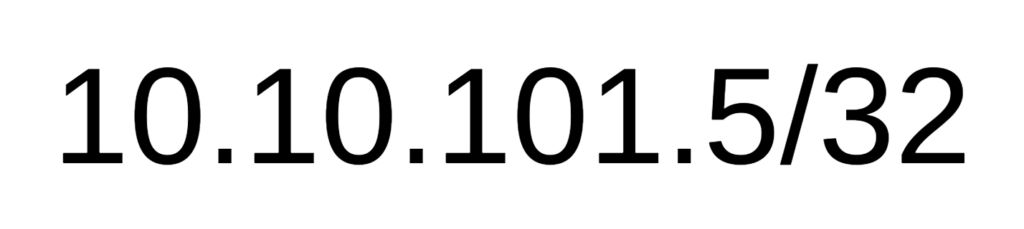
Now, services or instances running in your subnet will be assigned IP from 10.10.101.0 to 10.10.101.255 Well, what if I’m describing a single, specific address, in this case, 10.10.101.5, meaning I am not wildcarding anything? That is just a /32. Everything stays the same. Not allowed to change anything. This is one and only one IP address, which I will use to authorize in a security group traffic that only comes from one specific location.

Specific IP Address -
Authorize traffic from the entire internet
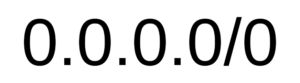
So, what if I want to authorize traffic from the entire internet, from anything in the space? In other words, everything’s wildcarded. And it becomes simple.

“don’t care”, dot “don’t care”, dot “don’t care”, dot “don’t care”, slash “don’t freeze anything” So 0.0.0.0/0 becomes the final notation that is important to understand meaning the entire internet, which I would expose to my front-end web servers or other elements like that.
Conclusion
CIDR notation, there’s a lot deeper understanding, but the key part you need to know, is which bits am I freezing? That becomes your slash. We use those to define security groups, access control lists, and many more.