


The next generation of AI applications isn’t just generating text; it’s reasoning, planning, and acting to complete complex goals. These are Agentic Apps, and they’re poised to revolutionize how users interact with software.
What is an Agentic App?
Imagine an AI that doesn’t just answer questions, but actually does things for you, making decisions and using tools just like a human assistant. That’s the core idea behind an Agentic App.
These apps use AI “agents”—think of them as smart, autonomous brains that have specific goals. They can:
- Reason: Understand what you want and figure out the best way to achieve it
Plan: Break down complex tasks into smaller, manageable steps.
Interact: Talk to you, or even talk to other software systems (like a calendar app or a weather service).
Use Tools: Just like you might use a calculator or a web browser, these agents can “call” or “use” other computer programs or online services (APIs) to get information or perform actions.
In simpler terms: An agentic app is like having a very capable, digital personal assistant embedded directly into your software. It doesn’t just give you information; it helps you get things done.
How Does an Agentic App Work?
Let’s break down the step-by-step process of how these smart apps operate:
- You Talk to the App (User Interaction): You type a question, speak a command, or click a button in the app. This is your “input.”
- The AI Thinks (Agent Reasoning): The AI agent takes your input, interprets your goal, and plans the necessary steps and tools needed.
- The AI Uses Tools (Tool/Function Calls): If the AI needs more information or needs to perform an action, it will “call” an external tool or service.
- Example: If you ask “What’s the weather like in Paris tomorrow?”, the AI agent might “call” a weather API (an online weather service) to get the forecast data.
- The AI Gives You an Answer (Response Generation): Once the AI has gathered all the necessary information, it combines everything it learned and generates a clear, concise response for you.
- Smooth, Real-Time Updates (Streaming & Real-Time Updates): To make the experience feel fast and natural, the app starts sending parts of the answer word by word as soon as they’re generated. This is called streaming
Introducing the Vercel AI SDK
Building these powerful capabilities from scratch is complex. Developers have to manage multiple AI providers, handle streaming technology, and write complex orchestration logic for tool use.
The Vercel AI SDK is a modern, open-source toolkit designed to make building agentic apps dramatically easier and faster. Think of it as a universal plug-and-play kit that handles all the complicated plumbing, allowing developers to focus purely on the app’s unique features.
How Does the Vercel AI SDK Help?
| The Problem (Without SDK) | The Solution (With Vercel AI SDK) |
| Provider Chaos (OpenAI, Google, Anthropic all have different technical rules). | Unified API: Use one set of simple commands to talk to any major AI model. |
| Manual Streaming (Sending text word-by-word requires complex coding). | Built-in Streaming: Handles the real-time, token-by-token stream automatically. |
| Tool Orchestration (Teaching the AI when and how to call external tools). | Native Tooling & Agents: Simplifies defining functions (tools) and automatically manages the multi-step “think-use-tool-think-again” loop. |
| RAG (External Data Use) (Connecting the AI to your company’s private documents). | RAG Support: Easily integrate the AI’s core knowledge with your own data sources for context-aware answers. |
Vercel AI SDK Capabilities
The SDK offers a rich set of features that make it the ideal foundation for modern AI apps:
Multi-Provider Support: Connect seamlessly to OpenAI, Anthropic, Google Gemini, and many others with a single, consistent code structure.
Real-Time Streaming: Deliver text, chat, and even structured data output in real-time, improving user experience dramatically.
Function Calling & Tool Use: The core feature for agentic apps! It enables the AI to execute custom functions (like looking up a database record or sending an email) as part of its reasoning.
Retrieval-Augmented Generation (RAG): Tools for connecting the LLM to private, external data sources, ensuring answers are current and accurate based on your specific knowledge base.
Real-World Use Case – The E-commerce Agent
Imagine an e-commerce website using the Vercel AI SDK to build an agentic customer service chatbot:
| User Goal | Agent Action (Powered by Vercel AI SDK) | SDK Capability Used |
| “What are the return policies for a shirt I bought last month?” | Agent uses a Tool Call to query the order database, retrieve the specific policy from the RAG system, and streams the answer. | Function Calling, RAG, Streaming |
| “Find me the top-rated running shoes in a size 10 that are currently on sale.” | Agent uses a Tool Call to filter the product catalog, extracts a structured list of product names and prices, and streams the results to the user’s browser. | Function Calling, Structured Output, Streaming |
The Vercel AI SDK removes the heavy lifting required for streaming, provider integration, and complex tool orchestration. By doing so, it allows developers to deliver advanced, scalable AI experiences quickly and reliably.
Vercel SDK core architecture
The SDK is divided into two primary libraries, addressing the separation between secure server-side logic and real-time client-side UI:
| Package | Purpose | Where It Runs | Key Features |
ai (AI SDK Core) | LLM Interaction & Business Logic | Server-side (Next.js API Routes, Vercel Edge Functions, Node.js) | Unified API, Tool Calling, Structured Output, Streaming Handlers. |
@ai-sdk/react (AI SDK UI) | Frontend Integration & State Management | Client-side (React components) | Hooks like useChat, useCompletion, and useStreamableValue that manage real-time updates. |
The SDK enables an end-to-end type-safe development experience, ensuring the data passed from your LLM (server) matches the data consumed by your UI (client).
Agentic Workflows & Tool Use
This is the key to building autonomous applications. Tool Use (often called Function Calling) allows the LLM to interact with the real world.
The Loop: You provide the LLM with a list of available tools (functions defined by a description and a Zod schema). The LLM determines, based on the user’s prompt, whether to call one of these tools. Your code then pauses, executes the real function (e.g., querying a database or calling a weather API), and feeds the result back to the LLM for a final response.
Agent Orchestration: For complex tasks, you chain specialized, anonymous agents together (e.g., an Orchestrator Agent for planning, a Worker Agent for execution, and a Validator Agent for review) using explicit control flow (if/else, loops) powered by the core SDK functions (generateObject and streamText).
Seamless UI Integration
The @ai-sdk/react package makes building UIs trivial by handling the complex streaming logic:
useChat Hook: This hook is the workhorse for chat interfaces. It manages the entire conversation lifecycle: sending messages, receiving the response stream, maintaining the message history, and handling state (loading, error, etc.). You simply pass the user’s input, and the hook handles the communication with your backend API route.
Streaming Made Easy: The hook processes the server-side stream token-by-token and automatically updates your React state, giving users that familiar, instant, word-by-word feedback without you writing a single line of streaming boilerplate code.
Demo
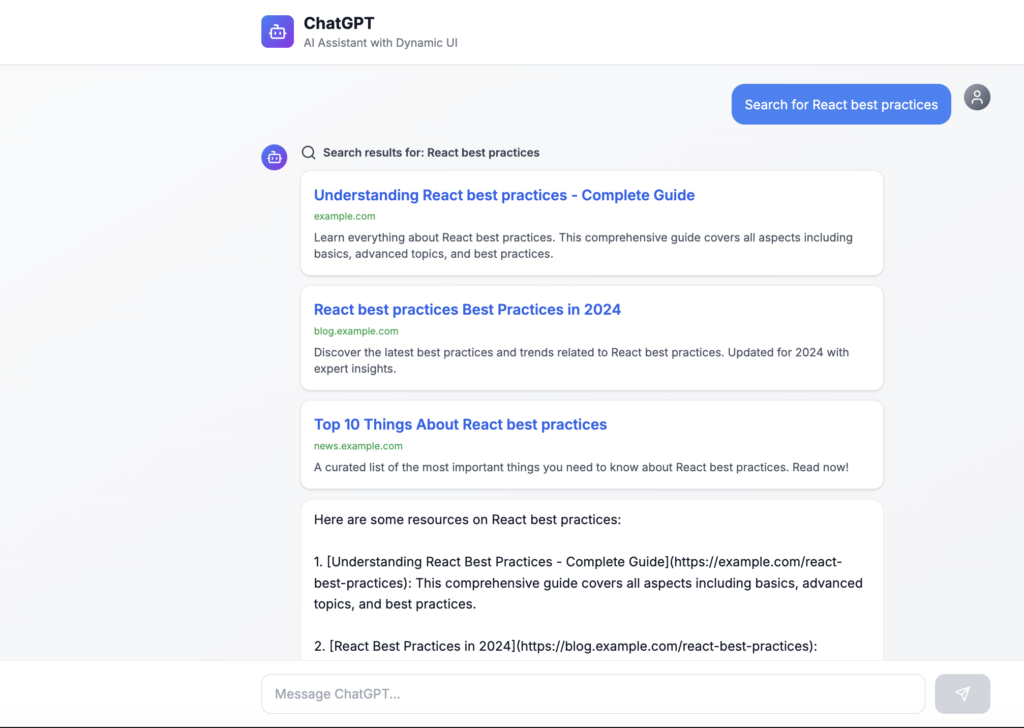
Render UI from chat
Human in loop
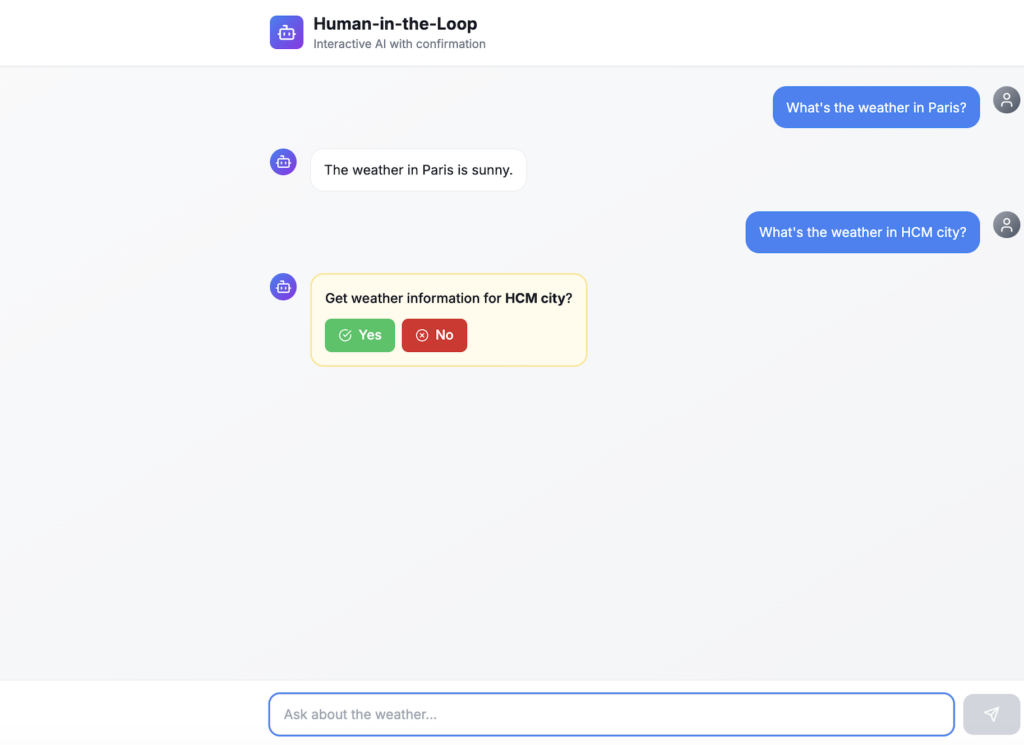
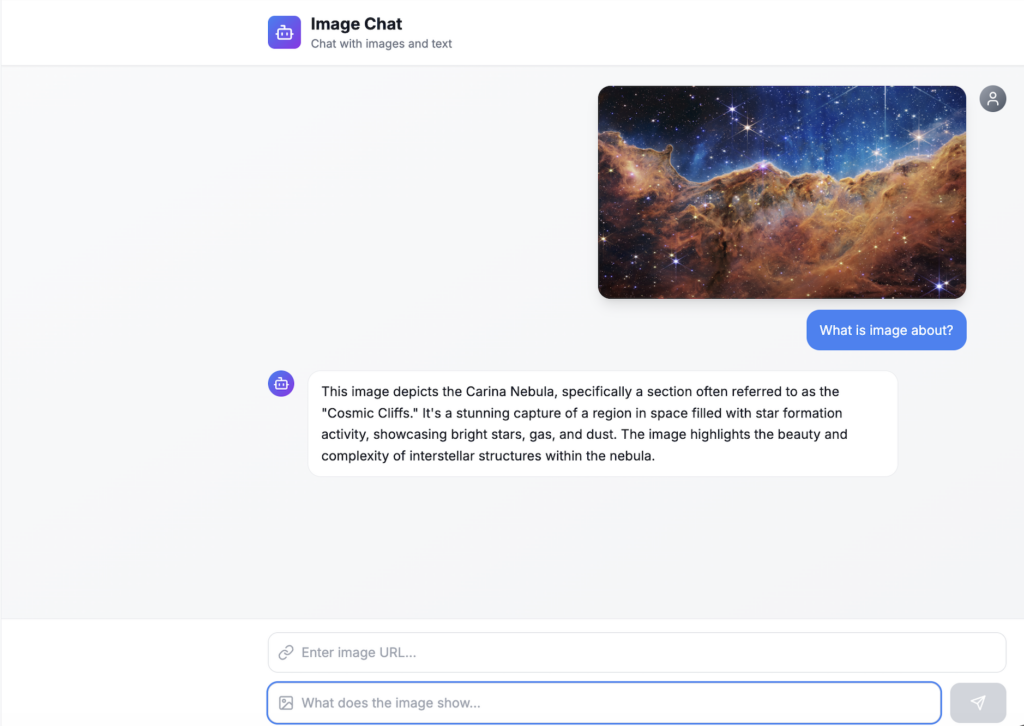
Image chat
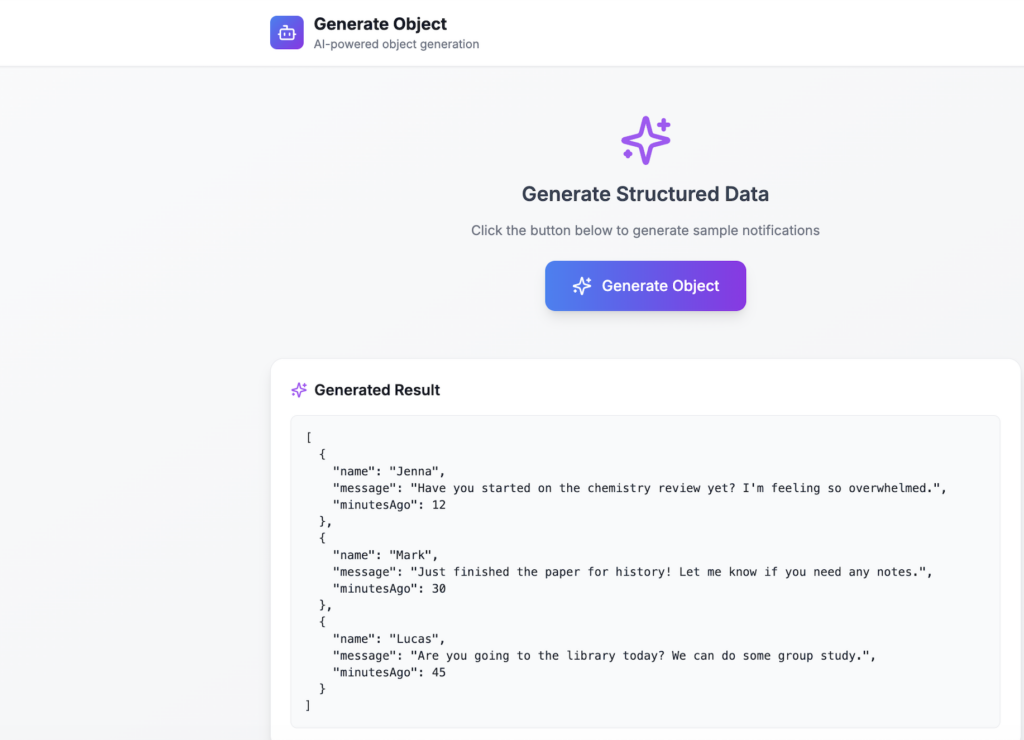
Render object from chat
And much more usecase Vercel AI SDK can do etc…