



In our Amazon Bedrock deep dive series, we became aware of several AI features offered by Amazon. Like:
However, all of them required a primitive level of programming. This is good for developing & deploying large-scale LLM powered web-apps, but what if we just want to develop a lightweight web-app using LLM. Amazon have a playful offering for the same, i.e., Amazon PartyRock, a no‑code development environment designed to quickly build lightweight AI‑powered web-apps.
In this article, we’ll observe a breakdown of what Amazon PartyRock offers, what are its strengths, limitations, and where it might fit into our creative world by prototyping a lightweight AI-powered web-app.
What is Amazon PartyRock?
Amazon PartyRock is a no‑code environment where we can build AI‑powered lightweight web-apps using drag & drop widgets. The platform is:
- Free to use
- Offers multiple LLMs
- Can be accessed via Google, Apple, or Amazon login
- Apps built using PartyRock can be shared through a unique link
- Designed for experimentation rather than production workloads
Note: Web-Apps built using Amazon PartRock to be used for experiment purpose only. For production grade web-apps, Amazon Bedrock along with LlamaIndex or LangChain should be preferred.
Features Offered by Amazon PartyRock
Amazon PartyRock apps are composed of widgets, where each widget act as a small, specialized agent. Every widget can perform a task, take user inputs, or wire the output of a widget into another widget.
Each Amazon PartyRock widget currently available offers:
- User Input: A simple input box for capturing text from your user
- Static Text: Useful for explanations, labels, instructions, or displaying constant information
- Document Upload: We can upload a file and use it within other widgets, basically implement a basic RAG-style flow
- Text Generation: A standard LLM-based output box which is useful for summaries, vocabulary lists, or any generated content
- Chatbot: A simple conversational interface if an app needs chat-like interaction
Prototyping with Amazon PartyRock
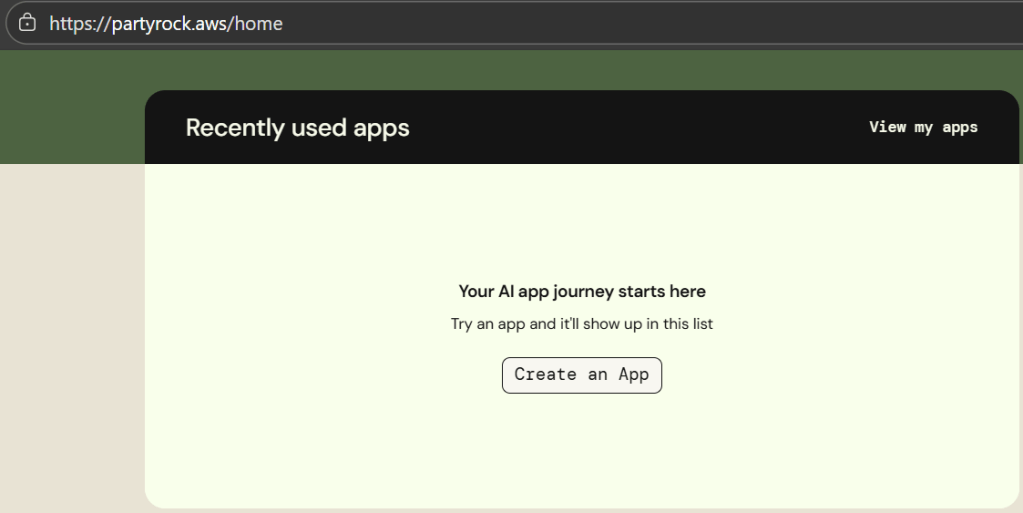
Let’s test Amazon PartyRock capabilities by building a lightweight trip planner. After logging in to partyrock.aws, we’ll observe a prompt to create a new empty app.
Step 1: Adding a Chatbot Widget
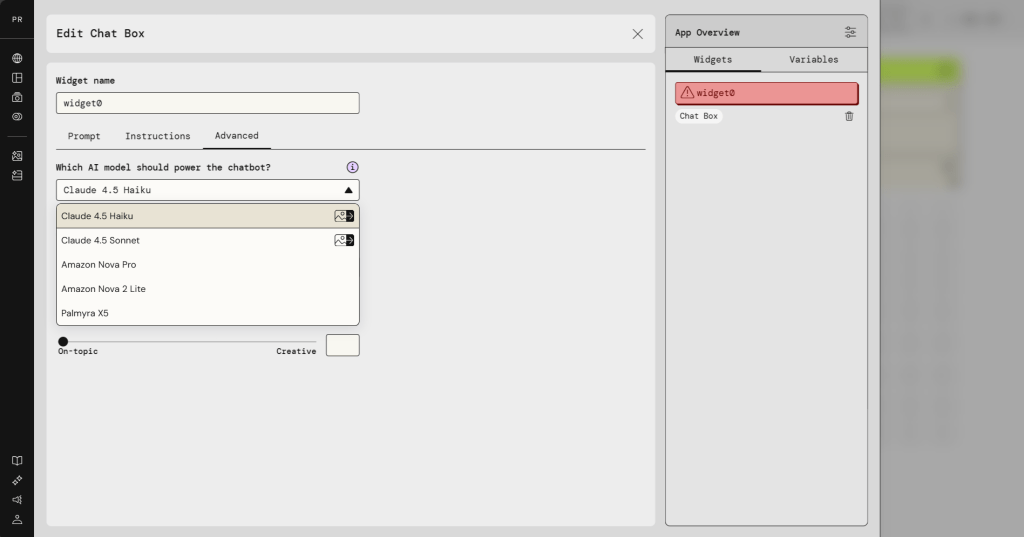
For the prototype, the core is a chatbot which would respond to the user inputs. Hence, from the widget list, select Chatbot widget and select an LLM model for the widget. For now we are selecting Claude 4.5 Haiku since it is fast and efficient, but we can select any model we want.
Step 2: Write the Prompt
After adding the chatbox widget, we need to provide it a prompt. In Amazon PartyRock, we can structure the prompts anyway we like. For reference, the following prompt can be added to the chatbox widget.
Role: This is a trip planning consultant.

Instructions:
- Suggest places in the real world. Like for example, a metropolitan city, hill station, a costal region, a cruise trip, etc.
- Trip plan should be in English.
- Update the plan based on User preferences.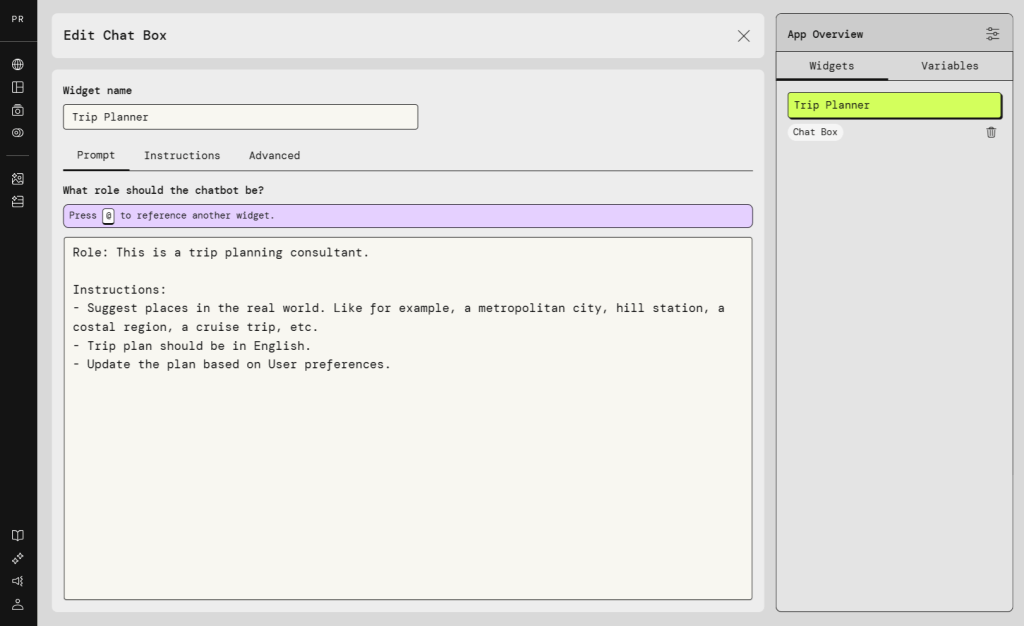
Step 3: Test the Chatbot Widget
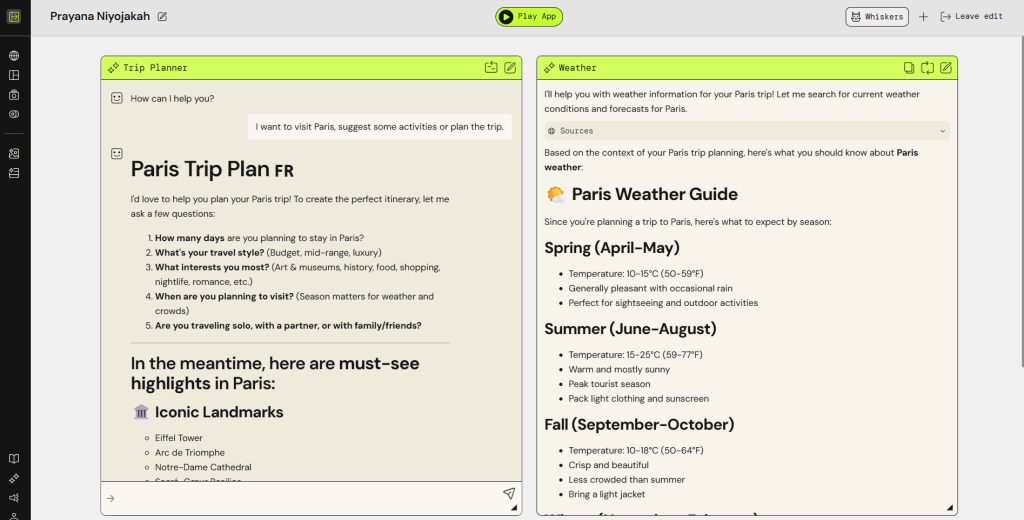
To plan a trip let’s enter I want to visit Paris, suggest some activities or plan the trip. We should see the response from the chatbot widget with the trip plan and suggested activities.
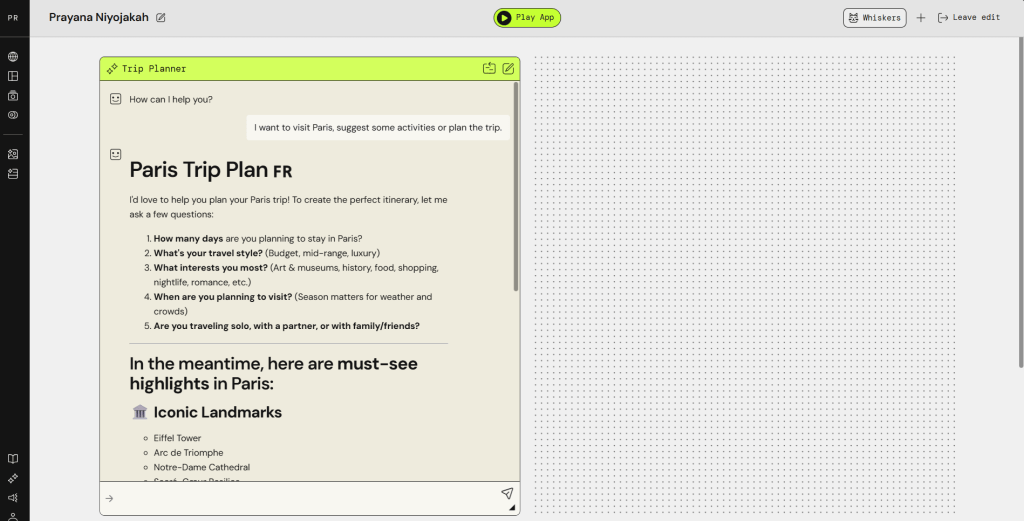
The response from chatbot signifies that the widget is working. However, to enjoy the trip at its best, the user also wants the trip planner to show the weather at the time of the trip. To resolve this issue, let’s add another widget, a weather widget, that would provide the user with the weather information at the time of the trip.
Step 4: Add Weather Widget
To guide the user, let’s add a Text Generation widget that responds with the weather information at the time of the suggested trip. For instructions, we’ll use the following prompt:
Role: Respond with the weather information at the time of the suggested trip.

Instructions:
- Your job is to provide weather information.
- You provide current weather, forecasts, and other related information.
- Use the conversation context from @Trip Planner
Note: To generate the contextual actions, i.e., the actions according to the chat between the user and the trip planner chatbot, we have to instruct the new widget the same.
Step 5: Plan the Trip
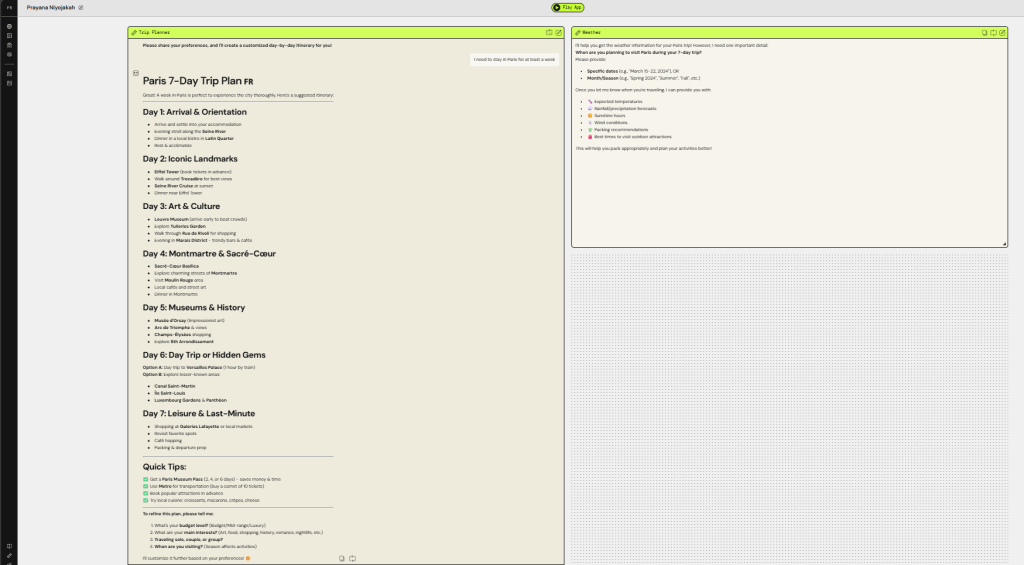
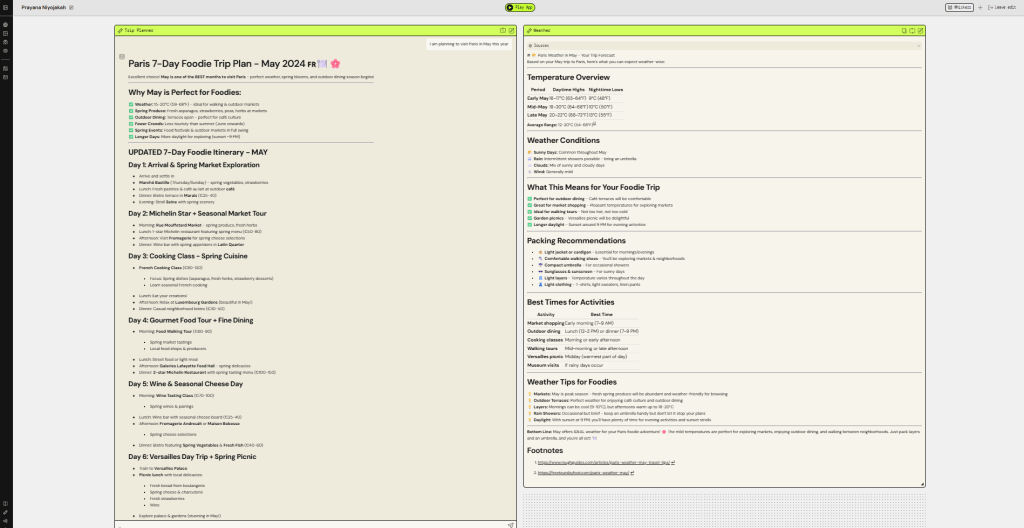
After adding the weather widget, let’s see what trip is suggested and how the planning proceeds.
In-Summary
Now, we know how good Amazon PartyRock is, for quick prototyping or generating short demos to present our ideas. Also, it is easy enough for beginners to get hands on experience with prompt designing, learning multi-agent collaborations, and understanding Foundation Models (FMs).
However, like any other man-made object, it has some drawbacks. For instance, it lacks fine control of context sharing between widgets, which makes it unfit for designing and developing stateful web-apps. Also, it solely depends on how accurate our prompts are engineered, since, we cannot control the workflow ourself.
Hopefully you found this blog insightful. In case you want to share your thoughts, please do so via comments 🙂