


1. Introduction
In modern web automation testing, one of the biggest problems is that test scripts often break when the website’s UI changes or elements get updated. Fixing these broken locators manually takes a lot of time and effort, and it interrupts the whole testing process, making things less smooth and efficient.
To solve this problem, we created Healx, a lightweight, smart automation framework built on Selenium. Healx helps your tests “heal” themselves when an element breaks by automatically finding new ways to locate it. This makes your tests more reliable and reduces the time spent fixing them.
What Makes Self-Healing (HealX) Stand Out?
Unlike existing tools like Healenium, HealX uses smarter techniques such as:
- Checking other element attributes
- Retrying with different locator strategies
- Using the element’s position on the page
- Giving priority to certain attributes
- Saving locator history in a database (MongoDB)
By integrating MongoDB as a backend, HealX not only performs healing during test execution but also logs valuable metadata about healing events. This opens the door to data-driven insights through dashboards—where QA teams can visualize healing trends, fallback success rates, and frequently healed elements.
In this blog, we’ll show you how to use that data to build a dashboard to Visualize Self-Healing with MongoDB and that tracks healed elements, fallback success rates, and more, so your team can better understand and improve test stability.
2. Why Use MongoDB for Storing Healed Element Data
MongoDB is a strong NoSQL database that works really well for storing large amounts of test automation data, especially when the data keeps changing or growing. Here’s why it fits perfectly with HealX:
1. Flexible Schema for Dynamic Data
MongoDB is a NoSQL database, which means it doesn’t require a fixed structure like traditional SQL databases. You can store flexible documents that contain all kinds of healing information—like original locator, healed locator, strategy used, test case name, and more.
2. Easy to Store and Query Large Volumes of Logs
MongoDB is built to scale. It can store and query thousands of healing logs generated from automated test runs efficiently, making it ideal for large-scale testing environments.
3. Perfect for Analytics and Dashboards
- Total healed elements
- Most-used healing strategies
- Fallback success rate
- Healing trends over time
4. Seamless Integration with HealX
HealX can easily connect to MongoDB using simple drivers in Java, Python, or Node.js. That makes it quick to log healing events as soon as they happen during test execution—without slowing down your tests.
5. Historical Locator Tracking
MongoDB lets you track locator history over time, helping teams identify flaky or unstable elements and refine locator strategies.
3. Steps to Build a Dashboard to Visualize Self-Healing with MongoDB
1. Create a MongoDB Atlas Cluster
- Sign Up or Log In
Go to https://www.mongodb.com/cloud/atlas and sign up or log in. - Create a New Cluster
- Click “Build a Database”.
- Choose the free cluster (cluster0) for testing.
- Select a cloud provider (e.g., AWS) and region.
- Click Create.
- Click “Build a Database”.
- Create a Database & Collection
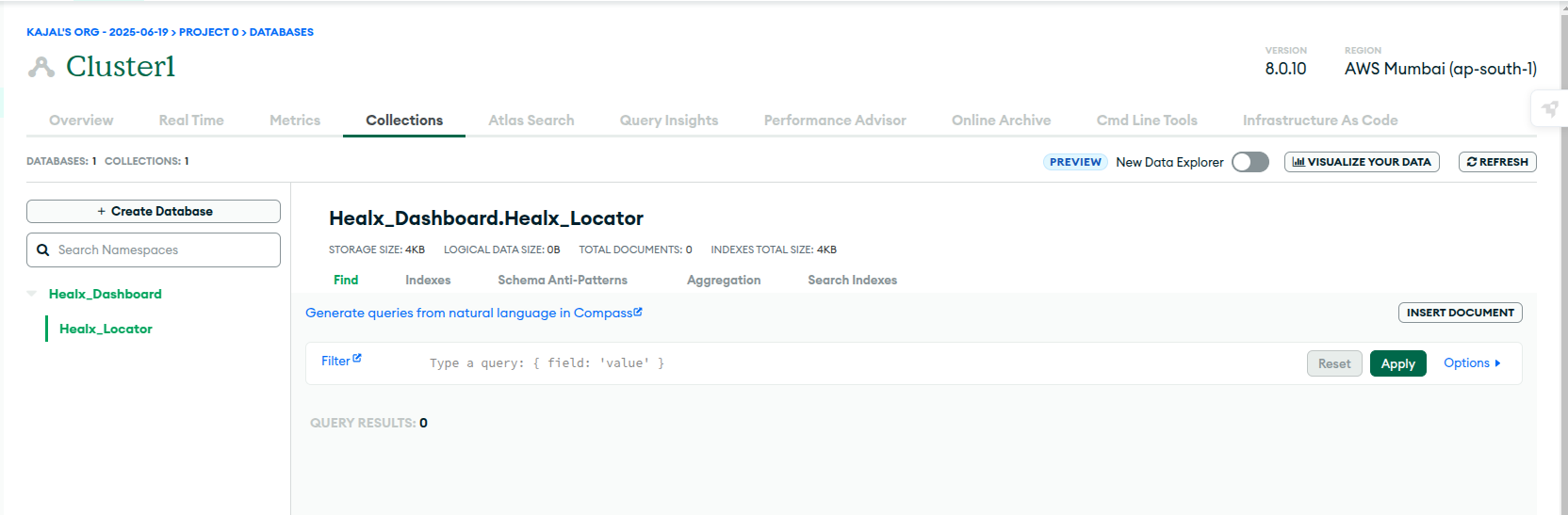
- After cluster setup, go to Collections.
- Click Create Database.
- Example: Database Name: Healx_Dashboard, Collection Name: Healx_Locator.
- Example: Database Name: Healx_Dashboard, Collection Name: Healx_Locator.
- After cluster setup, go to Collections.
2. Connect MongoDB to Your Local Machine
- Create a Database User
- Navigate to Database Access and click on Add New Database User.
- Create a username and password (e.g., healx_user, securePass123).
- Get the Connection String
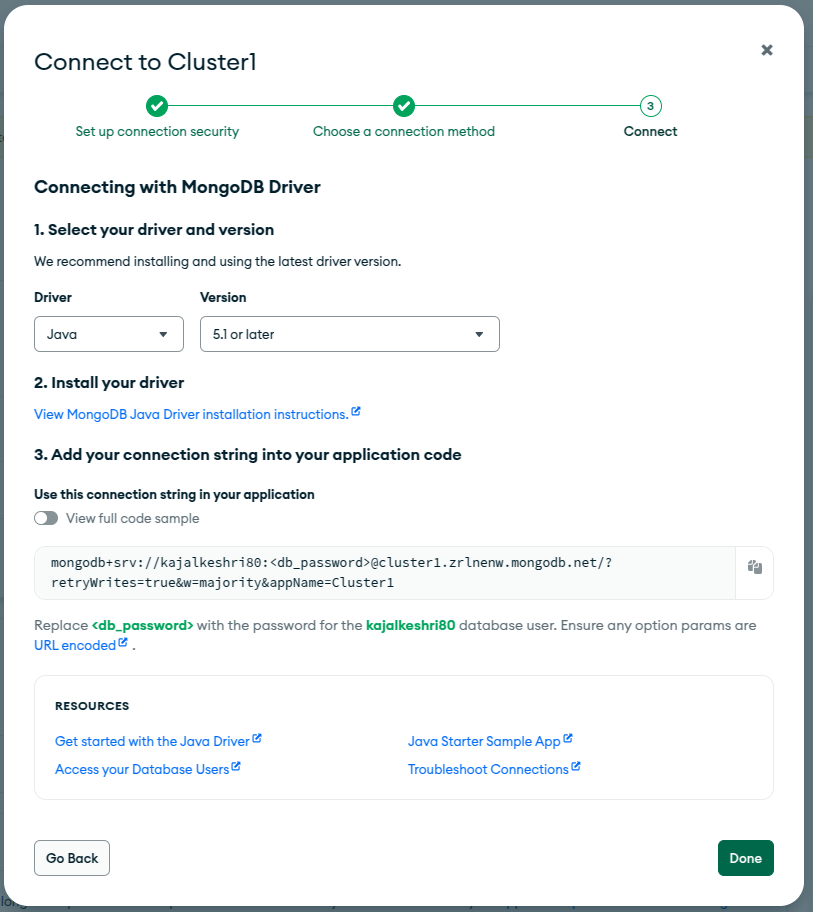
- Go to Clusters > Connect > Connect Your Application.
- Copy the connection string. Example:
mongodb+srv://user:<db_password>@cluster1.zrlnenw.mongodb.net/?retryWrites=true&w=majority&appName=Cluster_name
3. Insert HealX Data into MongoDB
Once connected, your HealX framework can begin inserting healing logs. Here’s an example in java.
1. Create a Java file i.e RemoteDB.java
package SelfHealing;
import static com.mongodb.client.model.Filters.eq;
import org.bson.Document;
import com.mongodb.client.MongoClient;
import com.mongodb.client.MongoClients;
import com.mongodb.client.MongoCollection;
import com.mongodb.client.MongoDatabase;
import org.testng.internal.collections.Pair;
import util.Log;
import java.util.Map;

public class RemoteDB {
    MongoCollection<Document> collection;
    // Constructor Function
    public RemoteDB() {
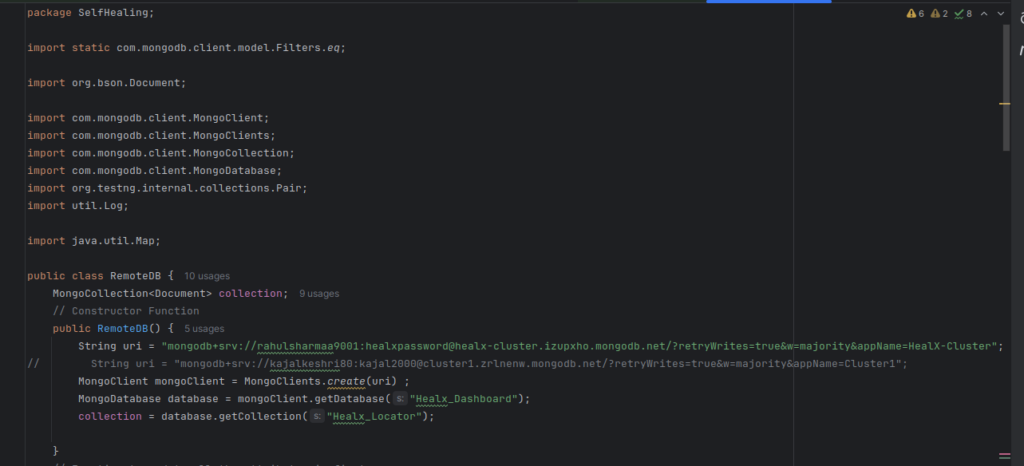
        String uri = "mongodb+srv://kajalkeshri80:kajal2000@cluster1.zrlnenw.mongodb.net/?retryWrites=true&w=majority&appName=Cluster1";
        MongoClient mongoClient = MongoClients.create(uri) ;
        MongoDatabase database = mongoClient.getDatabase("Healx_Dashboard");
        collection = database.getCollection("Healx_Locator");
    }

   public void addData(String locatorName, String locatorType,String locatorValue){
        Document document = new Document("key", locatorName)
                .append("locator", locatorValue)
                .append("locatorType",locatorType)
                .append("alternateLocator","")
                .append("alternateLocatorType","")
                .append("x", null)
                .append("y", null)
                .append("attributes", new Document());;
        System.out.println(document);
        // Insert the Document into the collection
        collection.insertOne(document);
        Log.info("New Locator: "+locatorName+"inserted successfully");
    }
}
4. Replace the data
- Replace the URI with your created Connection String
- Pass the DB name, Collection name.
- Now your DB connection is ready.
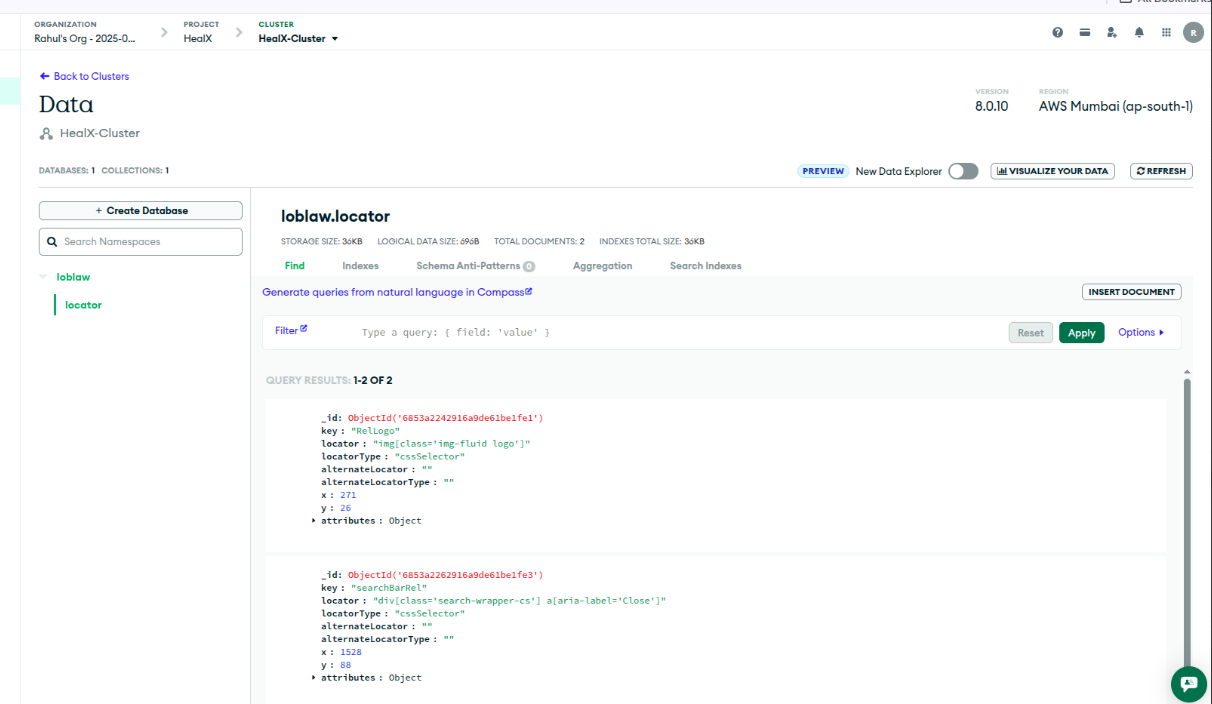
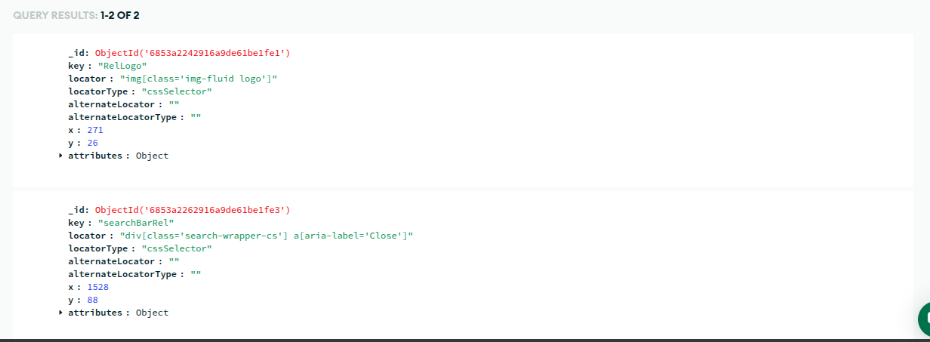
- Run your test script, and you’ll be able to see the results displayed on the dashboard.
4. Key Metrics to Track in Your Self-Healing Dashboard
- Total number of healed elements.
- Healing success/failure rate
- Fallback strategy usage rate
- Healing methods used (XPath, CSS, etc.)
5. Conclusion
By combining the self-healing power of HealX with the flexible, scalable storage of MongoDB, your test automation framework becomes smarter, faster, and more transparent. HealX not only fixes broken locators on the fly but also logs every healing event.
Creating a dashboard on top of this data helps your QA team:
- Monitor healing trends
- Identify flaky or frequently changing elements
- Measure the effectiveness of fallback strategies
- Continuously improve locator strategies and test stability
Whether you’re working in Java or any other language, integrating MongoDB with HealX makes it easy to store, analyze, and visualize healing data. With just a few steps, you can transform silent test recoveries into actionable insights—turning your automation into a smart, self-aware system.
6. References
https://www.mongodb.com/docs/atlas/getting-started