



Introduction
Databricks job is the combination of one or more tasks to perform ETL operations. It is basically used to set up a task in such a way that it helps to extract the raw data from different sources and perform the cleaning and transformation of data and load somewhere to perform the data visualization.
Advantages of Databricks Jobs
1. To run multiple tasks to perform ETL Operation.
2. It provides a manual and automatic process to run the job
3. Helps to re-run the job in case of job failure through retry policy.
4. It provides a job compute(cluster) for cost optimization.

How to Setup Your First Databricks Job
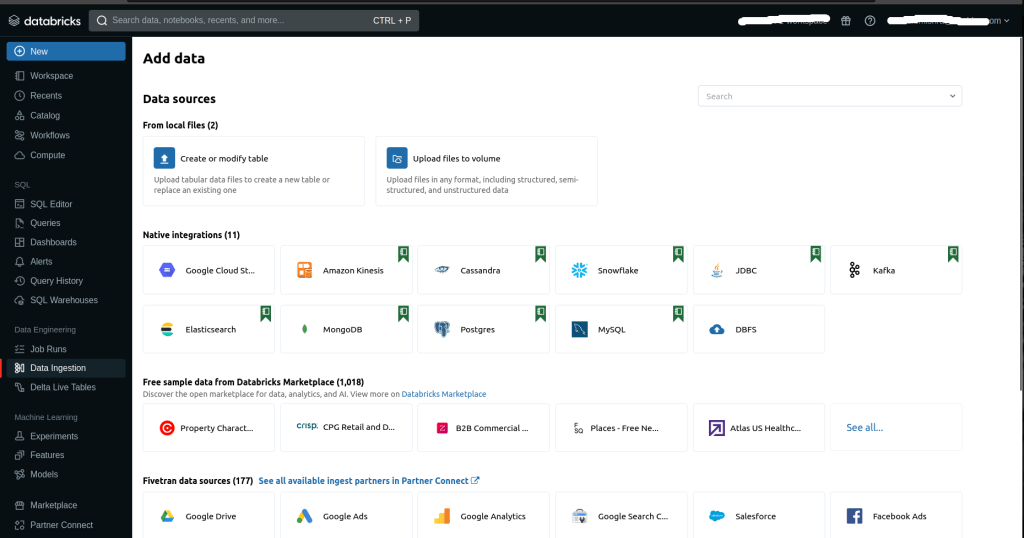
1. Login to the Databricks account. On the Databricks dashboard click either on workflows or click on create and from the drop-down select new job.
2. In the Job tab click on Create job

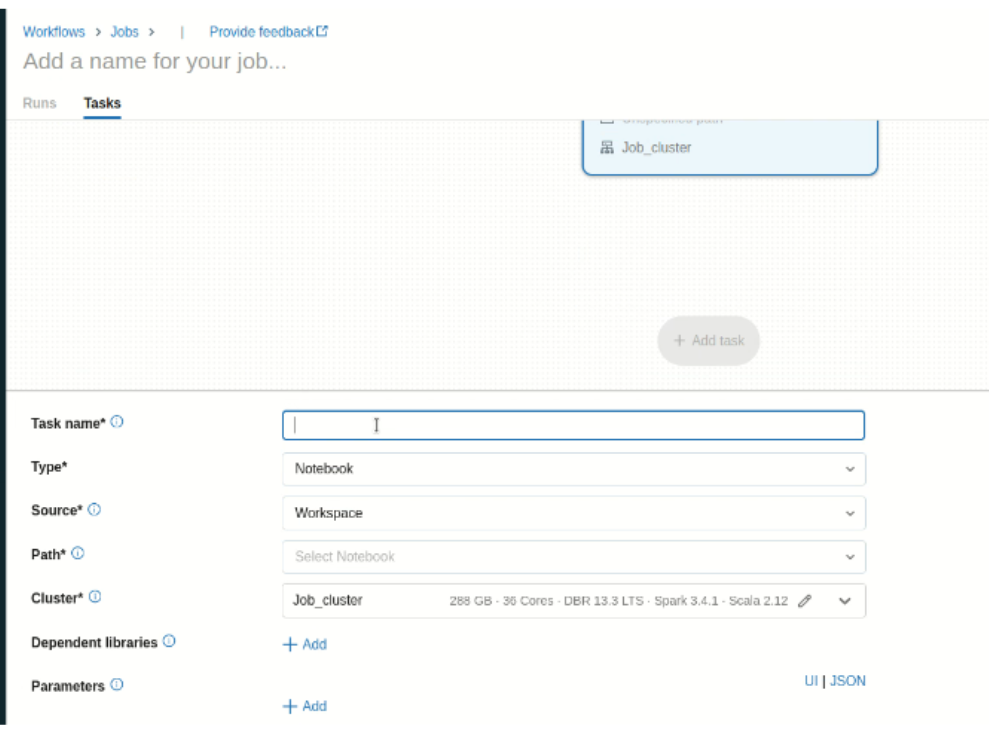
3. Now in the tab you have to configure the job details such as task, job type, it’s cluster, notification, dependency, and many more.
4. In the task name give the name of the task, and the type of the task such as notebook, data pipeline, and path of the notebook.

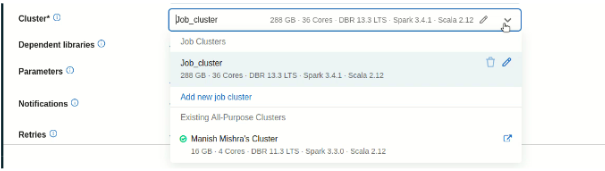
5. Now you have two options to select the cluster
- Select your own cluster. It is mostly used in development mode. As compared to job compute it is costly.
- Another option is Job Compute, it will automatically terminate when the job is completed.
6. In Dependent libraries you can add the libraries that are used to run your notebook.


7. In the Notification part you can add an alert notification on the job fail, or job pass to a particular user or group of users to notify them.
8. Just take an example if your job fails due to any problem or issue. To re-run the job you can use the retry policy that is available in the job UI. You can assign several times you want to re-run the policies when you click on Add.


9. You can also add a new task and in a new task, you have the same option just like the above one with one new option Depends On. It will used to run the task parallel or sequentially if the task is dependent on another task.
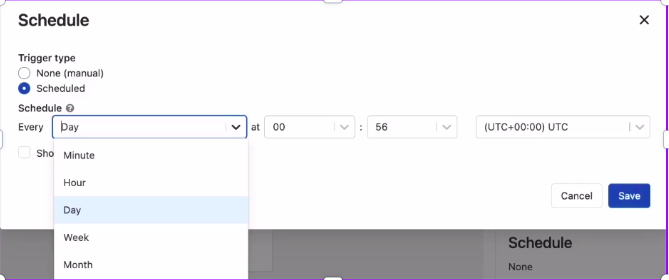
10. Now click on create it will create a job and you can click on run to run the job or there is another option as well as to schedule the job to run it on a particular day.
To Schedule the job to run automatically

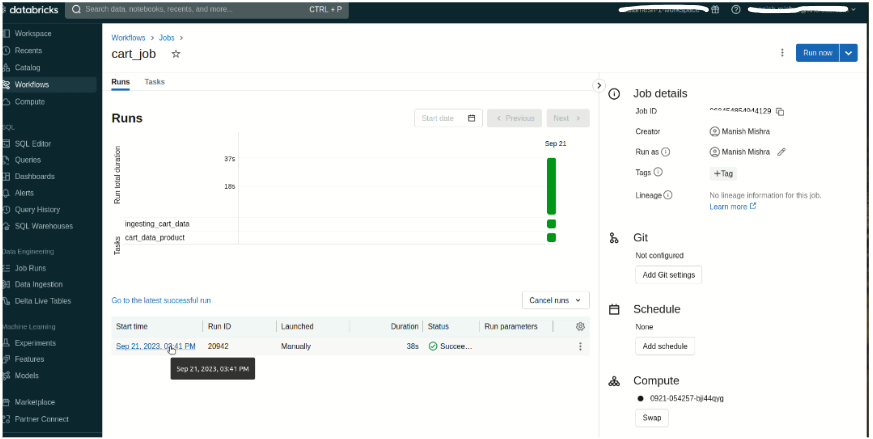
Job Status Dashboard
Conclusion
In conclusion, the Databricks job is used to run multiple tasks sequentially or parallelly to complete the ETL process. It supports retry policies, adds new tasks, supports DLT pipeline to run through the job, and also supports the schedule of the job feature. Through the Databricks Jobs UI, you can see the job status and re-run the job.
Related Article

Delta Time Travel

Data Lineage in Databricks

Delta Sharing