


What is Kafka?
Apache Kafka is a distributed streaming platform used for building real-time data pipelines and streaming applications. It enables high-throughput, fault-tolerant, and real-time data processing by providing a publish-subscribe messaging pattern. Kafka allows data to be processed efficiently and in a distributed manner across multiple systems or applications.
What is Azure Function?
Azure Functions is a serverless compute service that allows developers to run code on-demand without managing servers. It provides an event-driven, on-demand compute platform that automatically scales based on demand. Azure Functions supports a wide range of programming languages and integrates well with other Azure services.
Why Kafka + Azure Function is a good match?
Kafka and Azure Functions complement each other well for building serverless streaming applications. Azure Functions provides the serverless compute to quickly scale with load, while Kafka provides the real-time event streams to connect the components. Kafka enables building real-time streaming applications, while Azure Functions allows writing small, single-purpose functions triggered by events. Azure Functions can be triggered by Kafka topics, allowing real-time processing of streaming data.
How to create a Kafka Triggered Azure Function in .NET?
Pre-requisites
- .Net 8 SDK
- Aspire workload
- Docker
- IDE
Steps for implementation
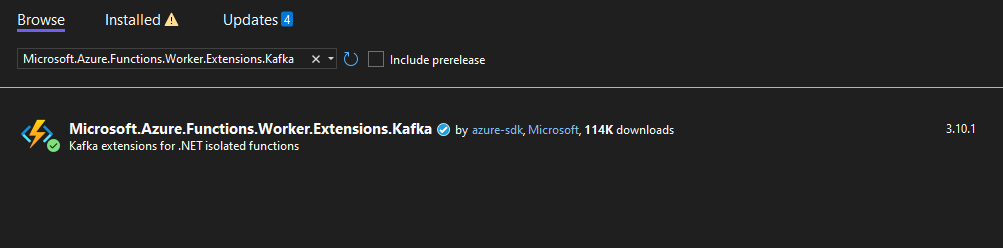
- Add Kafka trigger binding: If the Kafka trigger wasn’t available when creating the project, you’ll need to add the NuGet package manually –
dotnet add package Microsoft.Azure.Functions.Worker.Extensions.Kafka
- Create a new Function with Kafka Trigger as below:
[Function(nameof(KafkaFunction))]
public async Task Run([KafkaTrigger("%BrokerList%", "stringPartition",
ConsumerGroup = "$Default", AuthenticationMode = BrokerAuthenticationMode.Plain)] string input,
FunctionContext context)
{
  var logger = context.GetLogger(nameof(KafkaFunction));
  logger.LogInformation($"Received: {input}"); await Task.Delay(TimeSpan.FromSeconds(2));
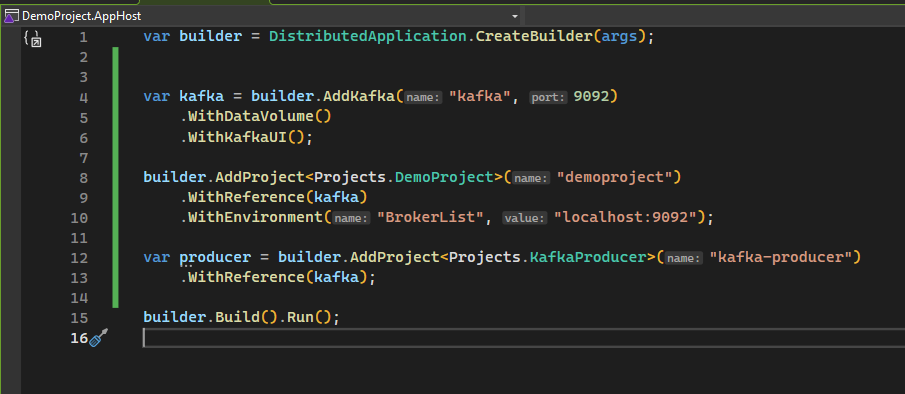
} - We are going to use Aspire to spin up our kafka instance locally, so for that first install Aspire.Hosting.Kafka package to AppHost project using command:
dotnet add package Aspire.Hosting.Kafka - Add following code to Program.cs to add kafka service:
var kafka = builder.AddKafka("kafka", 9092)
                    .WithDataVolume()
                    .WithKafkaUI();
builder.AddProject("demoproject")
.WithReference(kafka)
.WithEnvironment("BrokerList", "localhost:9092");
Here we are specifying Aspire to create a container with Confluent Kafka Image uisng AddKafka() and persist the data using WithDataVolume() on disk. Along with it, we also want UI using WithKafkaUI(). And then we are passing values to our function app to configure itself using these values. - Next, create a new console application to produce messages into Kafka.
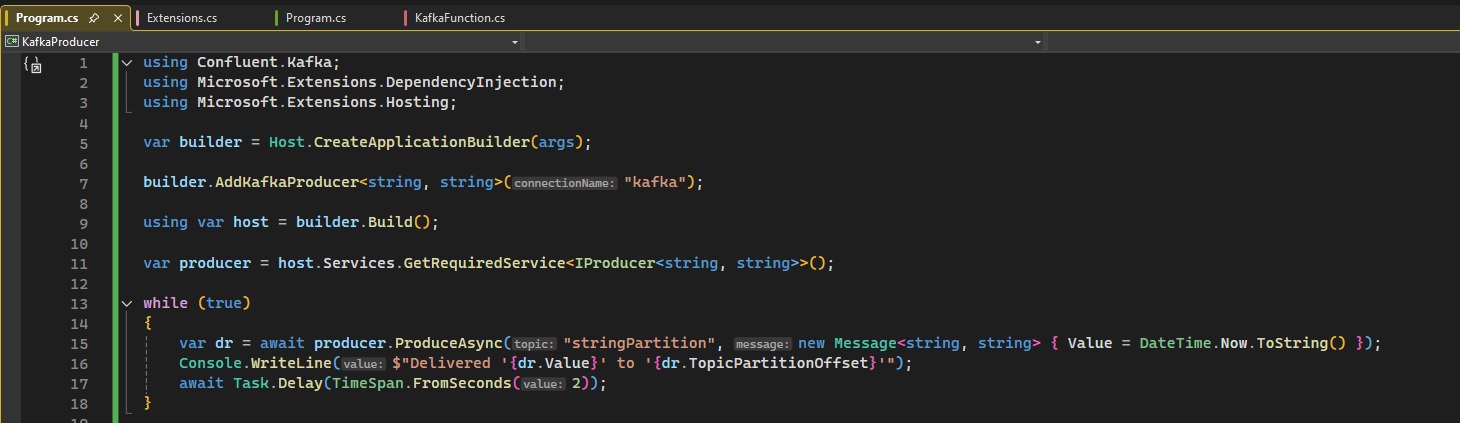
- Install Aspire.Confluent.Kafka and Microsoft.Extensions.Hosting packages in producer application.
- Add the following code in Program.cs file for producing messages indefinitely

- To wire up everything, we will add reference of Kafka service to producer application like below:

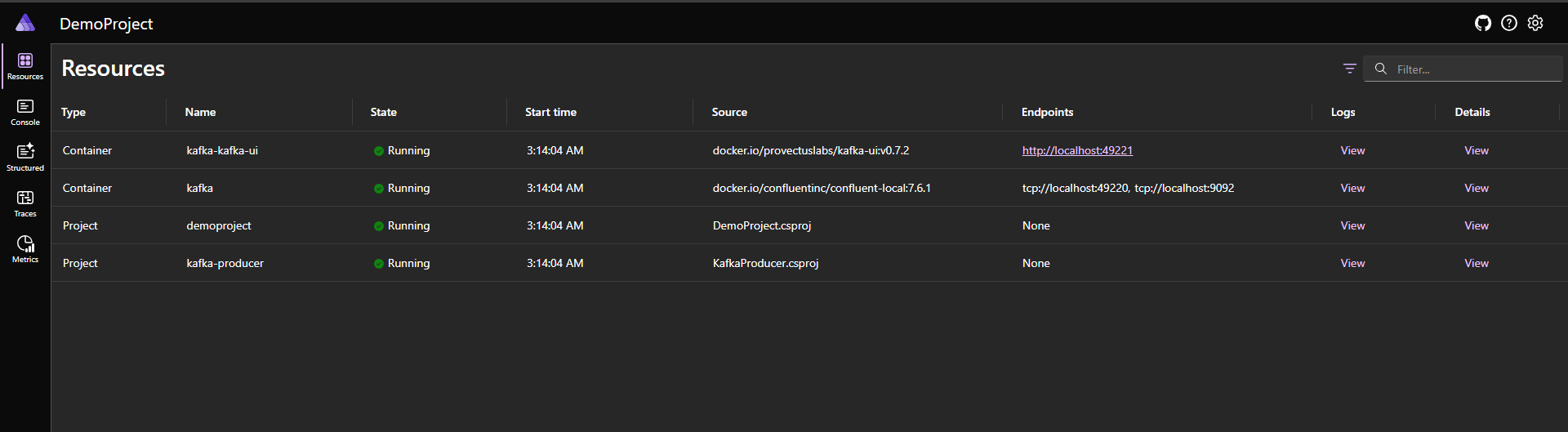
- Run the AppHost project which will give us the following dashboard:

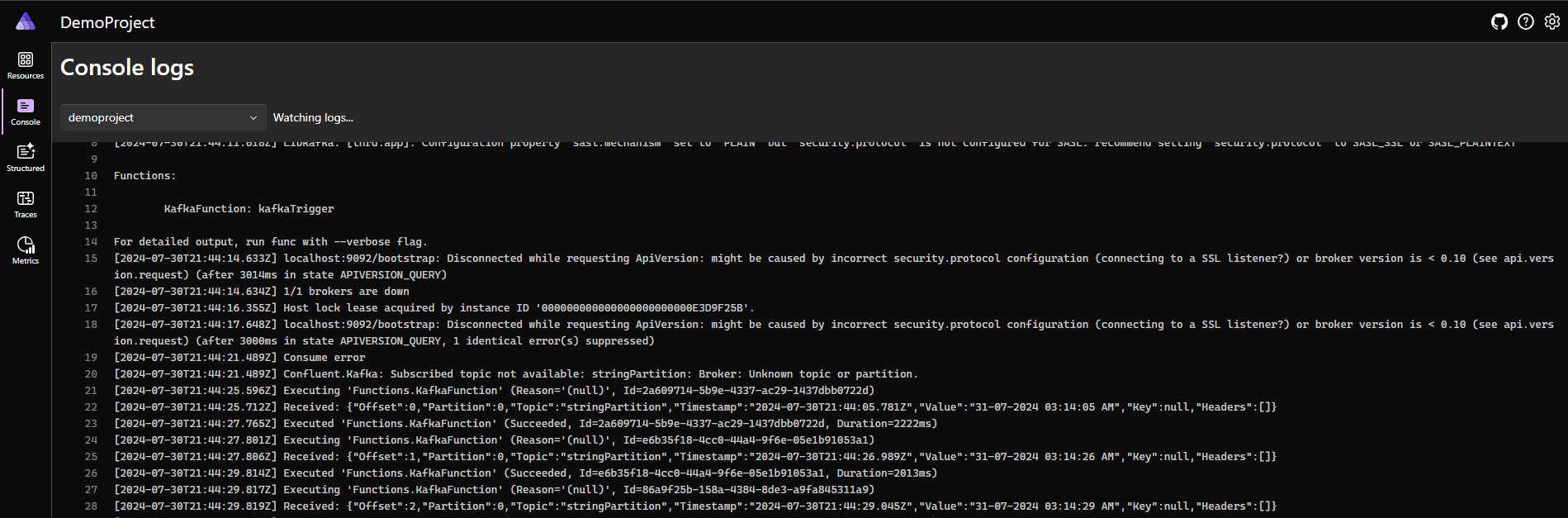
After running, our function will start processing messages from the specified Kafka topic.
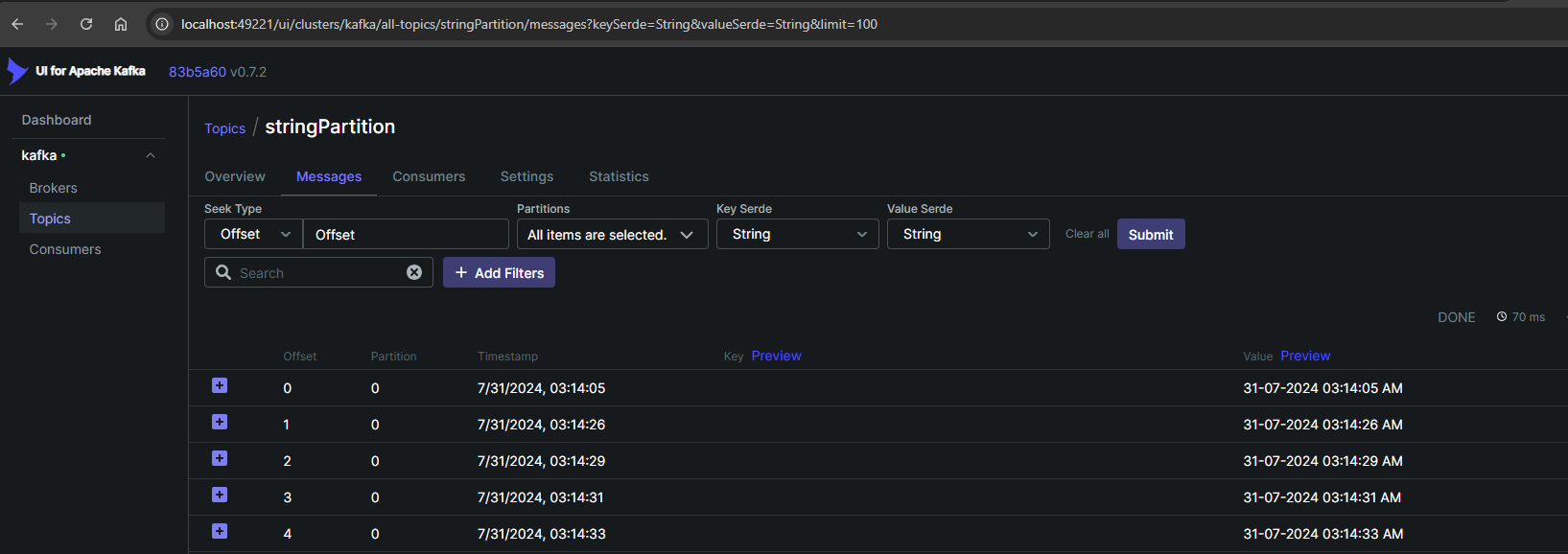
We can see all our resources including containers of Kafka and Kafka UI. Clicking on UI link leads us to following:
Here, we can see our messages are correctly being published to topic. - Next, to confirm that messages are correctly being processed by our Function App, go back to Aspire Dashboard and click on logs for DemoProject. And then we would be able to see the logs as follows:

Conclusion
Kafka and Azure Functions are a powerful combination for building serverless streaming applications. Kafka provides the real-time event streaming capabilities, while Azure Functions offers the serverless compute to quickly process and react to those events. By integrating the two, developers can build scalable, event-driven applications without managing the underlying infrastructure.