


Field Mapping Defects in Enterprise Systems: Why They Happen and How Developers Can Prevent Them
Summary:
Field-mapping defects occur when data is not correctly passed between layers such as the UI, API, command/query handlers, DTOs, and stored procedures. These issues are common in enterprise systems and especially in modernization projects. This article explains why they happen and how developers can prevent them using practical techniques.
1. Introduction: What Are Field-Mapping Defects?
Field-mapping defects happen when the data expected at one layer of an application does not match the data provided by another layer. Examples include:
- A UI sends a value but the API model does not have that field
- The API receives a field but the Command/Query object ignores it
- A DTO sends null because the handler forgets to map the stored procedure output
- A stored procedure returns fields that the backend doesn’t read
These issues can silently create incorrect or missing data, which is often discovered only after deployment or when business users report inconsistencies.
2. Why Field-Mapping Issues Are Common in Large Systems
- Multiple layers: UI → API → CQRS → Repository → Stored Procedure → Database
- Different developers working on different layers
- Legacy behavior that is not documented
- Large DTOs with many nullable fields
- Complex stored procedures with conditional outputs
- Tight deadlines leading to copy-paste patterns
Enterprise applications frequently evolve over many years, causing data contracts to be inconsistent or incomplete.
3. Where Mapping Usually Goes Wrong (Real-World Patterns)
✔ 1. UI → API: Missing Request Fields
Sometimes the frontend collects a value but does not send it in the API request body.
Typical symptoms:
- API receives null values
- DB records missing mandatory data
✔ 2. API → Command/Query: Incorrect Binding
The API model receives a value, but the Command/Query class does not include it.
// Request model has 'CustomerLevel'
// But command does NOT have CustomerLevel
This is one of the most common causes of silent data loss.
✔ 3. Command Handler → Stored Procedure: Missing SQL Parameters
new SqlParameter("@CustomerLevel", request.CustomerLevel)
If missing, the stored procedure receives default values like 0 or NULL.
✔ 4. Stored Procedure → Reader Mapping: Incorrect Column Name
dto.CustomerLevel = reader["CustLevel"]; // wrong column
Column mismatches cause null values or conversion errors.
✔ 5. DTO → UI: Missing Value in ViewModel
The backend returns a value correctly, but the ViewModel forgets to include it.
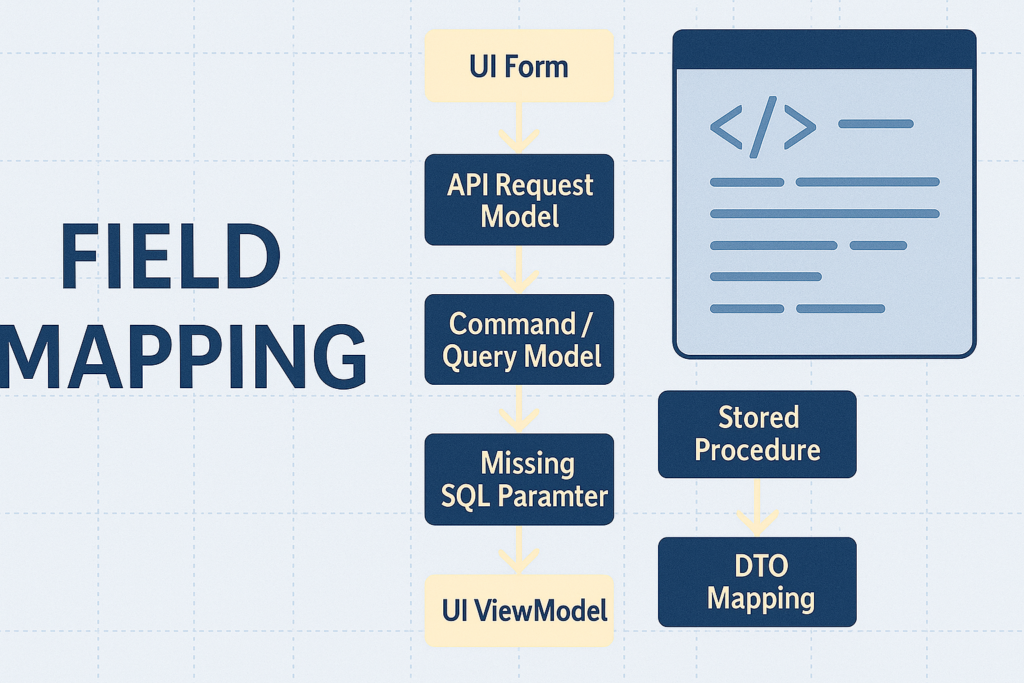
4. Simple Text Diagram of Mapping Flow
UI Form
   ↓ (JSON Body)
API Request Model
   ↓ (Binding)
Command / Query Model
   ↓ (SQL Parameters)
Stored Procedure
   ↓ (DbDataReader)
DTO Mapping
   ↓
UI ViewModel
Field-mapping defects can occur at ANY arrow in this chain.
5. Real Examples From Enterprise Projects
In modernization projects, especially when moving from old systems (V1) to new architectures (V2), mismatched mappings are extremely common because:
- The old UI might use fields not clearly visible
- Stored procedures might return different data sets for different conditions
- Legacy code sometimes hardcodes default values not seen on the surface
- V1 SQL outputs may include unused business fields that V2 ignores accidentally
These issues often lead to defects such as:
- Missing “UpdatedBy” or “Buyer” fields
- Incorrect currency or exchange rate mapping
- Incorrect price or quantity values
- Conditional fields like “IsUpdatedByBuyer” always returning false
These are subtle defects that do not cause errors but produce wrong business results.
6. How Developers Prevent Field-Mapping Defects
✔ 1. Always Compare V1 & V2 Field-by-Field
This is critical in rewrite projects. Developers should check:
- V1 request payload
- V1 SP parameters
- V1 output mapping
✔ 2. Validate Field Flow From UI → DB
Create a mapping checklist:
- UI sends the field
- API model includes it
- Command/Query includes it
- SQL parameters include it
- SP accepts it
- DTO maps it
- ViewModel returns it
✔ 3. Use AutoMapper or Centralized Mapping Profiles
This reduces manual copy-paste mapping errors.
✔ 4. Add Unit Tests for Mapping Coverage
Example test:
Assert.Equal(request.CustomerLevel, dto.CustomerLevel);
✔ 5. Enable Code Reviews Focused on Field Mapping
Reviewers should check field flow end-to-end, not just logic.
✔ 6. Use Tools Like GitHub Copilot to Detect Missing Fields
AI tools can highlight mismatches during PR reviews.
7. Conclusion
Field-mapping defects are quiet, easy to miss, and common in enterprise systems. By understanding where they occur and applying structured techniques, developers can significantly reduce data inconsistencies across layers.
Whether working on legacy maintenance or modernization projects, a careful field-mapping approach greatly improves system accuracy and reliability.