


When building forms in React, validation is often one of the trickiest and most repetitive tasks. But with the right tools—like react-hook-form and zod—you can build robust, scalable, and type-safe forms with minimal boilerplate
In this post, we’ll walk through how to:
- Set up a basic form using
react-hook-form - Define a validation schema using
zod - Integrate both using
@hookform/resolvers/zod - Display error messages and default values
- Best practice when use React hook form
Why Use Zod with React Hook Form?
While react-hook-form already handles form state and validation, pairing it with zod brings powerful benefits that make your forms more robust and scalable.
Schema-Driven Validation
Instead of writing validation logic inside your component, zod allows you to define a clear, declarative schema. This reduces duplication and keeps validation logic out of your UI code.
TypeScript Inference
zod is fully TypeScript-native. When you define a schema, you automatically get correct types with z.infer<typeof schema>, which syncs perfectly with react-hook-form.
Minimal Boilerplate
You don’t need to manually write validation rules in multiple places. The schema handles it all, and react-hook-form uses it via zodResolver, making your code cleaner and easier to maintain.
Better Error Handling
Zod’s detailed error messages are easy to access and show in the UI. It integrates smoothly with react-hook-form‘s formState.errors, giving you consistent and customizable error rendering.
Consistency Across App
You can reuse the same Zod schema across client-side forms and server-side validation (e.g. in an API or tRPC route), which reduces logic duplication and increases reliability.
How to setup
Given you already had a react app. Let install zod by run below command in root folder.
npm install react-hook-form zod @hookform/resolversDefine Your Zod Schema
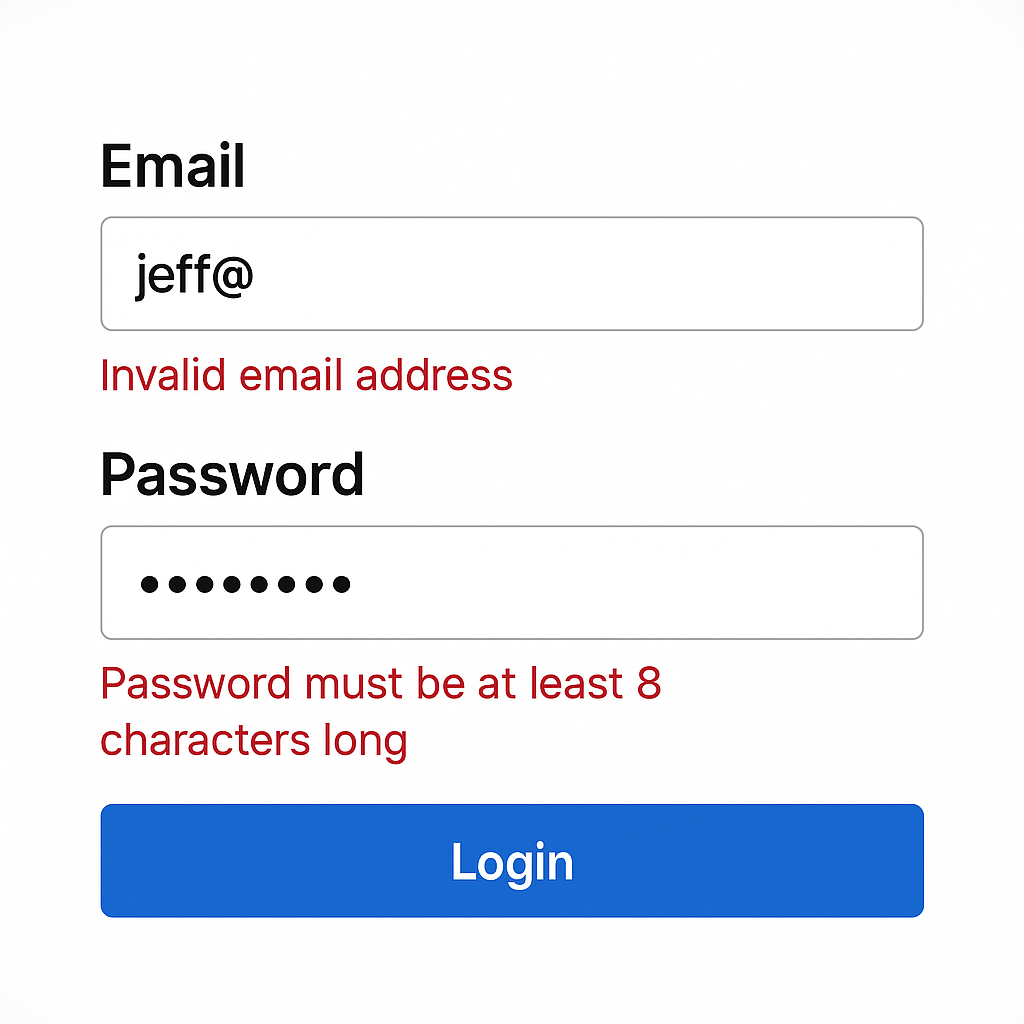
Let’s say we’re building a simple login form with email and password fields. These fields need to be validated before calling login api. The code below is showing how we simply setup zod schema to validate them.
// schema.ts
import { z } from 'zod';

export const loginSchema = z.object({
  email: z.string().email({ message: 'Invalid email address' }),
  password: z.string().min(6, { message: 'Password must be at least 8 characters' }),
});

export type LoginFormData = z.infer<typeof loginSchema>;
Build the Form with React Hook Form
// LoginForm.tsx
import { useForm } from 'react-hook-form';
import { zodResolver } from '@hookform/resolvers/zod';
import { loginSchema, LoginFormData } from './schema';

export const LoginForm = () => {
  const {
    register,
    handleSubmit,
    formState: { errors },
  } = useForm<LoginFormData>({
    resolver: zodResolver(loginSchema),
  });

  const onSubmit = (data: LoginFormData) => {
    console.log('Form Submitted', data);
  };

  return (
    <form onSubmit={handleSubmit(onSubmit)} className="space-y-4">
      <div>
        <label>Email:</label>
        <input type="email" {...register('email')} />
        {errors.email && <p className="text-red-500">{errors.email.message}</p>}
      </div>

      <div>
        <label>Password:</label>
        <input type="password" {...register('password')} />
        {errors.password && <p className="text-red-500">{errors.password.message}</p>}
      </div>

      <button type="submit" className="bg-blue-500 text-white px-4 py-2">Login</button>
    </form>
  );
};
Best Practices and Optimization for Using Zod + React Hook Form
To get the most out of zod and react-hook-form, follow these best practices for scalable, maintainable, and developer-friendly forms.
Performance Considerations
Avoid Unnecessary Re-renders: Use useCallback or useMemo to memoize functions and prevent unnecessary re-renders.
Optimize Validation: Perform validation on the client side first to reduce server load and improve user experience.
const onSubmit = useCallback(async (data) => {
  try {
    // Handle form submission
  } catch (error) {
    // Handle errors
  }
}, []);
This keeps your types and validation rules in sync.
Security Considerations
sanitizeInputs: Sanitize user inputs to prevent XSS attacks.
Use HTTPS: Ensure that form data is transmitted securely using HTTPS.
Validate Server-Side: Always validate data on the server side, even if you have client-side validation.
import sanitizeHtml from 'sanitize-html';

const onSubmit = async (data) => {
  try {
    const sanitizedData = {
      username: sanitizeHtml(data.username, { allowedTags: [], allowedAttributes: [] }),
      email: data.email,
      password: data.password,
    };

    // Submit sanitized data to the server
  } catch (error) {
    // Handle errors
  }
};
It bridges runtime validation and type safety effortlessly.
Code Organization
Separate Concerns: Keep form logic separate from your component logic by using custom hooks or higher-order components.
Use a Centralized Schema: Define your schemas in a centralized location to maintain consistency across your application.
// forms/schemas/user.js
import { z } from 'zod';

export const userSchema = z.object({
  username: z.string().min(3).max(30).regex(/^[a-zA-Z0-9_]+$/),
  email: z.string().email(),
  password: z.string().min(8).regex(/^(?=.*[A-Za-z])(?=.*\d)(?=.*[@$!%*#?&])[A-Za-z\d@$!%*#?&]{8,}$/),
});
Set Default Values Where Needed
Always use defaultValues in useForm() to ensure proper hydration and controlled input behavior:
useForm({ defaultValues: { email: '', password: '' } });
Avoid Inline Error Messages Inside Schemas
While Zod supports custom messages, don’t overload your schema with UI-specific text. Keep messages generic, and handle localization/styling separately if needed.
Write Unit Tests for Schema Logic
Unit Testing: Test individual components and functions to ensure they work as expected.
Integration Testing: Test the form as a whole to ensure that all parts work together seamlessly.
import React from 'react';
import { render, fireEvent, screen } from '@testing-library/react';
import '@testing-library/jest-dom/extend-expect';
import ContactForm from './ContactForm';

describe('ContactForm', () => {
  it('should render the form', () => {
    render(<ContactForm />);

    expect(screen.getByText('Name:')).toBeInTheDocument();
    expect(screen.getByText('Email:')).toBeInTheDocument();
    expect(screen.getByText('Message:')).toBeInTheDocument();
    expect(screen.getByText('Submit')).toBeInTheDocument();
  });

  it('should display error messages for invalid inputs', () => {
    render(<ContactForm />);

    fireEvent.submit(screen.getByRole('form'));

    expect(screen.queryByText('Name is required')).toBeInTheDocument();
    expect(screen.queryByText('Email is required')).toBeInTheDocument();
    expect(screen.queryByText('Message is required')).toBeInTheDocument();
  });

  it('should submit the form with valid data', async () => {
    render(<ContactForm />);

    fireEvent.change(screen.getByRole('form', { name: 'name' }), {
      target: { value: 'John Doe' },
    });

    fireEvent.change(screen.getByRole('form', { name: 'email' }), {
      target: { value: 'john.doe@example.com' },
    });

    fireEvent.change(screen.getByRole('form', { name: 'message' }), {
      target: { value: 'Hello, world!' },
    });

    fireEvent.submit(screen.getByRole('form'));

    // Assert that the form submission was successful
  });
});
Common Issues
- Form Not Submitting: Check if the form’s
onSubmithandler is correctly defined and attached to the form. - Validation Errors Not Displaying: Ensure that error messages are correctly rendered in the form.
- Data Not Being Sent to the Server: Check the network tab in the browser’s developer tools to inspect the request and response.
What If You Don’t Use Zod + React Hook Form?
While zod and react-hook-form make a great pair, they’re not the only solution out there. Here’s what you might be using instead—and why that could be limiting in comparison.
1. Manual Validation Logic
Many developers write if statements inside onSubmit handlers to validate fields. This gets messy fast:
if (!email.includes('@')) {
  setError('Invalid email');
}
2. Yup + Formik
Another popular combo is Formik with Yup. While still powerful:
- Formik tends to re-render more often, which may impact performance.
- Yup has less TypeScript support compared to Zod (no native type inference).
- The API can feel more verbose.
3. Custom Hook-Based Form Logic
You could build your own hooks to manage form state, validation, and error tracking. But this means:
- Reinventing the wheel
- Higher chance of bugs
- More testing and documentation needed
Conclusion
Using Zod with React Hook Form provides a powerful, type-safe, and scalable way to handle form validation in modern React apps. With Zod’s schema-driven approach and React Hook Form’s performance-oriented API, you get:
- ✅ Type inference with zero duplication
- ✅ Centralized validation logic
- ✅ Clean, maintainable form code
- ✅ Reusable schemas across frontend and backend
- ✅ Better developer experience and fewer bugs
By following best practices—like inferring types from schemas, using zodResolver, and testing validation separately—you’ll build more robust, production-ready forms faster.