


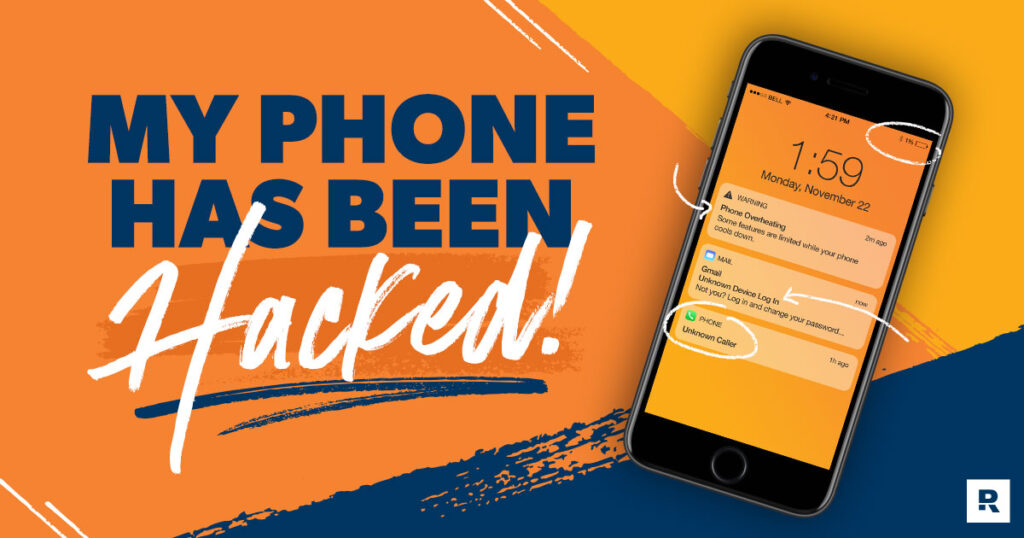
Smartphones are now an essential part of our daily lives. We use them for work, entertainment, and staying in touch with loved ones. But because they hold so much personal information, they’re also attractive targets for hackers.
If hackers gain access to your phone, they can spy on you and steal sensitive data. That’s why protecting your phone’s security is so important. The good news is, there are ways to check if your phone has been hacked.
How To Check Mobile Hacked or Not
Have you noticed anything strange happening on your phone? If yes, you should check whether it’s been hacked. When you see more than one of these warning signs, it’s best to assume your phone’s security may be at risk.Signs your phone might be hacked:
Signs your phone might be hacked:
Battery drains quickly – If your battery runs out much faster than usual, even when you’re not using your phone, it could mean a malicious app is running in the background.
Strange pop-ups – Seeing unusual pop-ups, especially if you normally block ads, may indicate that malware is trying to steal your information. These pop-ups are often part of phishing attempts.
Slow performance – If your phone suddenly becomes very slow, freezes, or restarts on its own, it could be due to malware running secretly in the background and stealing your data.
High data usage – A sudden increase in mobile data usage may suggest that harmful apps are tracking you or sending your information to hackers without your knowledge.
Messages or calls you didn’t make – If your contacts receive strange messages or calls from you, hackers might be using your phone to spread malware or scams.
Weird activity on linked accounts – If accounts connected to your phone show unusual behaviour, it could mean hackers have gained access, putting you at risk of identity theft.
Helpful Codes to Find Out that Your Phone is Hacked
Unstructured Supplementary Service Data (USSD) is a protocol used in the Global System for Mobile Communications (GSM). It allows you to communicate with your mobile network provider through text-based commands.
USSD codes are combinations of numbers and symbols that, when entered, trigger a specific response or provide certain information.
Below are some USSD codes that can help you check whether your phone might have been hacked.
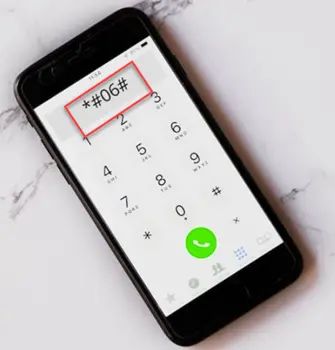
Code *#06# for IMEI Check:
IMEI stands for International Mobile Equipment Identity. It’s a unique 15-digit number assigned to your phone. While it can’t tell you if your phone has been hacked, it’s still very useful.
Your IMEI number can help you locate or track your phone if it’s lost or stolen. To find it, simply dial *#06#. On some phones with a removable battery, you can also find the IMEI printed under the battery.
If Someone Catches My Unanswered Calls: *#61#:
Scammers can exploit conditional call forwarding to redirect your incoming calls to another number. A common sign of this is when your phone rings, but you don’t see any notification or alert about the call.
To check if call forwarding is active, dial *#61#. If you find that your calls are being forwarded, you can disable it by dialing ##61#.
*#062#: Redirection Code
If you notice you’re not receiving all the calls or text messages from friends and family, it’s possible that hackers have set your phone to redirect them.
Dial *#062# to check if your calls are being forwarded when your phone is turned off. If the code returns a phone number, that’s where your calls are being sent.
Show who catches my phone data when I’m busy or reject the call: *#67#
Similar to call redirection, hackers can sometimes intercept calls you reject or those that come in while you’re already on another call.
Dial *#67# to check which number receives your unanswered calls. If the number shown isn’t yours, use ##67# to reset your settings.
Important Codes to Verify If Your Phone Is Being Tracked
It’s reasonable to worry that someone might be tracking your phone. Many hackers have destroyed innocent lives by exploiting stolen information.
Dial *#21# to check if your phone is being monitored or if your calls, messages, or other data are being diverted. This code will display the diversion status and the number receiving your information. If you find that your calls are being diverted, use ##21# right away to stop it.
##002#: The Catchall Code
The code ##002# is a universal anti-diversion command that disables all types of call and message forwarding. It removes any active redirections and resets your phone’s forwarding settings.
It’s best to use this code before enabling roaming to avoid unnecessary charges from calls being automatically routed to your voicemail.
Show all information on conditional phone forwarding: *#004#
The code *#004# shows the complete call forwarding status on your phone, including situations when you’re on another line, unreachable, reject a call, or don’t answer.
To disable all conditional call forwarding at once, simply dial ##004#.
*#*#197328640#*#*: Utility Net Monitor Code
The code ##197328640## opens a technical menu that shows information your phone receives from calls, messages, and network signals. This diagnostic menu allows you to examine network data and cell information used by your mobile provider.
Step 1 – Enter the code
After entering the code, select the UMTS Cell Environment option to access network-related data.
Step 2 – Select UMTS RR Information
Choose UMTS RR Information, then note the cell ID number displayed on the screen.
Step 3 – Return to the main menu
Press the back button to return to the main menu, then select MM Information to continue.
Step 4 – View the Serving PLMN
Open the Serving PLMN option. This section will display the local area code linked to your current mobile network.
Step 5 – Check with a net monitor tool
To review whether your phone shows unexpected or unfamiliar connections, you can enter the cell ID and area code into a network monitoring website.
What to Dial to See if Your Phone is Hacked or Not: Popular USSD code numbers
*#*#1472365#*#*
Hackers may exploit your phone’s GPS to monitor your location. This code can also help locate your device if it’s lost or stolen, and lets you check how well your phone’s GPS is working.
*#*#7780#*#*
Sometimes, performing a factory reset is the only solution—whether due to bugs, malware, or other issues affecting your Android phone’s performance.
Be aware that using this code will delete all your data, settings, and personal information. The only way to restore your information afterward is to back it up before starting the reset.
*#*#34971539#*#
Many people worry about being spied on through their phones—and that concern is justified. The code ##34971539## displays your phone camera’s firmware details, allowing you to quickly detect any signs of tampering.
*#*#232338#*#*
This code allows you to check whether your device has been compromised. A MAC address (Media Access Control address) is a unique identifier assigned to a network interface controller (NIC). It’s essential for network protocols like TCP (Transmission Control Protocol), which cannot function without it.
By using this code, you can view your device’s MAC address and verify if it still matches your phone’s network. If it doesn’t, it may indicate potential security issues that need investigation.
*2767*3855#
Some phone problems can only be fixed by completely erasing all data from your device. The simplest way to do this is through a hard reset. Before using this code, be sure to back up your important data. Once you’ve confirmed that everything valuable is safely stored, you can use this USSD code to wipe your smartphone and restore it to its original state.
Conclusion
The article offered valuable insights into recognizing and addressing phone hacking risks. I found the explanation of warning signs, such as rapid battery drain and unexpected pop-ups, particularly useful. It also clearly outlined the use of USSD codes like *#06# for tracking and ##004# for disabling call forwarding. Overall, the guide was straightforward yet impactful, giving users the knowledge and confidence to take control of their phone security.
Reference
https://nordvpn.com/blog/how-to-tell-if-your-phone-is-hacked/?srsltid=AfmBOoo_r6VgOesvAjwhrgXErHcrDF51UfdgOrzOxpchmKolUpZxU6-6
https://www.forbes.com/sites/technology/article/how-to-know-if-your-phone-is-hacked/
https://clario.co/blog/code-to-check-if-phone-is-hacked/