
Hello readers, welcome again in my new blog. In my last blog (Getting Started with event exporter in kubernetes), I have covered the basics of event exporter and its usage with importance. In this blog I will show you how to install event exporter in your kubernetes cluster. If you don’t know about event exporter and how it works I recommend reading my last blog before moving forward.
Ways to install Event Exporter
There are various ways to install event exporter in your kubernetes cluster, I will list them below
- Using manifest file with kubectl
- Using kubernetes package manager helm
- Using Kustomize
But in this blog, I will use the second method that means I will use helm tool and helm chart which makes event exporter very easy to install and manage.
Prerequisites
- Kubernetes cluster (You can use minikube for local development)
- Kubectl
- Helm 3
- Git
Steps to install Event Exporter
Step 1: Clone the bitnami helm chart github repo
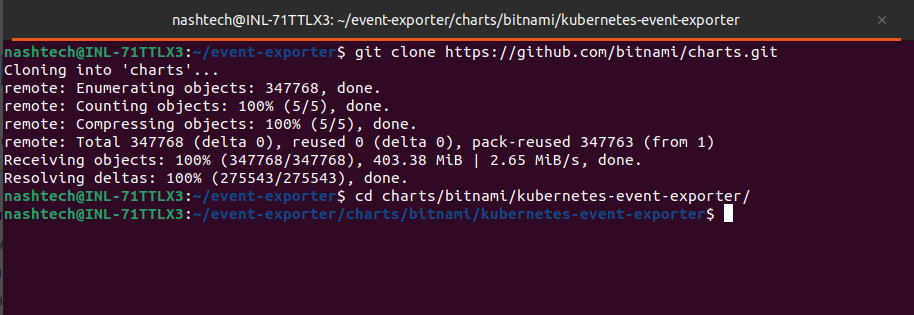
So to install the event exporter, you need to clone the bitnami’s github repository (https://github.com/bitnami/charts/tree/main/bitnami/kubernetes-event-exporter/), Run the following command to clone the repo locally
$ git clone https://github.com/bitnami/charts.gitThen navigate to event exporter chart directory.
Step 2: Understand Event Exporter configurations
Now open values.yaml file and scroll down until (config)
$ nano values.yaml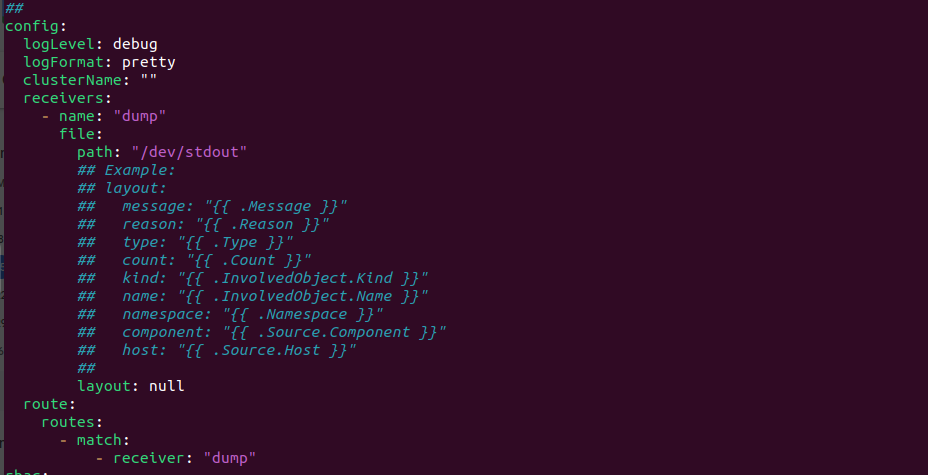
In the image, you can see we have configurations in key-values format. I will cover each of these in upcoming blogs but for now you need to understand the receivers key, In the receiver key we provide the configurations when we want to show or store the event. As per default configuration it will display the event in standard output (/dev/stdout).
Step 3: Install Event Exporter dependencies
Before installing event exporter, we need to install its dependencies first. Run the below command to install the dependencies:
$ helm dependency build
Step 4: Install Event Exporter dependencies
Now to install event exporter in your kubernetes cluster, you need to run the helm install command as follows:
$ helm install event-exporter . -f values.yaml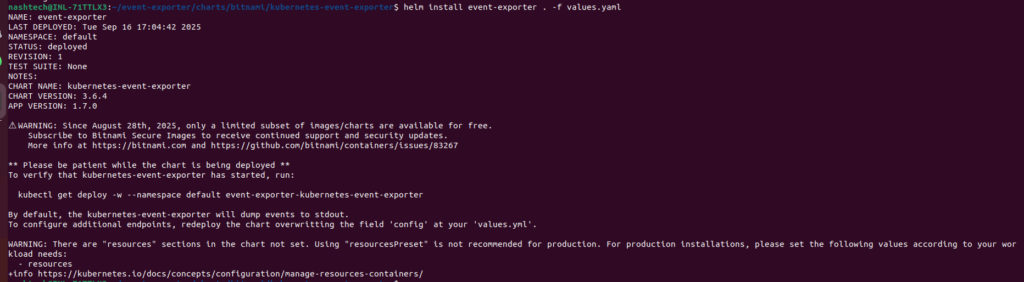
Once you its deploy, verify it using kubectl

Step 5: Test the event-exporter by creating an event
Now to test event-exporter is getting the event, we need to manualy create an event. Here I have nginx pod and I will delete it

Now lets verify whether the event-exporter captured this event or not.


As in the event-exporter logs you can see It captures the event.
Conclusion
Event Exporter can be very useful if you want to inspect whats going on in side your kubernetes cluster and its also helps you identify many problems in your production because the event can only be stored in the k8s cluster for 30-60 mins. In the upcoming blogs I will show you I can we use other outputs such as slack and elasticsearch for more real case scenario. Thats it for today’s blog How to install event exporter in your kubernetes cluster, we will meet soon in very next blog until then keep posted in the comment box if I miss any thing in this tutorial.