



1. What Are Insurance Domain Applications?
Nowadays, insurance plays an important role in providing financial protection and minimizing risks for both individuals and businesses. With insurance, people can feel secure in the face of unexpected events such as accidents, illness, or property damage. Insurance not only helps stabilize lives but also contributes to the sustainable development of the economy.
Insurance domain applications are specialized software systems that support essential business functions, including policy creation, billing, renewals, underwriting, and quote management. These systems must comply with strict regulatory requirements and are designed to safeguard sensitive customer information. As digital transformation accelerates across the insurance industry, the reliability of these applications has become critical for operational efficiency, customer satisfaction, and regulatory compliance.
2. How Does Insurance Work?
Insurance is a type of risk management that protects individuals and businesses financially against the danger of loss or damage. In exchange for the payment of a premium, insurance companies offer policies that transfer the risk of future losses from individuals or organizations to the insurer. Below is the process for purchasing a policy:
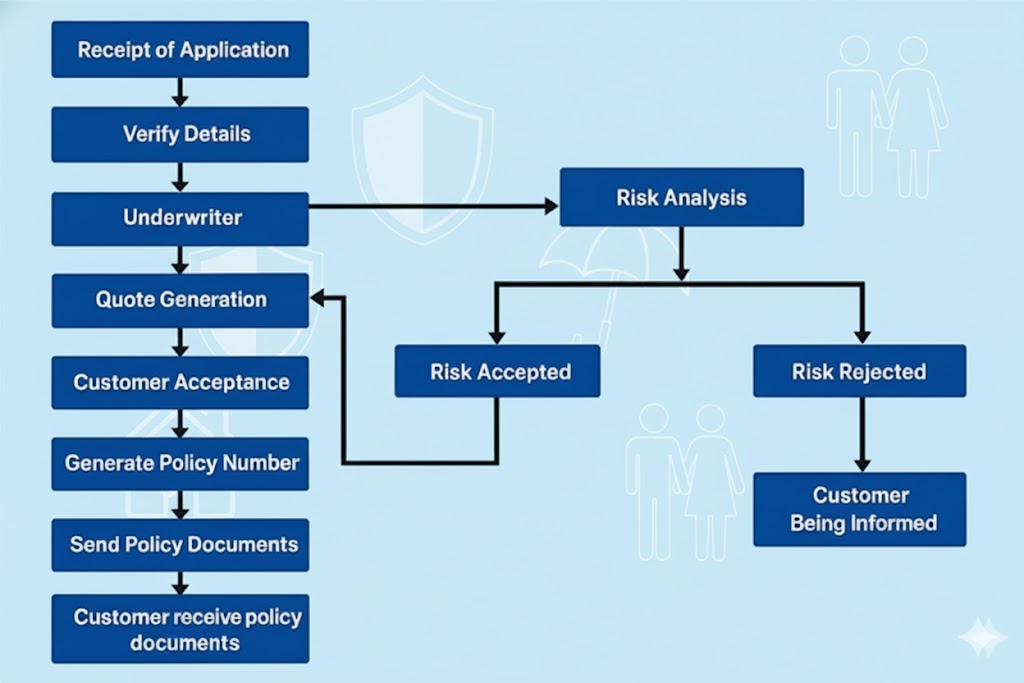
- When a person or organization buys insurance, they enter into a contract with the insurer. The contract outlines the policy’s terms, such as the type of coverage offered, the premium amount, the conditions under which a claim may be filed, and any exclusions or limitations. For example, in car insurance, any accident that occurs while the driver is intoxicated or operating a vehicle without a valid driver’s license is excluded from coverage.
- The cost of the policyholder’s premium is determined by a combination of factors, including the type and amount of coverage, the policyholder’s risk profile (age, health, location, claims history, lifestyle), and other market influences.
- If the policyholder suffers a loss or damage that the policy covers, they can make a claim with the insurer. The insurer will evaluate the claim and, if it is found to be valid, will pay the policyholder a set sum to reimburse the losses or damages sustained. That is how individuals or organizations transfer the risk to the insurance companies and get financial protection over the possible damages and losses.
3. Challenges in Insurance Domain Application Testing
3.1 Complex Business Logic
Insurance applications are complex software systems that require thorough testing to ensure reliability.
Insurance workflows typically involve multi-step processes for claims approval, premium calculation, and underwriting decisions. Testing these workflows requires validating interactions across multiple user roles, such as agents, underwriters, and customers. Depending on the business requirements, the system may also need to integrate with third-party services for additional verification. For example, in vehicle insurance, the system may call a third-party provider to validate the customer’s driving licence number and any recorded convictions to ensure the accuracy of the information submitted. If the customer has minor offences, such as driving without due care and attention or driving not in accordance with the licence, the insurer may still offer coverage but at a higher premium. However, if a serious offence is detected such as causing death while over the legal alcohol limit, the insurer may reject the application entirely.
Complex business rules and workflows within the insurance industry make software testing inherently challenging. Thorough testing requires significant time and resources to cover the wide range of possible scenarios. Additionally, frequent changes to business requirements and rules further complicate the testing process. Even a small modification to one workflow can affect multiple related processes, making it difficult for testers without a deep understanding of the underlying business rules to determine which regression tests need to be updated.
To mitigate this challenge:
- Develop a strong understanding of business rules and workflows.
- Prioritize high-risk and high-impact testing scenarios.
- Maintain comprehensive test case suites covering standard and edge conditions.
3.2 Lack of Test Data Availability for Quality Assurance
Testing applications in the insurance domain often requires large volumes of accurate data to effectively simulate real-world scenarios. For example, to validate advance-notice functionality for policy renewals, a policy record with a start date approximately one year in the past is needed. However, because the project began only a few months ago, the database must be adjusted to provide the necessary test data.
Updating the database carries potential risks of incorrect or inconsistent changes. To mitigate these risks, we should work closely with developers to gain a thorough understanding of the database structure and ensure that all related tables are updated appropriately. Developers may also be involved in providing or reviewing the SQL scripts to help ensure accuracy and consistency.
3.3 Frequent Changes in Business Rules
Insurance businesses frequently update their rules to comply with new regulations or respond to market demands. Because these updates are often high-priority, both development and QA teams typically have limited time to deliver the changes. Without the guidance or review of experienced professionals, such accelerated cycles may unintentionally introduce risks or even cause application failures. Thorough testing helps ensure that these updates do not negatively affect other system functionalities.
To mitigate this challenge:
- Automate regression testing to ensure updates do not introduce defects.
- Validate newly introduced rules using real-world scenarios provided by domain experts.
- Apply a risk-based testing approach to prioritize the most critical updates.
4. Common Errors and Best Practices in Insurance Testing
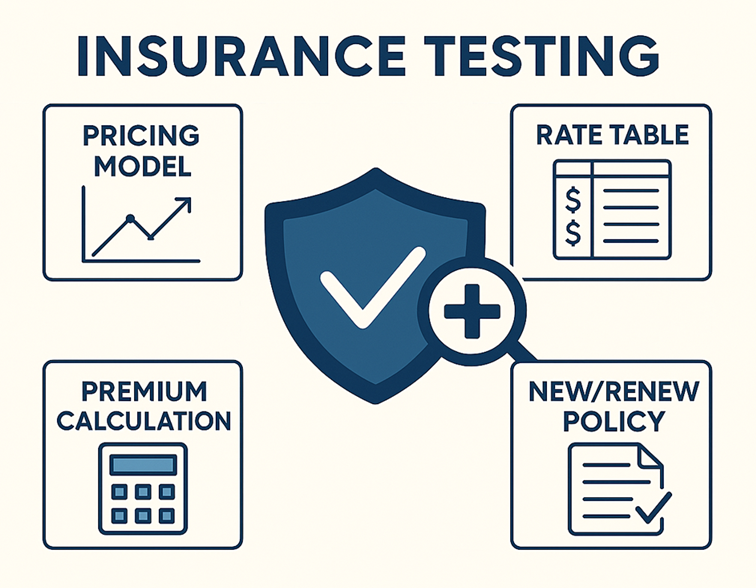
Insurance testing involves many of the same functions found in other domains, such as user authentication and the creation or updating of records. In this article, I will focus on two typical and important functions in the insurance sector: pricing and documentation.
4.1 Pricing Testing
Pricing plays a critical role for insurers in maintaining profitability and market competitiveness, while also serving as a key factor for customers when making purchasing decisions.
4.1.1 Common Pricing Errors
It is rare to find publicly documented cases of actual pricing errors in the insurance industry, as many insurers handle such incidents internally and do not typically disclose full details. However, it is clear that a pricing issue can affect a large number of policyholders. Consequently, if the issue is not resolved promptly, the resulting impact may become significantly more serious.
In 2023, Direct Line, a major United Kingdom insurance company, announced that it would reimburse approximately £30 million to customers who were overcharged during the renewal of their home and car insurance policies. (Sources: Insurance Times)
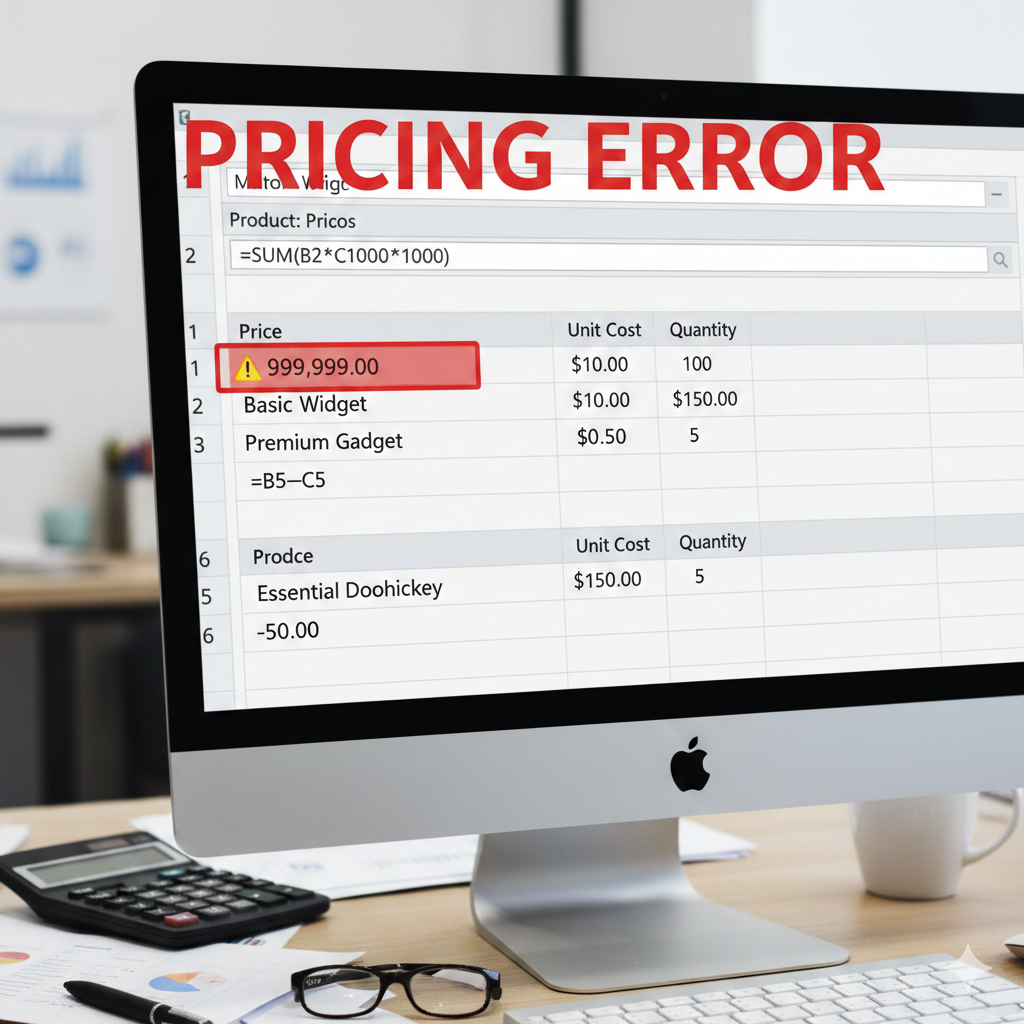
Cause: The overcharging resulted from an implementation error in applying a new regulation issued by the Financial Conduct Authority (FCA), effective in 2022. Direct Line’s system miscalculated the “equivalent new business price” during policy renewals, leading to many existing customers being charged more than new customers.
Impact:
- Customers paid higher premiums than they were entitled to during renewal.
- Direct Line incurred substantial financial costs to reimburse affected customers (~£30 million).
- The company’s reputation was adversely affected, as the issue received extensive media coverage and drew public attention to “loyalty penalties” and unfair renewal pricing practices.
The example above illustrates a pricing issue and its potential consequences. In the context of pricing testing, the business team typically provides an Excel file containing the relevant pricing formulas. During testing, the tester inputs values obtained from the user interface and validates whether the resulting premium aligns with the expected outcome. However, if stakeholders provide only a textual description of the calculation, it becomes the tester’s responsibility to create or update the Excel file to accurately represent the intended logic. The following are some common errors encountered during pricing testing.
4.1.1.1 Formula Calculation Errors
- Incorrect formula implementation such as using wrong operators (e.g., using division instead of multiplication), missing parentheses leading to wrong order of operations …
- Data type issues such as Integer vs. decimal, currency conversion mistakes
4.1.1.2 Business Rule Errors
- Incorrect discount conditions: e.g., customer has multiple policies but system does not apply discount.
- Incorrect loadings: additional fees not added for high-risk cases (hazardous job, disaster-prone area…).
- Age handling errors: premiums miscalculated due to wrong age group classification
- VAT/environmental levy/other taxes not included in the final premium.
- Duplicate or missing additional fees (admin fee, policy issuance fee).
4.1.1.3 Input Data Errors
- Incomplete or incorrect customer input leads to wrong pricing (e.g., selecting wrong vehicle type, property size).
- No system validation for out-of-range values (e.g., age < 0 or > 100).
- The pricing function does not accept decimal values, even though there is actual decimal data in reality
4.1.1.4 Consistency Errors
- Same customer gets different quotes across channels (web, mobile, agent portal).
- Errors when comparing previous vs new premium at renewal.
4.1.1.5 Rounding Issues
- Inconsistent rounding (e.g., 2 decimal places shown in the user interface while storing a different value in the backend. If the system uses the stored value for further calculations such as total premium, tax, or discounts, the results may differ from what the user sees. This can lead to customer confusion.)
- Summation of small fee components not matching the final premium.
4.1.1.6 Display & User Experience Errors
- Price shown on screen differs from what is saved in the database.
- Wrong currency displayed (USD, VND, JPY…).
- Missing premium breakdown (base premium, discount, loading, tax), making it hard to verify transparency.
4.1.1.7 Performance / Data Synchronization Errors
- When multiple users calculate simultaneously, the system returns slow or incorrect results.
- Cached old prices not updating after pricing configuration changes.
4.1.2 Best Practices for Pricing Testing
4.1.2.1 Boundary Value and Equivalence Partitioning
Insurance systems often use extensive rate tables to cover all possible scenarios. Instead of testing every single value, group them into equivalence classes (i.e., ranges or tiers that result in the same rate). Then test only boundary and representative values from each range.
It would be better if we also verify in database because normally, the rate table will be stored in database.
4.1.2.2 Design Matrix
To create an insurance quote, customer will required to answer a set of questions. The questions are designed to assess risk, determine coverage needs, and process claims accurately. Each question may have multiple options and it will take time when we test full combination. In this case, we can use design matrix to cover critical interactions efficiently. This saves time while maintaining coverage.
Example: For auto insurance, factors such as policyholder age, vehicle type, coverage type, location, driving history are often used in pricing calculation. Each factor may have multiple values that need to be considered for testing.
- Age: 5 values (18, 25, 30, 45, 60)
- Vehicle Type: 4 values (Sedan, SUV, Sports Car, Hatchback)
- Coverage Type: 4 values (Collision Coverage, Comprehensive Coverage, Roadside Assistance, Glass Coverage)
- Location: 3 values (Urban, Suburban, Rural)
- Driving History: 3 values (Clean, 1 accident, 2 accidents)
If we test all possible combinations: 5×4×4×3×3 = 720 test cases
With design matrix, we only need 5 test cases to cover the important values for each factor. This is helpful when performing system test or regression test for pricing.
| Test Case | Age | Vehicle Type | Coverage Type | Location | Driving History | Expected Premium |
| TC01 | 18 | Sedan | Collision Coverage | Urban | Clean | $500 |
| TC02 | 25 | SUV | Comprehensive Coverage | Suburban | 1 accident | $1,200 |
| TC03 | 30 | Sports Car | Roadside Assistance | Rural | 2 accidents | $850 |
| TC04 | 45 | Hatchback | Glass Coverage | Urban | Clean | $600 |
| TC05 | 60 | Sedan | Collision Coverage | Suburban | 1 accident | $760 |
4.2 Document Testing
4.2.1 What is Document in Insurance Testing?
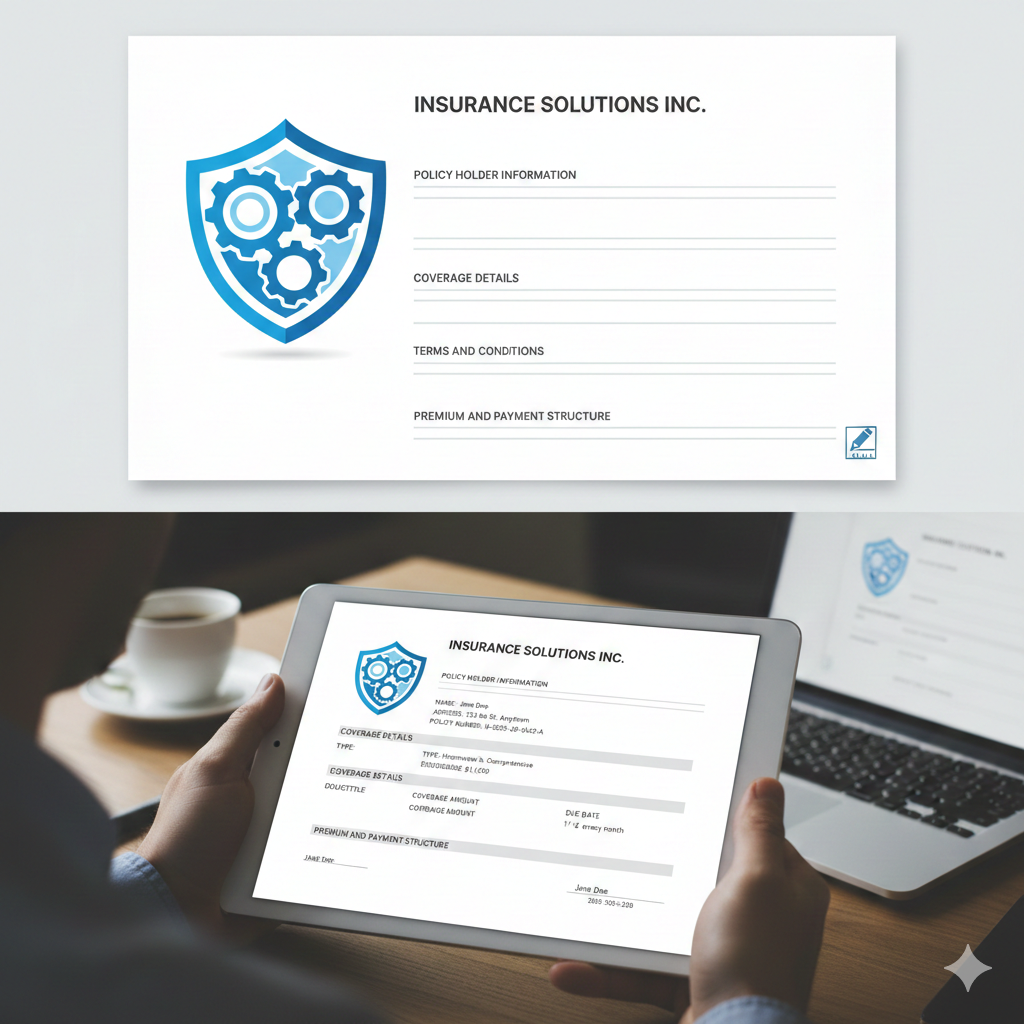
The documents stand as a proof of the contract between the insurer and the insured. Insurance documents can come in different formats, depending on the insurer and the stage of the process. They can be email, PDF document (digital) or printed letter/booklet. Example of an insurance document: When a new policy is created, an email is sent to the customer. This email typically includes details such as terms and conditions, coverage limits, exclusions, and customer obligations. Testers are responsible for verifying that documents are generated, personalized, and delivered accurately across all channels
Documents contain both static content (fixed wording) and dynamic content (customer-specific details such as the policyholder’s name, policy number, effective date, expiry date, premium amount, …). Dynamic values are inserted using doctags, which are replaced with actual data during document generation.
For example:
Dear {PolicyholderName}, your policy number is {PolicyNumber} and it is effective from {EffectiveDate}.
=> Here, {PolicyholderName}, {PolicyNumber}, and {EffectiveDate} are doctags.
The following diagram presents the document generation process.
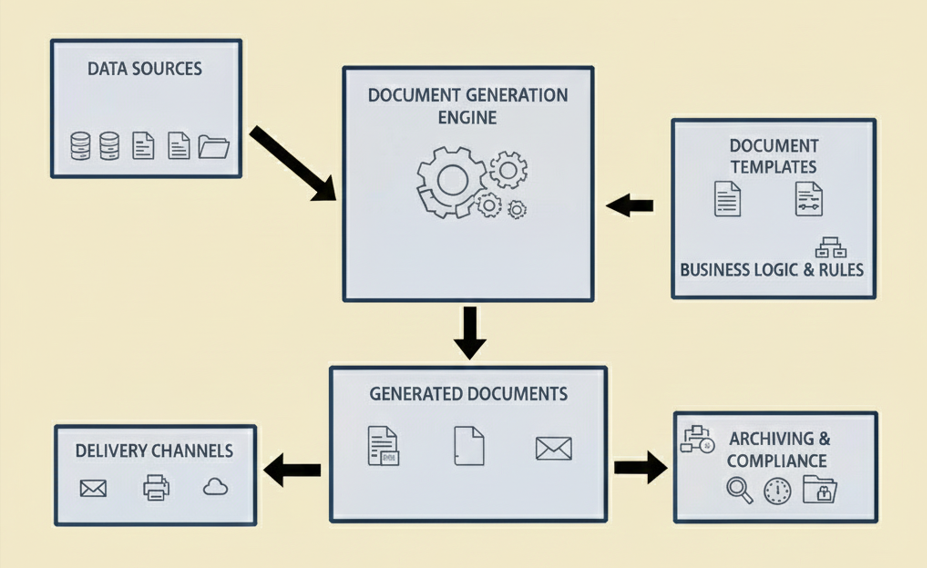
Data sources provide the foundational information required to produce documents, such as customer names, addresses, account details, and other operational data stored in databases or files.
Document templates, together with the associated business logic and rules, determine the document’s structure, formatting, and content.
Both data sources and document templates serve as inputs to the Document Generation Engine, ensuring that the resulting documents are accurate, context-specific, and properly formatted. Once generated, the documents are delivered through various channels including email, printed output… and are also archived for record-keeping and compliance purposes.
4.2.2 Common Errors in Document Testing
4.2.2.1 Content Errors
In document testing, a content error refers to any mistake or inconsistency in the actual information presented within the document. It is about the correctness and completeness of the data or text. For example:
- Wrong customer name or missing personalization
- Incorrect policy details: effective date, expiry date.
- Wrong product type (e.g., customer bought health insurance but email refers to motor insurance).
- Typos, unclear wording, or missing explanations of benefits/terms.
- Missing mandatory content such as disclaimers, hotline number, or company address.
4.2.2.2 Formatting & Display Errors
Formatting & display errors refer to issues with how the document looks and is presented, rather than the correctness of its content. These errors affect readability, professionalism, and compliance with branding or regulatory standards. For example:
- Email displays fine on desktop but breaks on mobile (poor responsiveness).
- Fonts, colors, or logos appear incorrectly, or images are broken.
- Character encoding issues (e.g., accented letters not displayed properly).
- Hyperlinks broken or pointing to the wrong page (e.g., “Renew Now” leads to 404).
- Layout inconsistencies across email clients (e.g., Gmail vs Outlook).
4.2.2.3 Logic & Trigger Errors
Logic & trigger errors occur when the rules or conditions that control document generation or content inclusion do not work as expected. These errors are about business logic and conditional triggers, not just formatting or data. For example:
- Email not sent when an event occurs (new policy, renewal, cancellation).
- Sent at the wrong time (e.g., renewal notice should be sent 28 days in advance but goes out late).
- Duplicate reminder emails sent multiple times.
- Email sent to the wrong audience (e.g., cancelled policyholders still receive renewal notices).
4.2.2.4 Security & Compliance Errors
Security & Compliance Errors refer to issues where the document fails to meet data protection standards, regulatory requirements, or company policies. These errors can lead to legal, financial risks.
- Email contains unencrypted sensitive data (ID numbers, credit card details).
- Non-compliance with GDPR/PDPA (no unsubscribe link, no opt-out option).
- Exposing customer list by using CC instead of BCC.
4.2.2.5 Sending/Receiving Errors
Sending/Receiving errors refer to problems that occur when documents transmitted between systems or delivered to end-users. These errors are about delivery and accessibility, not the content or formatting. For example:
- Emails fail to send, delay to send
- Emails land in spam folder
4.2.3 Best Practices for Document Testing
4.2.3.1 Validate Static and Dynamic Content
- Static text: Check for correct wording, grammar, and compliance with regulatory language.
- Dynamic text (doctags): Verify that placeholders are replaced with correct values (e.g., policyholder name, policy number, and premium).
- Test with multiple scenarios (new policy, update policy, renew policy, …)
4.2.3.2 Check Document Layout and Formatting
- Ensure proper alignment, fonts, and branding.
- Verify that sections like terms, conditions, and exclusions are clearly visible.
- Confirm that tables, bullet points, and numbering are consistent.
4.2.3.3 Data Accuracy
- Crosscheck all dynamic fields against the source system. Example: compare the premium in the email with premium in the admin page.
4.2.3.4 Language & Localization
- Validate translations if documents are in multiple languages.
- Check currency symbols, date formats, and local compliance text.
4.2.3.5 Negative & Edge Case Testing
This involves validating how the system handles unusual, invalid, or extreme input conditions that are outside normal scenarios. For example:
- Special characters in names. (e.g., street name contains special characters such as ‘Stoke-on-Trent’ in the United Kingdom)
- Very long policyholder names or addresses.
5. Conclusions
Insurance testing plays a vital role in ensuring financial stability, regulatory compliance, and customer trust. As insurers adopt digital platforms, AI-driven underwriting, and real-time pricing engines, testing practices must evolve to address new risks such as data security, integration complexity, and automation reliability. Robust testing strategies will continue to be a key enabler for innovation while protecting compliance and customer experience in an increasingly digital insurance landscape.
6. References
- https://www.insurancetimes.co.uk/news/direct-line-group-agrees-to-business-review-after-overcharging-customers-in-fca-first/1445476.article
- https://www.lambdatest.com/learning-hub/insurance-domain-testing-test-cases
- Other articles, videos on the Internet