


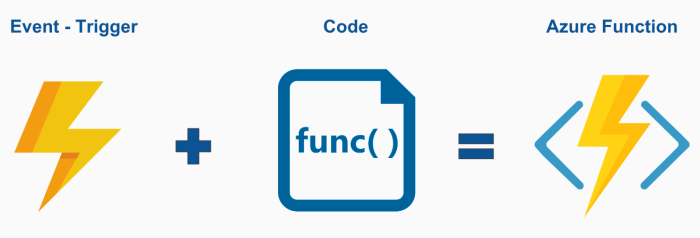
Azure Functions is a serverless compute service provided by Microsoft Azure, the cloud computing platform offered by Microsoft. It allows developers to build, deploy, and scale applications without having to manage infrastructure. Azure Functions enables you to run small pieces of code, called functions, in response to events like changes in data, HTTP requests, timers, and more.
Key features of Azure Functions
- Event-driven Programming: Azure Functions are triggered by events such as HTTP requests, timer schedules, message queue updates, database changes, or file uploads. This event-driven architecture allows developers to build reactive and scalable applications.
- Multiple Programming Languages: Azure Functions support various programming languages, including C#, JavaScript, Python, PowerShell, and TypeScript. Developers can choose the language they are most comfortable with or that best suits the requirements of their application.
- Scalability: Azure Functions automatically scale based on demand, ensuring that our application can handle fluctuations in workload without manual intervention. Functions are billed based on their execution time and resource consumption, providing cost-effective scalability.
- Integration: Azure Functions seamlessly integrate with other Azure services and external systems through input and output bindings. These bindings allow functions to interact with data sources like Azure Storage, Azure Cosmos DB, Azure Service Bus, Azure Event Hubs, and more without writing complex code for connectivity.
- Serverless Architecture: With Azure Functions, developers focus solely on writing code for their application logic, while Azure handles the underlying infrastructure management, including provisioning, scaling, and maintenance. This serverless approach reduces operational overhead and accelerates time-to-market for applications.
- Pay-Per-Use Billing: Azure Functions follow a pay-as-you-go pricing model, where we are charged only for the resources consumed by your functions. This granular billing enables cost optimization by eliminating the need to provision and pay for idle infrastructure.
- Monitoring and Logging: Azure Functions provide built-in monitoring and logging capabilities through Azure Monitor. Developers can track function execution, monitor performance metrics, and troubleshoot issues using logs and diagnostic tools.
Here are some of the use cases of Azure functions
- Scheduled Tasks
- Reminders and Notifications
- Lightweight Web API
- Sending background emails
- Running background backup tasks
- Doing backend calculations
Azure functions are best suited for smaller apps have events that can work independently of other websites. Some of the common azure functions are sending emails, starting backup, order processing, task scheduling such as database cleanup, sending notifications, messages, and IoT data processing.
Let’s say, we have to send a work anniversary email to our customers. We’re an ASP.NET web developer. Instead of building a website in ASP.NET, deploy and hosting it on IIS, just for one feature, we can simply write an azure function and put our email login in the function and deploy it on azure cloud. The azure functions will direct connect to our data source, get our customers emails, and send them an email on a scheduled date and time.
How to write Azure functions
To write an Azure Function, follow these steps:
- Choose a Development Environment: We can write Azure Functions in various programming languages, including C#, JavaScript (Node.js), Python, PowerShell, and TypeScript.
- Create an Azure Function App: In the Azure Portal, create a new Azure Function App, which serves as the container for our functions. This app provides the runtime environment for executing our functions.
- Add a New Function: Within our Function App, add a new function. We can choose from various templates depending on the trigger type we want to use (HTTP, Blob Storage, Timer, etc.).
- Write Function Code: Once we’ve added a new function, we’ll be provided with a code editor where we can write the logic for our function. Depending on the trigger type, we’ll write code to handle the specific event that triggers the function.
- Implement Input and Output Bindings (Optional): Azure Functions support input and output bindings, which allow our function to interact with external services and data sources without writing additional code for connectivity. We can define bindings in our function’s configuration.
- Test Locally: Use Azure Functions Core Tools or Visual Studio Code with the Azure Functions extension to test our function locally before deploying it to Azure. This allows us to debug and iterate on our code more efficiently.
- Deploy to Azure: Once we have written the function, deploy it to Azure from your development environment. Azure provides seamless integration for deploying functions directly from Visual Studio, Visual Studio Code, or the Azure CLI.
Basic Example
using Microsoft.AspNetCore.Mvc;
using Microsoft.Azure.WebJobs;
using Microsoft.Azure.WebJobs.Extensions.Http;
using Microsoft.AspNetCore.Http;
using Microsoft.Extensions.Logging;
using System.Threading.Tasks;

public static class HelloWorldFunction
{
[FunctionName("HelloWorld")]
public static async Task<IActionResult> Run(
[HttpTrigger(AuthorizationLevel.Function, "get", "post", Route = null)] HttpRequest req,
ILogger log)
{
log.LogInformation("C# HTTP trigger function processed a request.");

string name = req.Query["name"];

string requestBody = await new StreamReader(req.Body).ReadToEndAsync();
dynamic data = JsonConvert.DeserializeObject(requestBody);
name = name ?? data?.name;

return name != null
? (ActionResult)new OkObjectResult($"Hello, {name}")
: new BadRequestObjectResult("Please pass a name on the query string or in the request body");
}
}
Queue Trigger Example
using Microsoft.AspNetCore.Mvc;
using Microsoft.Azure.WebJobs;
using Microsoft.Azure.WebJobs.Extensions.Http;
using Microsoft.AspNetCore.Http;
using Microsoft.Extensions.Logging;
using System.Threading.Tasks;

public static class HelloWorldFunction
{
[FunctionName("HelloWorld")]
public static async Task<IActionResult> Run(
[HttpTrigger(AuthorizationLevel.Function, "get", "post", Route = null)] HttpRequest req,
ILogger log)
{
log.LogInformation("C# HTTP trigger function processed a request.");

string name = req.Query["name"];

string requestBody = await new StreamReader(req.Body).ReadToEndAsync();
dynamic data = JsonConvert.DeserializeObject(requestBody);
name = name ?? data?.name;

return name != null
? (ActionResult)new OkObjectResult($"Hello, {name}")
: new BadRequestObjectResult("Please pass a name on the query string or in the request body");
}
}
In this example:
- The function is a Queue-triggered function, meaning it listens to messages in an Azure Storage Queue named “myqueue-items”.
- When a new message is added to the queue, the function is triggered, and the message content is passed as the myQueueItem parameter.
- The function then logs the message content using the provided ILogger.
To use this function:
- Create an Azure Function App in the Azure Portal.
- Add a new Queue-triggered function within the Function App.
- Copy and paste the provided code into the function editor.
- Ensure that you have an Azure Storage Account provisioned and accessible. Set the connection string to this storage account in the Connection parameter of the QueueTrigger attribute.
- Create a storage queue named “myqueue-items” in your Azure Storage Account.
- Enqueue messages to the queue. Each message will trigger the function, and the message content will be logged.
We can customize the Run method to include our specific processing logic for each message received from the queue. This might include tasks such as data processing, sending notifications, triggering other functions, or storing data in a database.
Strengths and limitations of Azure Functions
Serverless computing as implemented in Azure Functions provides several advantages, including the following:
- Orchestration : It’s an efficient platform that helps address orchestration issues for complex projects.
- Management and scalability : The service requires no infrastructure management, and it offers flexible scaling.
- Development capabilities : End-to-end development tools are available for all stages of the development cycle.
- Language support : Numerous programming languages actively support various hosting alternatives.