



Potential of ML.NET
Introduction
Machine Learning (ML) has become a disruptive force, and ML.NET provides a smooth solution for.NET developers to take use of its potential. We’ll cover the fundamentals of ML.NET in this blog article, as well as its many advantages for developers and a practical implementation example to demonstrate its adaptability and ease of usage.
Why ML.NET? Benefits:
- Familiarity Meets Innovation: ML.NET is tailor-made for .NET developers, ensuring a smooth transition into the realm of machine learning. With its user-friendly APIs and integration with popular tools like Visual Studio, developers can embrace innovation without compromising their familiarity with the .NET ecosystem.
- Simplified Development Lifecycle: ML.NET facilitates rapid prototyping by streamlining the machine learning development process. Developers can quickly experiment with various algorithms, fine-tune models, and iterate on solutions, making it an ideal framework for agile development practices.
- Versatility in Application: Whether you’re working on image classification, sentiment analysis, or predictive modeling, ML.NET provides a versatile set of tools and pre-built models. Its adaptability across different domains empowers developers to address a wide array of use cases without a steep learning curve.
- Interoperability and Cross-Platform Support: ML.NET embraces the principles of cross-platform development, allowing applications to run seamlessly on Windows, macOS, and Linux. This level of interoperability ensures that your machine learning models can be deployed across diverse environments, expanding their reach and impact.
Example
Let’s dive into a practical example – predicting house prices based on features: square foot, number of rooms, and location using ML.NET.
using System;
using Microsoft.ML;
using Microsoft.ML.Data;

public class HouseData {
  public float Size
{
    get;
    set;
}
  public float Bedrooms
{
    get;
    set;
  }
  public float Price
{
    get;
    set;
  }
}
public class HouseDataPrediction
{
  [ColumnName("Score")]
  public float Price
{
    get;
    set;
  }
}
class Program {
  static void Main(string[] args)
{
    try {
      var mlContext = new MLContext();

      var pipeline = mlContext.Transforms.Concatenate("Features", "Size", "Bedrooms")
        .Append(mlContext.Regression.Trainers.Sdca(labelColumnName: "Price"))
        .Append(mlContext.Transforms.CopyColumns("Score", "Price"));

      var data = mlContext.Data.LoadFromTextFile < HouseData > ("house_data.csv", separatorChar: ',');
      var model = pipeline.Fit(data);

      var size = 1500.0 f;
      var bedrooms = 3.0 f;
      var house = new HouseData {
        Size = size, Bedrooms = bedrooms
      };

      var pricePrediction = mlContext.Model.Load(model).CreatePredictionEngine < HouseData,
        HouseDataPrediction > ().Predict(house);

      Console.WriteLine($"Predicted price for a {size} sqft house with {bedrooms} bedrooms: {pricePrediction.Price}");
    } catch (Exception ex) {
      Console.WriteLine($"An error occured: {ex.Message}");
    }
  }
}
Code breakdown.
This code uses ML.NET to create a simple linear regression model for predicting house prices based on size and the number of rooms.
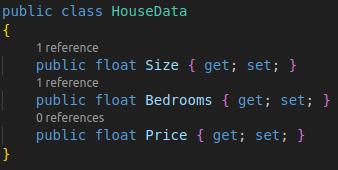
Defiine the HouseData class: Represents the structure of the input data. Each instance of HouseData corresponds to a house and contains information about its size, number of bedrooms, and the actual price.
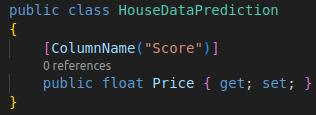
Define the HouseDataPrediction class: Represents the structure of the prediction. The HouseDataPrediction class has a Price property, and it is annotated with [ColumnName("Score")], which indicates that the predicted price will be stored in the column named “Score.”
Main Program Logic:
-The Main method is the entry point for the program.
-An MLContext is created, which is the main entry point for ML.NET functionality.
-The pipeline concatenates the “Size” and “Bedrooms” features into a single column named “Features.”
-It then uses the SDCA (Stochastic Dual Coordinate Ascent) algorithm for regression, with the label column specified as “Price.”
-Finally, it copies the “Price” column to a new column named “Score.”

Load training data: This code loads the training data from a CSV file named “house_data.csv.”

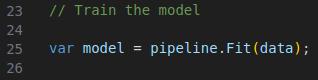
Model: The pipeline is fitted to the training data, and a model is created.
Make predictions:
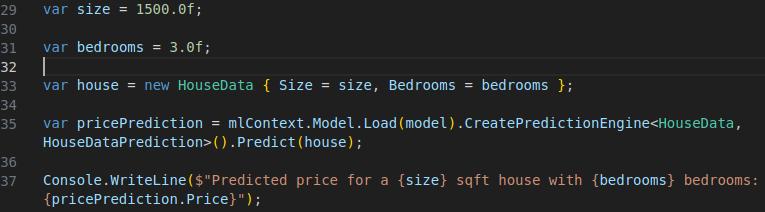
The code sets the size and number of bedrooms for a new house, creates a HouseData object, loads the trained model, and makes a prediction for the house. The predicted price is then printed to the console.
User experience
What sets ML.NET apart is its commitment to providing a user-friendly experience. Developers, regardless of their machine learning expertise, can quickly grasp concepts, implement models, and witness tangible results. The documentation, and community support further enhance the user experience, promote a collaborative environment for learning and growth.
To Summarize
ML.NET bridges the gap between .NET developers and the globe of machine learning, presenting a seamless integration that empowers originality. The advantages, from rapid prototyping to cross-platform assist, make ML.NET a indispensable asset in the developer’s toolkit. As exhibited in our implementation example, the journey from concept to reality is smooth and accessible, showcasing the framework’s practicality and versatility. Embrace ML.NET, explore its potential, and embark on a journey of building smart applications with ease.