


Modern users expect apps to be fast, smooth, and reliable. Because of this, testing is very important. However, the way we test apps depends on what type of app it is. Native apps and web apps work differently, so they must be tested differently.
In this blog, you will learn what native apps are, what web apps are, and the main differences in how we test them.
Definition
1. What Is a Native App?
A native app is an app you download and install from the App Store or Google Play.
Common examples include:
- Facebook mobile app
- TikTok mobile app
- Grab
Native apps are built for a specific operating system:
- iOS: Swift, Objective-C
- Android: Kotlin, Java
They can use phone hardware like the camera, GPS, storage, microphone, and push notifications.
2. What Is a Web App?
A web app is a website that works like an application. You open it inside a browser such as Chrome, Safari, or Edge.
Examples include:
- Facebook.com
- TikTok.com
- Gmail.com
Web apps do not need installation. They work across many devices and browsers.
Differences in Testing
This blog provides a simple and practical comparison of native app testing versus web app testing, based on real project experience.
The most important differences in testing a Native apps vs a Web app:
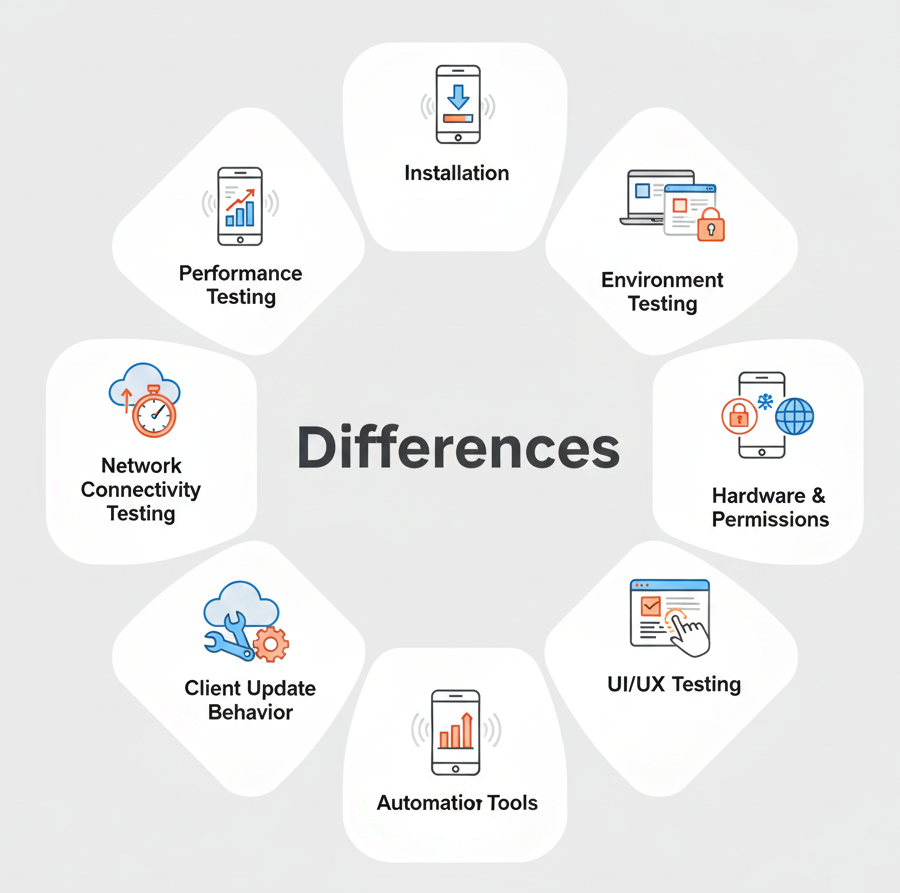
1. Installation
Native App
- Must test installation from App Store/Play Store
- Test updates
- Test reinstall and uninstall
- Check app size, device storage
Web App
- No installation needed
- Only test browser loading, refresh, and caching
2. Environment Testing
Native App
- Must test on different OS versions (Android/iOS)
- Many device types
- Different screen resolutions
Web App
- Must test on different browsers: Chrome, Edge, Safari,…
- Different platforms: Desktop, Tablet, Mobile
- Responsive behavior
3. Hardware & Permissions
Native App
Must test permission-based features:
- Camera
- GPS/Location
- Microphone
- Push notifications
- Sensors (accelerometer, gyroscope)
- Storage access
- Contacts
Web App
- Limited hardware access
- Only browser-based permission tests (camera, location, notification,…)
4. Performance Testing
Native App
- Battery usage
- Memory/ RAM usage
- CPU consumption
- Startup time
- Background behavior
- Low storage performance
Web App
- Page load speed
- Server response time
- Browser rendering
- Caching performance
- Network latency
5. Network Connectivity Testing
Native App
- Offline mode must be tested
- Weak network, airplane mode, switching between Wifi and 4G
- Data syncing after connection restores
Web App
Mostly does NOT support offline. Focus on:
- Slow internet
- Page load
- Cache behavior
- Session timeout
6. UI/UX Testing
Native App
- Follow platform guidelines:
- iOS human interface guidelines
- Android material design
- Test gestures (swipe, drag, pinch, long press, and multitouch)
- Smooth animations
Web App
- Responsive layout on different screen sizes
- Browser-based interactions (taps, scrolls)
7. Client Update Behavior
Native App
- Test version upgrades:
- Old version → New version
- Data persistence
- Check new build installation
Web App
- No updates required
- New release appears immediately after refresh
8. Automation Tools
Listed below are the tools typically utilized for scripting and executing automation tests on Native and Web apps:
Native App
- Espresso (Android)
- XCUITest (iOS)
- Appium
- Detox
- Flutter Driver
Web App
- Selenium
- Playwright
- Cypress
- Puppeteer
Conclusion
Native app testing and web app testing require different approaches. Native apps need more testing for devices, hardware, offline mode, and performance. Web apps need more testing for browsers, responsiveness, and network behavior.
By understanding the differences, QA testers can plan better test cases, avoid risks, and deliver a higher quality experience for users.