


In recent years, AI has been evolving at an incredible pace, and 2026 will be the year we focus on using AI more effectively and cost-efficiently. In this article, I will introduce Playwright CLI, a new solution from Playwright that helps reduce token consumption while generating automation scripts.
1.Playwright CLI
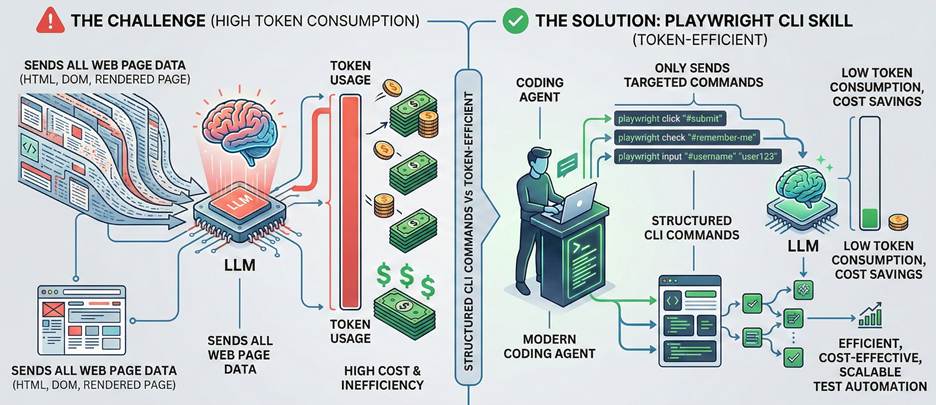
Today, AI tools are already capable of effectively supporting automation testing. However, one of the main challenges is the significant token consumption, especially when generating and refining automation scripts through LLMs.
Modern coding agents increasingly favor CLI–based workflows exposed as SKILLs over MCP because CLI invocations are more token-efficient. Playwright CLI is a new initiative from Playwright, built on top of the Playwright agent skill. By leveraging structured commands and native Playwright capabilities, Playwright CLI enables more efficient, cost-effective, and scalable test automation workflows.
The key features of Playwright CLI is token-efficient because it doesn’t send all the information related to the web page to LLM.
2.Playwright CLI vs Playwright MCP
2.1 Token efficiency
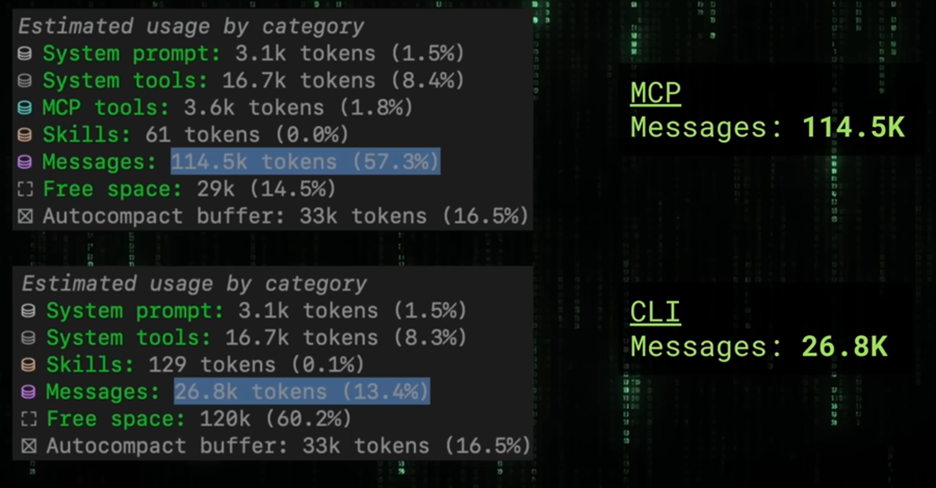
With the same workflow, Playwright CLI can reduce token usage by up to six times compared to Playwright MCP.
In Playwright MCP, every browser interaction requires the agent to capture a full page snapshot and send it to the LLM. For complex web applications, this consumes a large amount of context and tokens. For example, when taking a screenshot, even though the action is executed locally, MCP still sends the response back to the LLM, which is often unnecessary.
In contrast, Playwright CLI enables the agent to decide which actions truly require LLM involvement. Tasks such as taking screenshots can be executed and stored locally without sending any additional context to the LLM, resulting in significantly better efficiency and cost savings.
2.2 Playwright Capabilities
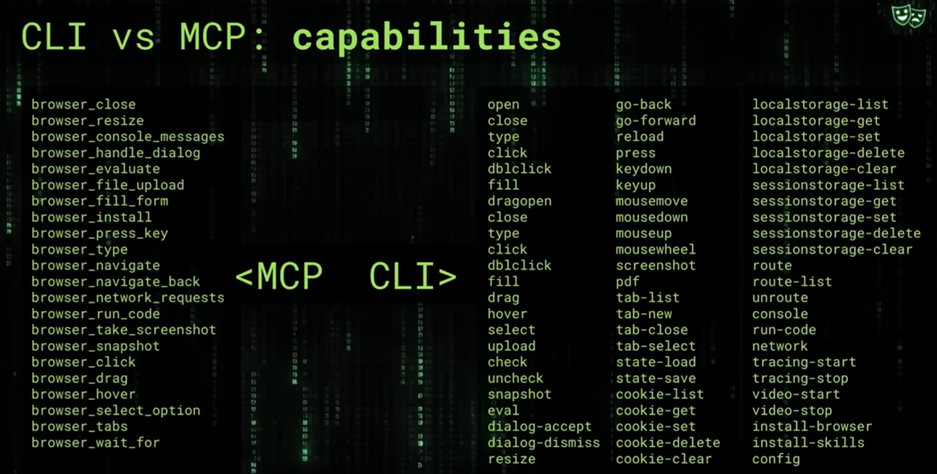
A best practice when using MCP is to limit the number of available tools in order to optimize context, allowing the LLM to more accurately select the appropriate tool for each prompt. That is also why Playwright restricts the number of tools in Playwright MCP. However, with the CLI solution, the context limitation issue has been addressed. As a result, Playwright CLI can support a broader set of tools while still maintaining efficiency, enabling it to fully cover a wide range of automation requirements with Playwright.
2.3 Usage
Playwright CLI
- Optimize cost
- Test workflow is determined
- Automation steps can be handled locally
Playwright MCP
- Want LLM to control every interaction
- Workflow depends heavily on reasoning after each step
- Dynamic decision making
- Exploratory/self-healing test/long workflow
3.Steps to add Playwright CLI into your project
Install Playwright CLI
npm install @playwright/cli@latestInstall Playwright skill
playwright-cli install --skills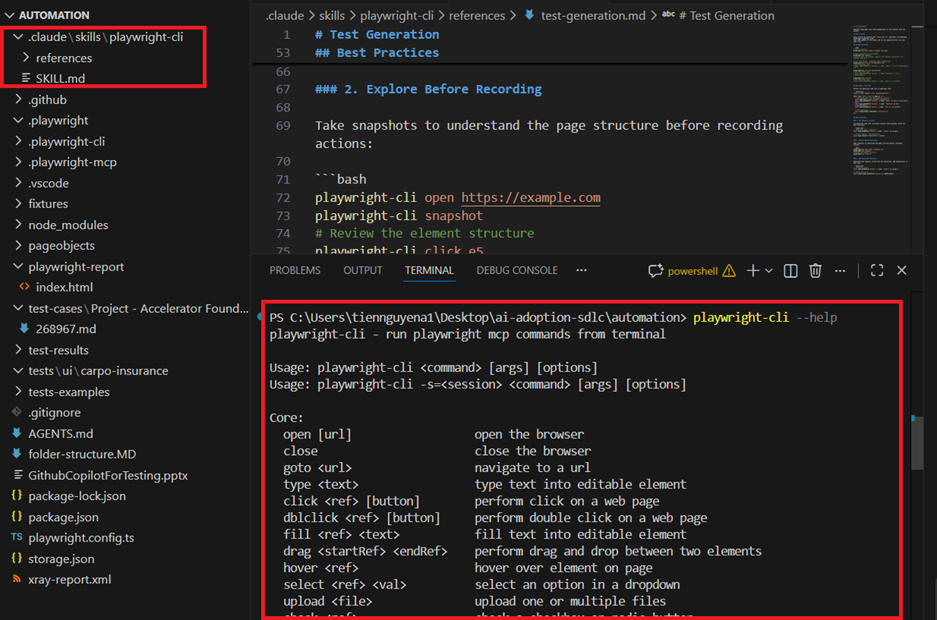
After installing, you can play with it. For using it, you can use 2 ways.
Use Playwright CLI with human language
> Use playwright skills to test https://demo.playwright.dev/todomvc/.
Take screenshots for all successful and failing scenarios.
Use Playwright CLI with command line
playwright-cli open https://demo.playwright.dev/todomvc/ --headed
playwright-cli type "Buy groceries"
playwright-cli press Enter
playwright-cli type "Water flowers"
playwright-cli check e21
playwright-cli check e35
playwright-cli screenshot
Conclusion
In 2026, it is no longer just about learning how to use AI — it is about learning how to use AI effectively and efficiently. As AI becomes more integrated into our daily engineering workflows, optimizing cost, performance, and scalability is just as important as leveraging its capabilities.
Playwright CLI is a practical example of this mindset. It demonstrates how we can design AI-assisted automation in a smarter way, reducing unnecessary token usage while still maintaining flexibility and power.
Referrence:
- https://github.com/microsoft/playwright-cli
- https://www.youtube.com/watch?v=Be0ceKN81S8