


In today’s world of cloud computing, keeping your data safe and secure is more important than ever. When setting up ZeusCloud with your AWS account, making sure it’s done securely is essential to protect your infrastructure. In this blog post, we’ll discuss the best way to connect ZeusCloud to AWS safely using IAM role-based access.
Understanding IAM Role-Based Access
IAM (Identity and Access Management) roles in AWS provide a secure and efficient way to delegate access permissions to resources within your account. By creating an IAM role specifically for ZeusCloud, you can grant it precisely the permissions it needs without compromising the security of your AWS environment.
Why IAM Role-Based Access?
IAM role-based access offers several advantages for connecting ZeusCloud to AWS securely:
- Least Privilege Principle: IAM roles allow you to adhere to the principle of least privilege by granting only the necessary permissions to ZeusCloud. This minimizes the risk of unauthorized access to sensitive resources.
- Temporary Credentials: IAM roles can provide temporary security credentials to ZeusCloud, which are automatically rotated and expire after a specified duration. This reduces the risk of credential exposure and misuse.
- Centralized Access Control: IAM roles enable centralized access control and auditing within your AWS environment. You can easily manage and monitor ZeusCloud’s access permissions through IAM policies.
Configuring IAM Role-Based Access for ZeusCloud
Before that, If you haven’t had the chance to read my previous blog post titled ‘Introduction to ZeusCloud,’ I highly recommend checking it out first. Understanding the concepts discussed in that post will make it much easier to follow along with the content in this one and assist you in installing ZeusCloud on your system seamlessly. You can find the previous blog post at [here].
To configure IAM role-based access for ZeusCloud, follow these steps:
-
Create an IAM Role:
Log in to the AWS Management Console, navigate to the IAM dashboard, and create a new IAM User with the name of ZeusCloudUser and IAM role for ZeusCloud. While Creating an IAM Role you should define the user in the IAM Role. Create a trust relationship policy allowing the user/role associated with above named profile to assume this role. Here’s a template:
{
“Version”: “2012-10-17”,
“Statement”: [
{
“Sid”: “Statement1”,
“Effect”: “Allow”,
“Principal”: {
“AWS”: <INSERT_ZEUSCLOUDUSER_ARN_ASSOCIATED_WITH_NAMED_PROFILE>
},
“Action”: “sts: AssumeRole”
}
]} -
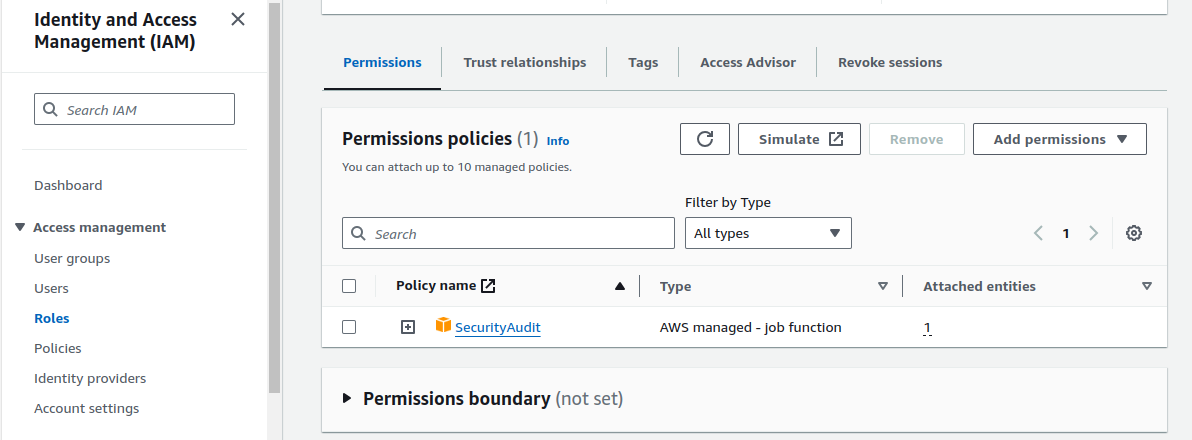
Define Permissions:
Attach IAM policies to the IAM role, granting ZeusCloud the necessary permissions to interact with AWS services and resources. Follow the principle of least privilege when defining these permissions.

-
Create a named profile in
~/.aws/configfor this new IAM role:In the below image, you can see how can you define your profile Zeuscloud in your AWS config file then after that, you can access the AWS account resource through it in Zeuscloud and check the security.

-
Configure AWS Account in ZeusCloud:
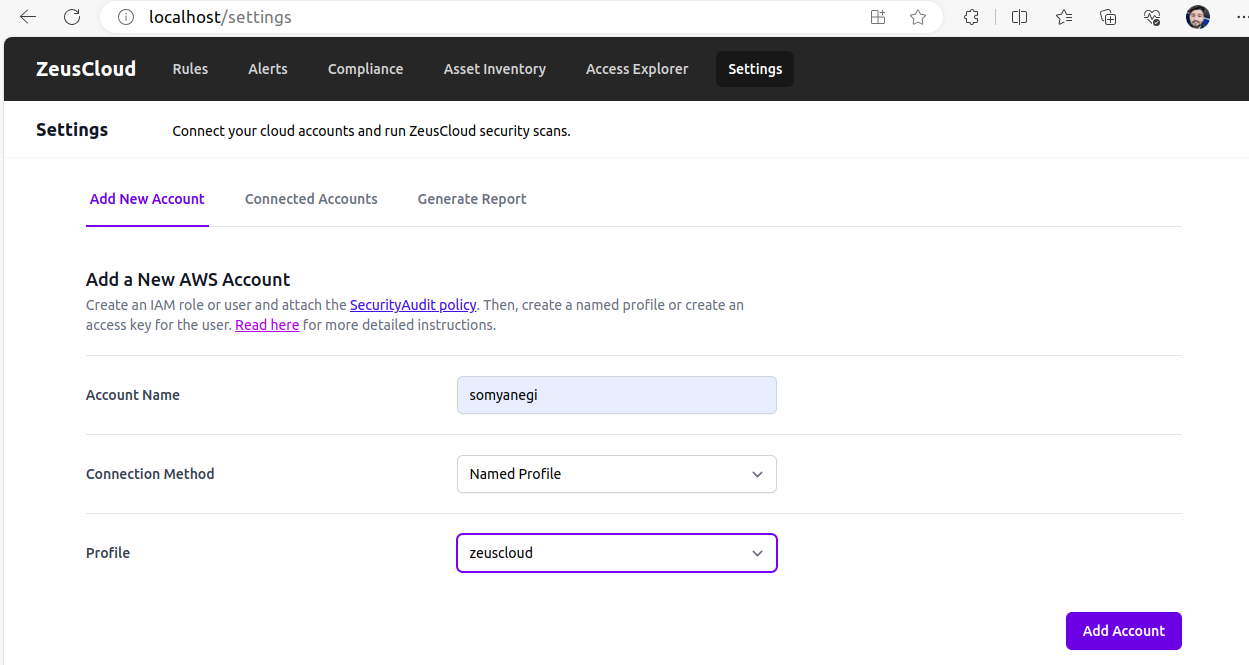
- Select
Named ProfileforConnection Method. - In the
Profiledropdown, select the named profile you created earlier.

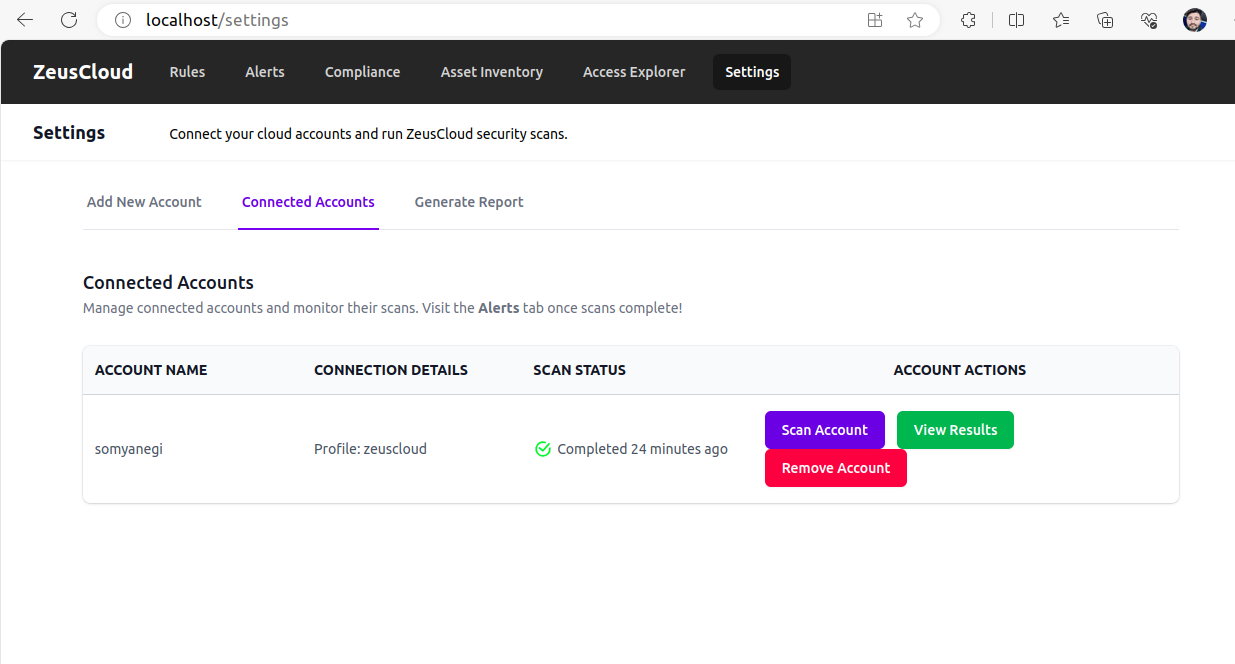
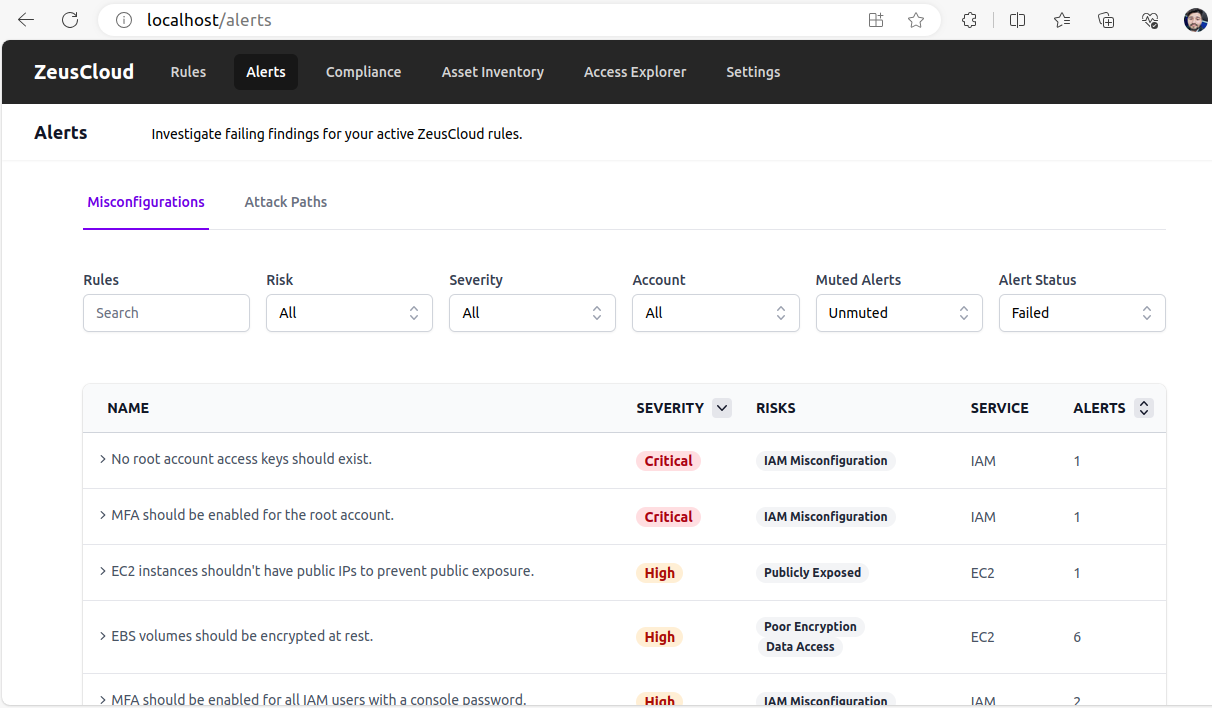
- Click on the Add Account button. After that, you should wait and see if Zeuscloud starts scanning your AWS account when scannning is completed. At the end of the scan, navigate to the
Alertstab to see findings for misconfiguration and attack path security rules.Check out theRulestab for a catalog of the security rules that were run. Check your compliance posture for various frameworks in theCompliancetab..

- Select

Benefits of IAM Role-Based Access
IAM role-based access offers several benefits for securely connecting ZeusCloud to AWS:
-
Enhanced Security:
IAM roles provide a secure mechanism for accessing AWS resources, reducing the risk of unauthorized access and potential security breaches.
-
Simplified Management:
With IAM roles, you can centrally manage access permissions for ZeusCloud and other AWS services, streamlining access control and auditing processes.
-
Compliance Readiness:
IAM role-based access aligns with industry best practices and regulatory compliance requirements, ensuring that your cloud environment meets security standards.
Conclusion
IAM role-based access provides a robust and secure method for connecting ZeusCloud to your AWS account. By leveraging IAM roles, you can enhance the security of your AWS infrastructure while enabling ZeusCloud to perform its intended functions effectively. Implementing IAM role-based access ensures that ZeusCloud operates within the confines of least privilege, minimizing security risks and maximizing control over your cloud environment’s security posture.