


Securing app service in Azure is essential as cyber threats are becoming increasingly sophisticated and prevalent. Whether you are running APIs, mobile backends, or web applications, ensuring the security of your Azure-hosted services is crucial for protecting sensitive data, maintaining regulatory compliance, and safeguarding your organisation’s reputation.
In the previous blog, we created an Azure App Service that runs a docker container and displays content on a domain. Securing App Service is very important to only allow specific users to access your application. In this blog, we will look at securing that app service by configuring authentication to restrict public access.
Securing App Service
Go to the App Service you want to add authentication for.
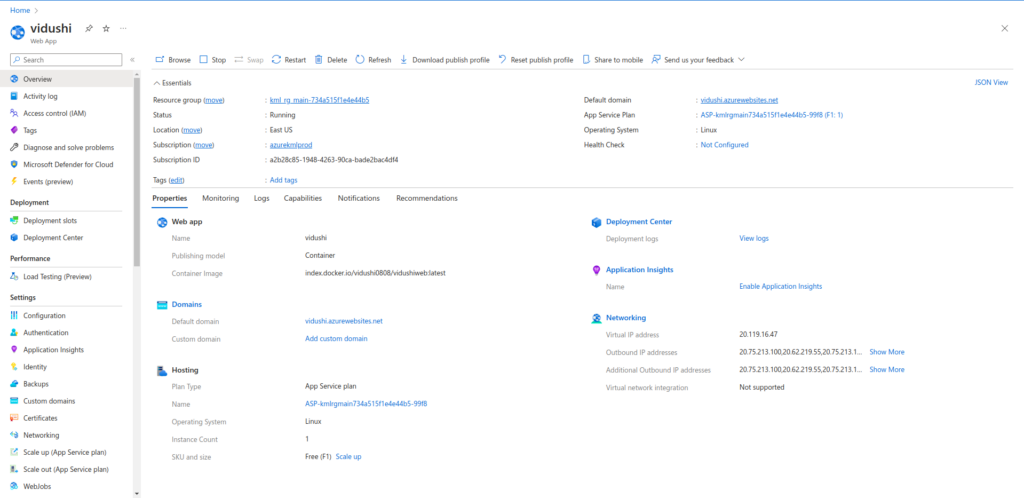
Click on Authentication from the left bar.
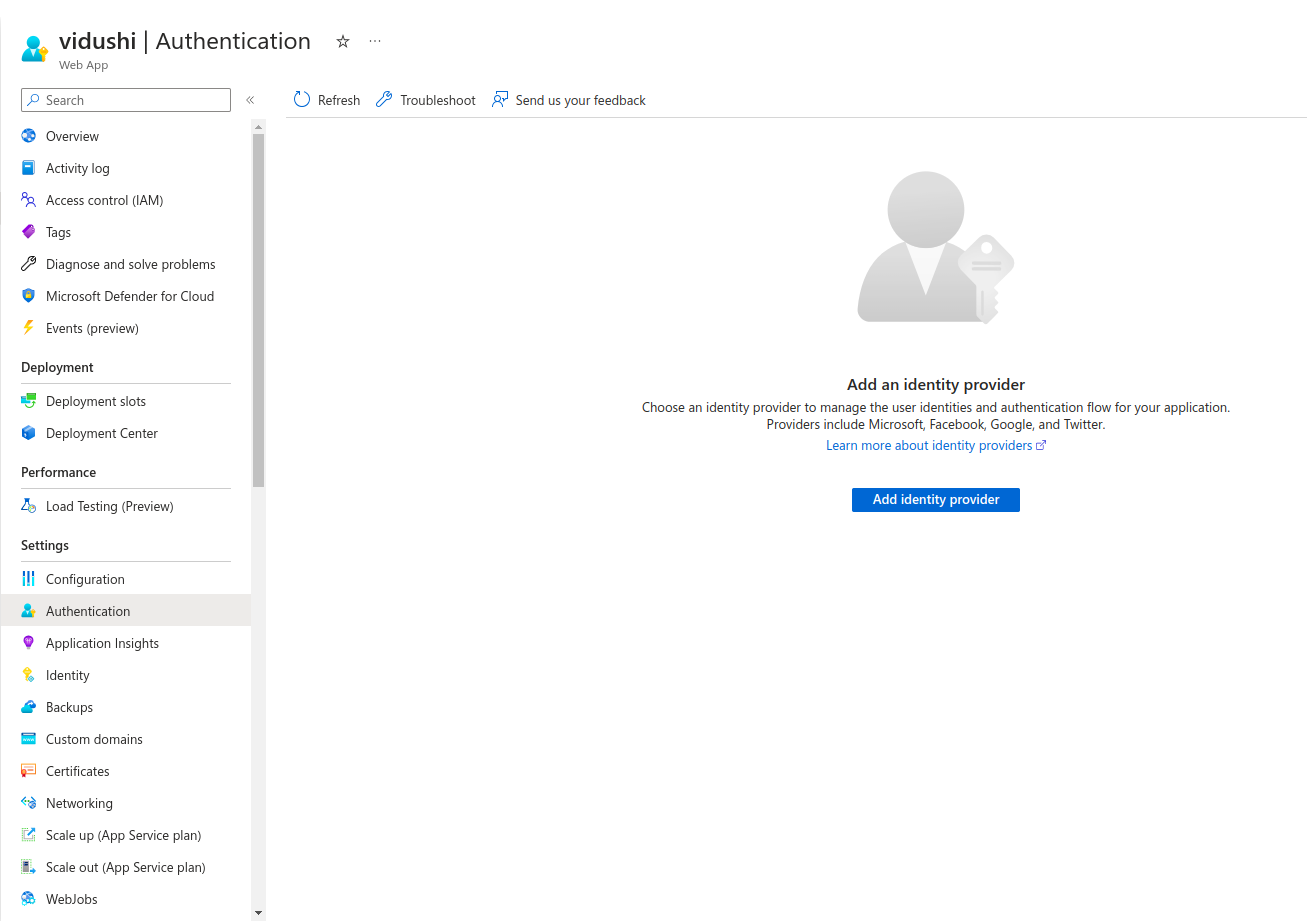
Click on Add identity provider.
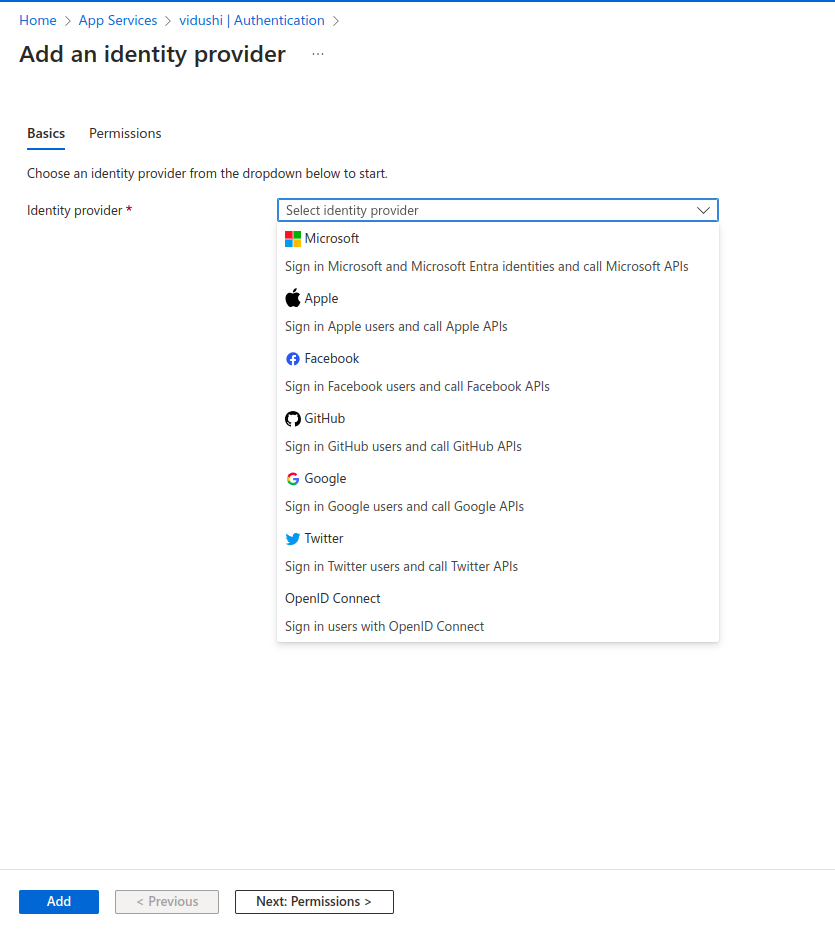
You have so many options to choose for your identity provider. I will choose Microsoft Entra ID in this blog, but you can choose any of the providers mentioned above that suits your requirements. Click on Add.
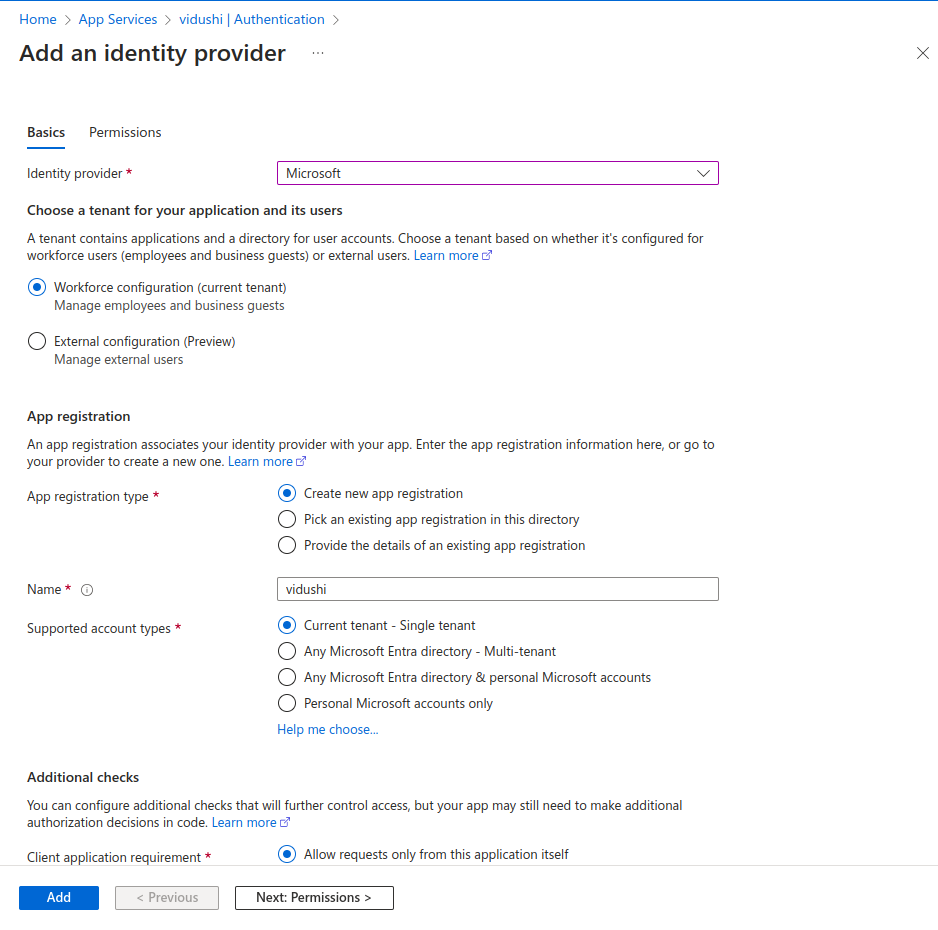
You can create a new app registration or choose from the existing one. Give it a name and choose the supported account types. Click on Next.
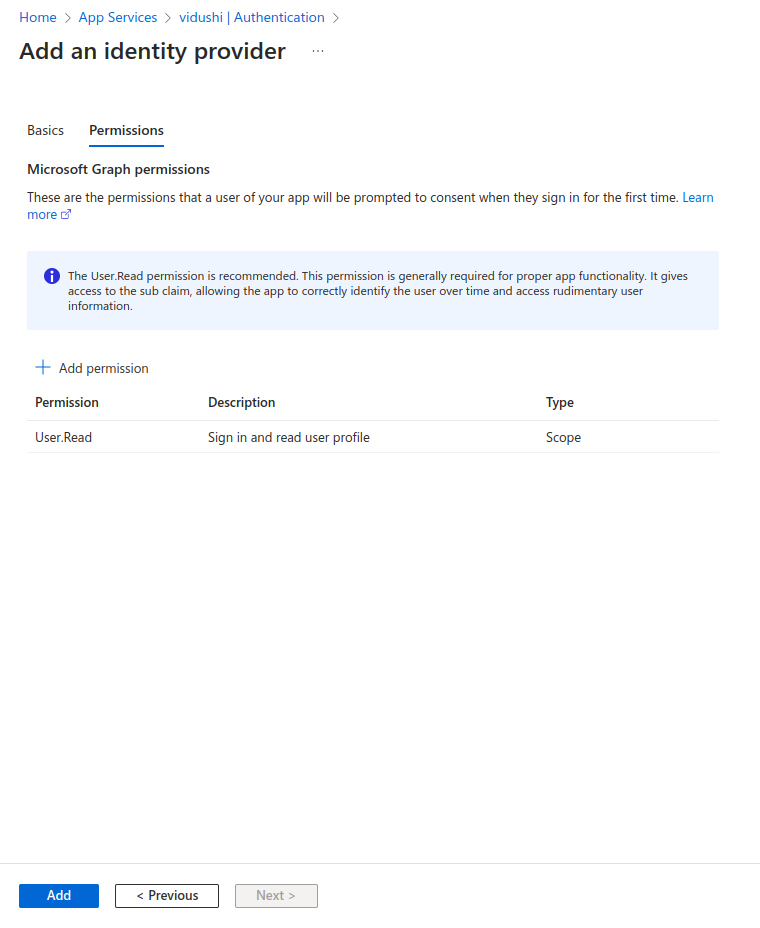
You can add permissions in this tab. I have kept it as default User.Read which means that the user can read the content.
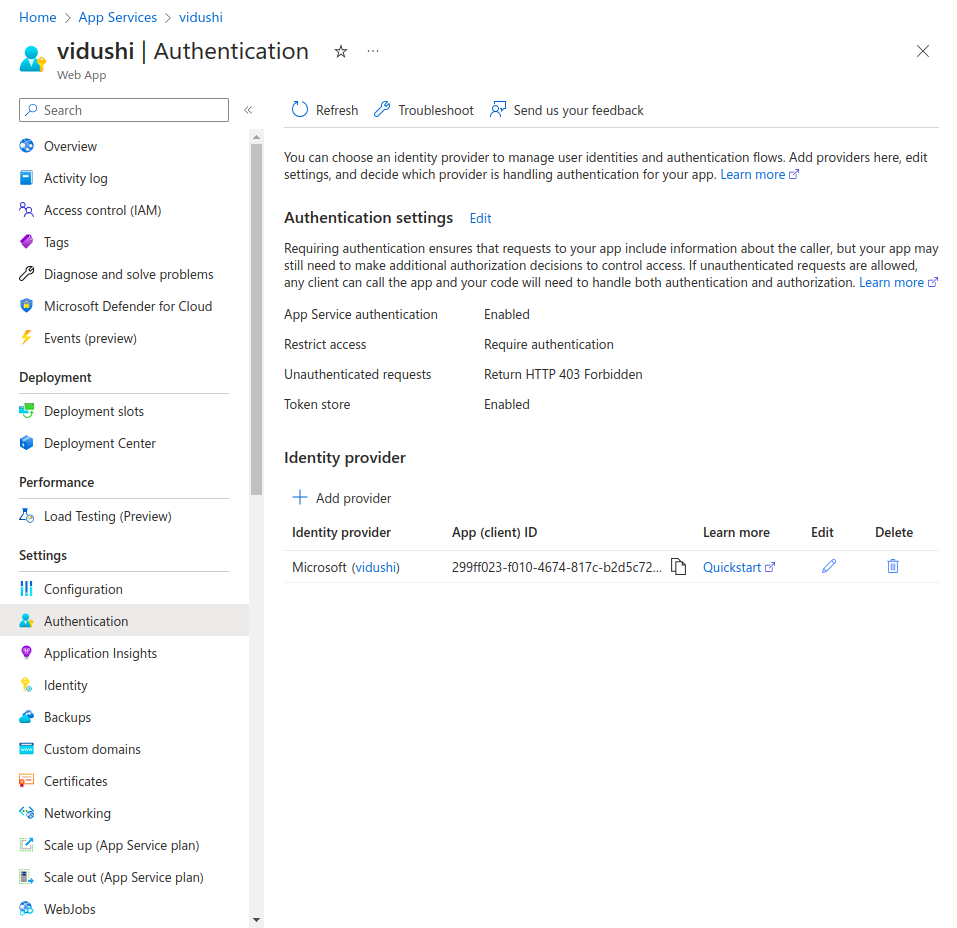
The identity provider has been added successfully. Lets open the default domain in a new incognito tab.
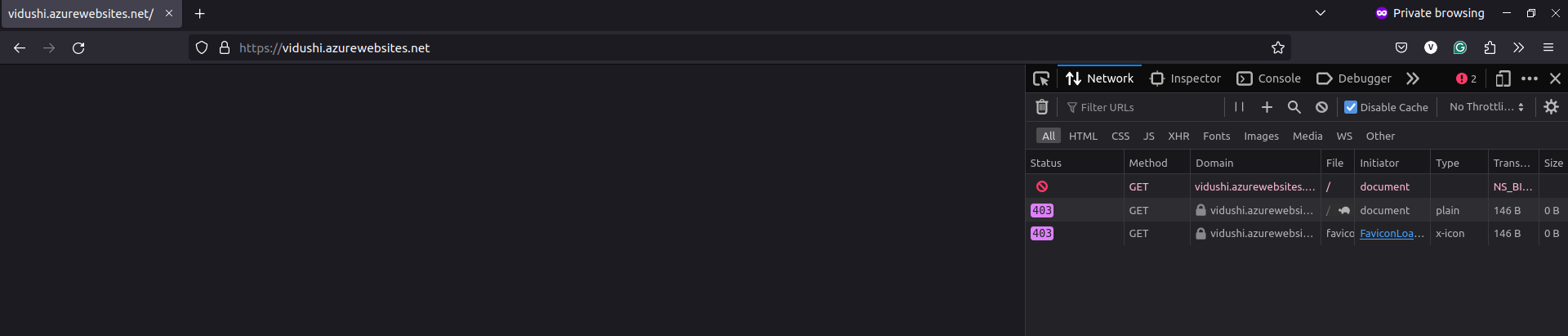

By default, it will forbid any traffic entering this domain. Refresh the tab or windows. It will take you the Microsoft login page to enter your credentials.
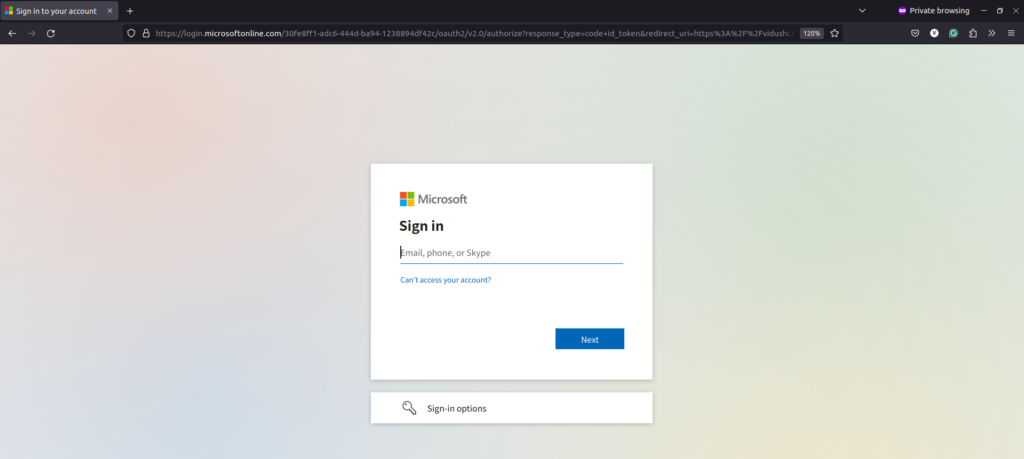
Enter you Entra ID credentials.
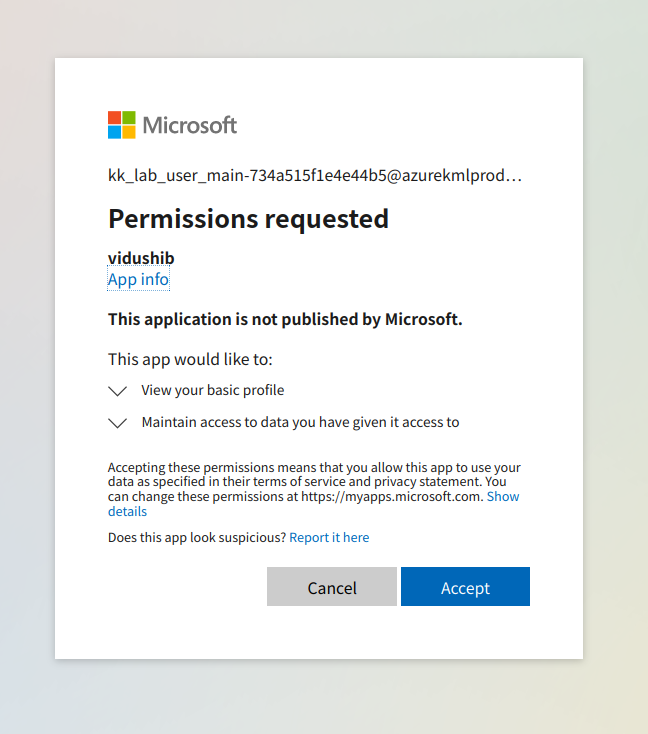
After entering the Microsoft credentials, you can accept the permissions request.

You can view the content of your application now.
This is how you can secure access to your application services on Azure cloud. If you have any questions/feedbacks regarding this blog, I am reachable at vidushi.bansal@nashtechglobal.com. You can find more of my blogs here.