


Traditional Server-Side Rendering (SSR) offers a significant advantage over Client-Side Rendering (CSR) by delivering fully rendered HTML to the browser, improving initial load times and search engine optimization (SEO). However, even standard SSR has a critical bottleneck: the browser remains blocked, showing a blank or loading screen, until the entire HTML document is ready and transferred from the server. This causes the poor Time-to-First-Contentful-Paint (TTFCP) and the bad experience for user. Streaming Rendering is introduced as the essential next step to overcome this limitation.
1. What is streaming rendering
Streaming is a data transfer technique that allows you to break down a route into smaller “chunks” and progressively stream them from the server to the client as they become ready. By streaming, you can prevent slow data requests from blocking your whole page. This approach enhances user experience since that allows the user to see and interact with parts of the page without waiting for all the data to load before any UI can be shown to the user.
2. How it works
As you can see below example, components have the different processing time. Without streaming, we have to wait until all components are ready.
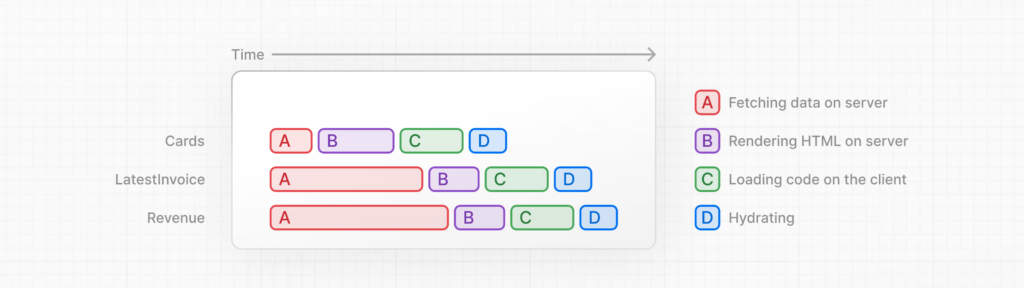
Once apply streaming. If there are any heavy components, they doesn’t prevent showing the light components to end user. As soon as ready, content will be displayed at client immediately in the meanwhile other one still keep loading…
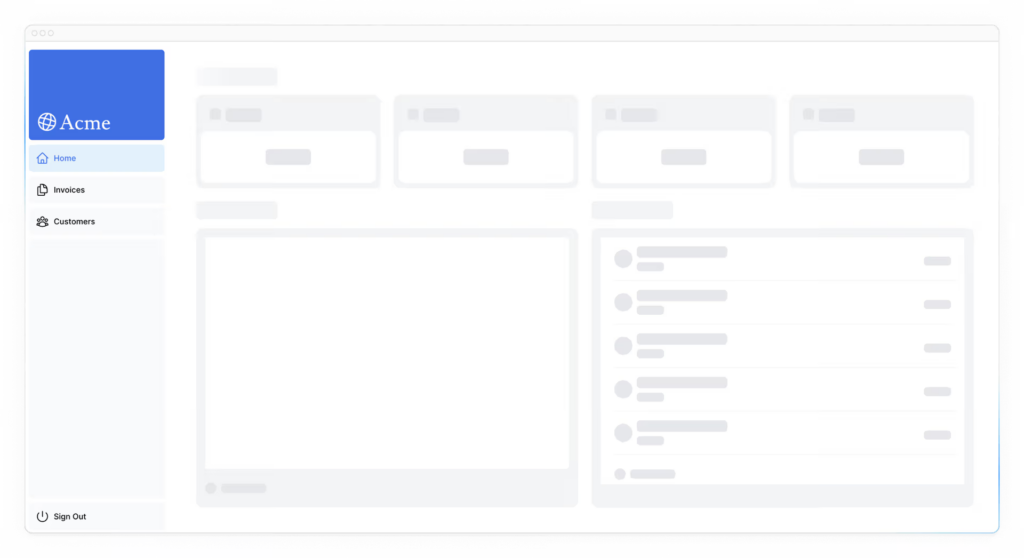
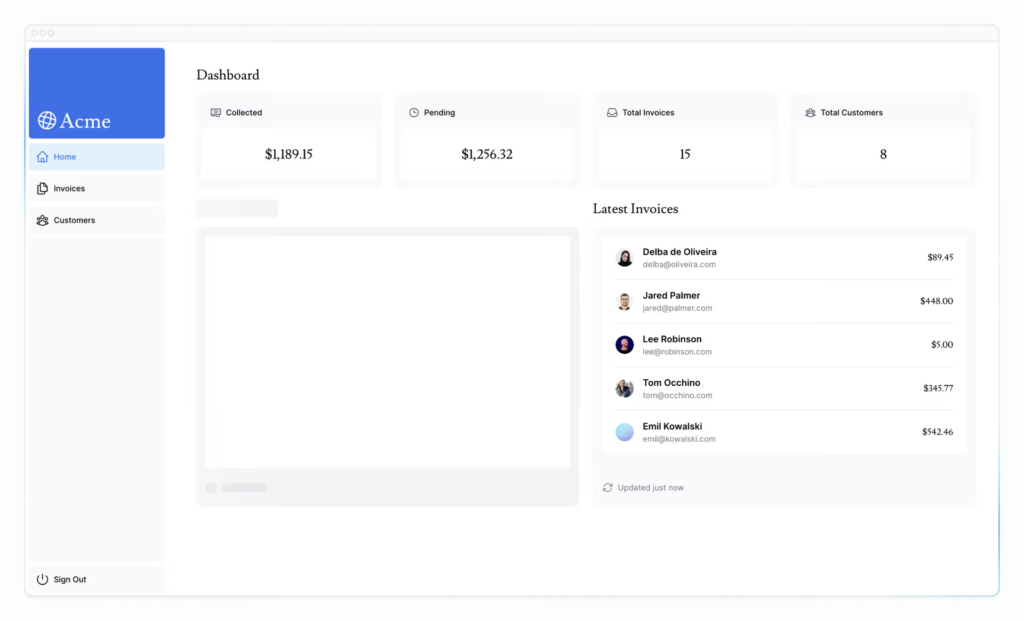
The pending components are continuing to rendering on server and will be streamed to client. Finally, we will see the full loaded page.
3. How to use streaming rendering in Next.js
In Next.js, this is primarily enabled through React Server Components and the App Router (Next.js 13+). Streaming works well with React’s component model, as each component can be considered a chunk.
There are two ways you implement streaming in Next.js:
- At the component level, wrap your server component in Suspense boundary and with fallback UI
- At the page level, with the
loading.tsxfile (which creates<Suspense>for you)
Example
import { Suspense } from 'react'

async function SlowData() {
  const data = await fetch('...') // Slow API call
  return <div>{data}</div>
}

export default function Page() {
  return (
    <>
      <h1>This renders immediately</h1>

      <Suspense fallback={<Skeleton />}>
        <SlowData /> {/* Streams in when ready */}
      </Suspense>

      <footer>This also renders immediately</footer>
    </>
  )
}
With streaming and Suspense boundaries, the network request in the DevTools Network tab will still show as “pending” or “loading” until the entire response is complete. The main benefit isn’t reducing total processing time, but improving perceived performance by showing users something useful immediately rather than making them wait for everything to be ready.
For dynamic import (with ssr = true), it is about JavaScript bundle optimization, not about streaming or partial rendering. The HTML still renders fully on the server before sending. Mainly, it split code into smaller bundles so that improve JS loading on demand (better performance).