


Test case Prioritization is a critical process in software testing that involves determining the
order in which test cases should be executed. Test cases with a high probability of finding defects early in the testing process are identified as high-priority test cases. The use of machine learning has been invaluable in automating the process of prioritizing test cases.
As software systems become increasingly complex, testing all possible scenarios are not possible
to detect the defects. Testing is often conducted under tight schedules,particularly in agile and fast-paced development environments. Limited time for testing can
lead to incomplete coverage and a rush to meet deadlines. Due to this, testers should have to find the defects and follow the testing process in less time. Thus, incomplete test coverage makes it difficult to ensure that all aspects of the software have been thoroughly tested.
1. Test cases Prioritization (TCP) –
TCP is a crucial aspect of software testing, aiming to optimize testing resources by executing high-impact test cases early in the testing process. With the help of prioritization, a tester can test high-impact scenarios in a limited time with AI tools.
Test case prioritization using machine learning is an active area of research that aims to
leverage machine learning techniques to enhance the effectiveness of test case prioritization.
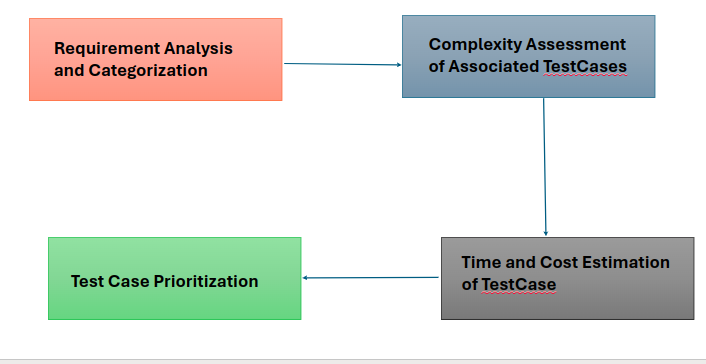
Since the manual process of test case prioritization is difficult and time-consuming, it is
recommended the use AI tools to automate the process of prioritization of the test cases and accrue effectiveness.
Test Cases Prioritization AI Tools-
Here are some test case prioritization AI tools along with brief explanations and examples-
1.1 Test.ai
Test.ai utilizes AI-driven algorithms to prioritize test cases based on factors such as code
changes, historical defect data, and code complexity.
Example: Test.ai can analyze past defect patterns and prioritize test cases related to modules or features that historically have had more issues.
1.2 mabl
Mabl uses machine learning to prioritize test cases by identifying critical user journeys and frequently used features.
Example: mabl might prioritize test cases related to checkout processes or user registration, as these are critical user journeys with high impact if they fail.
1.3 TestCraft:
TestCraft employs AI algorithms to prioritize test cases based on risk factors, code complexity, and user feedback.
Example: TestCraft may prioritize test cases for newly developed features that have complex code logic or have received numerous bug reports from users.
1.4 PractiTest:
PractiTest employs AI algorithms to prioritize test cases by analyzing historical test data, user feedback, and defect trends.
Example: PractiTest may prioritize test cases for features that have undergone recent changes or have received frequent bug reports from users.
We will see how we can use Mabl to prioritize the test cases-
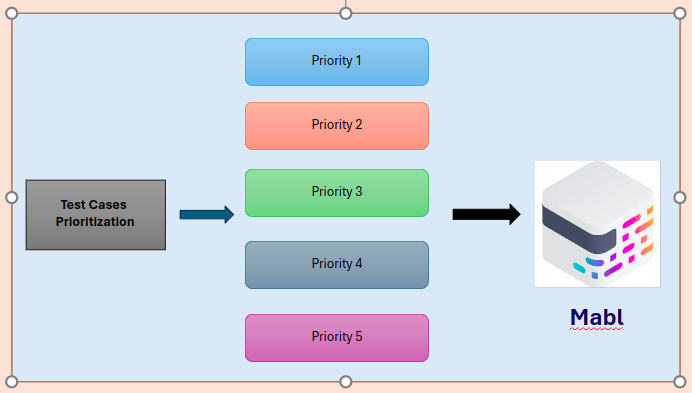
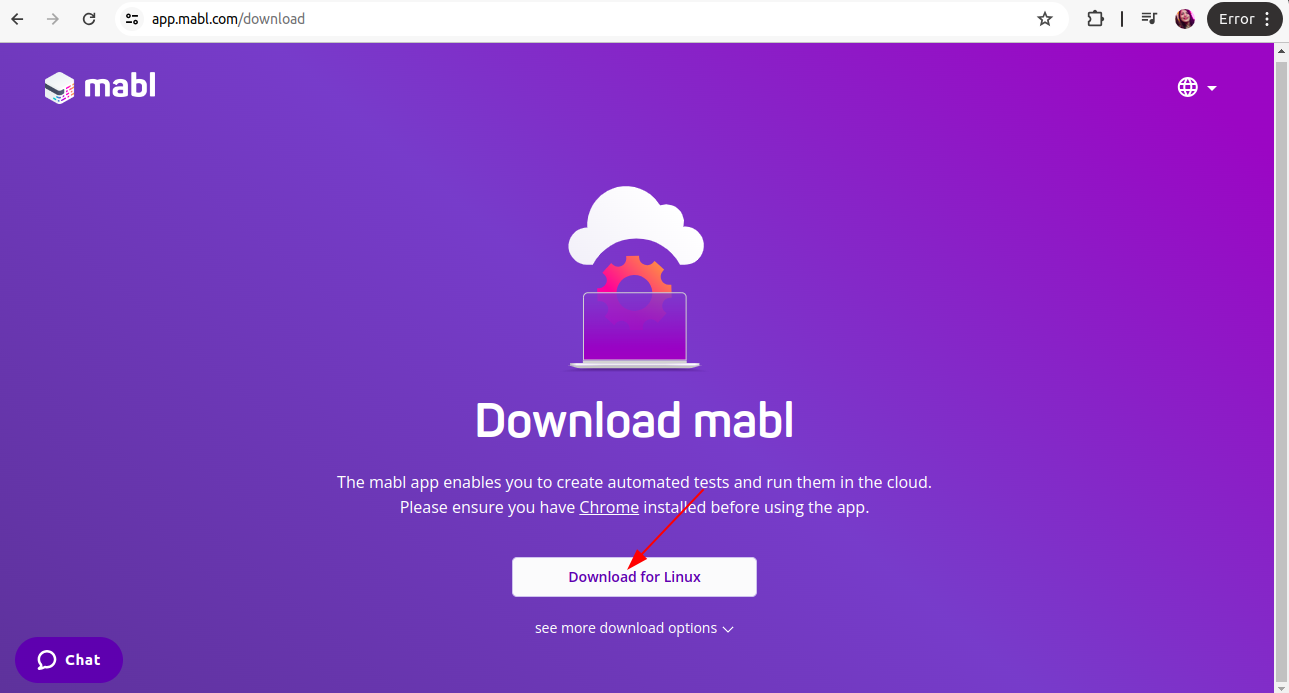
2. Install Mabl in your system:-
So from here we can install Mabl
3. How to use Mabl:-
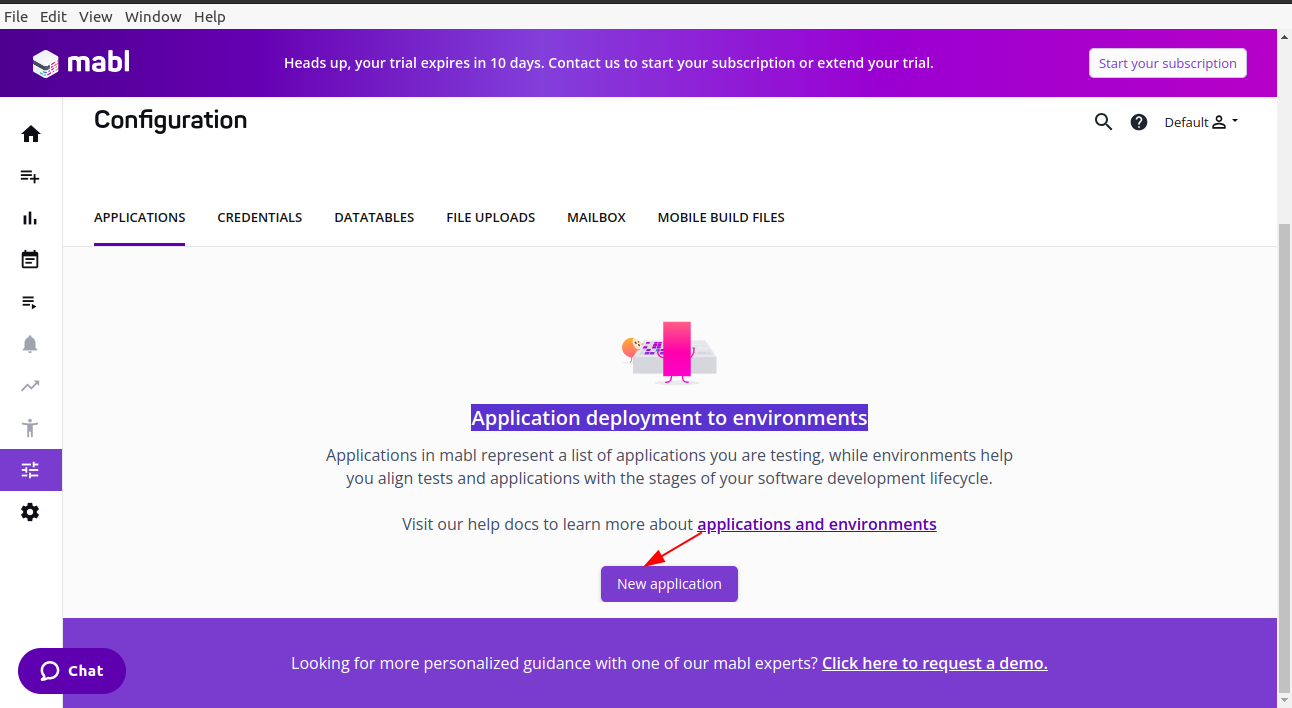
After installation, log in to access the platform. Start with creating an application and environment.
4. Creating applications and environments
4.1 Applications
On the Dashboard, click on New Application under Application Deployment to Environments.
4.2 Environments
Environments in Mabl are aligned with your development environment where you deploy your code, such as Dev, Testing, Staging, and Production.
5. Parameterize Your Tests
Before parameterising Tests, we need to create a test. There are some testing types with Mabl:
- Browser tests
- API tests
- Data-driven testing
- Accessibility testing
5.1 Creating a new browser test
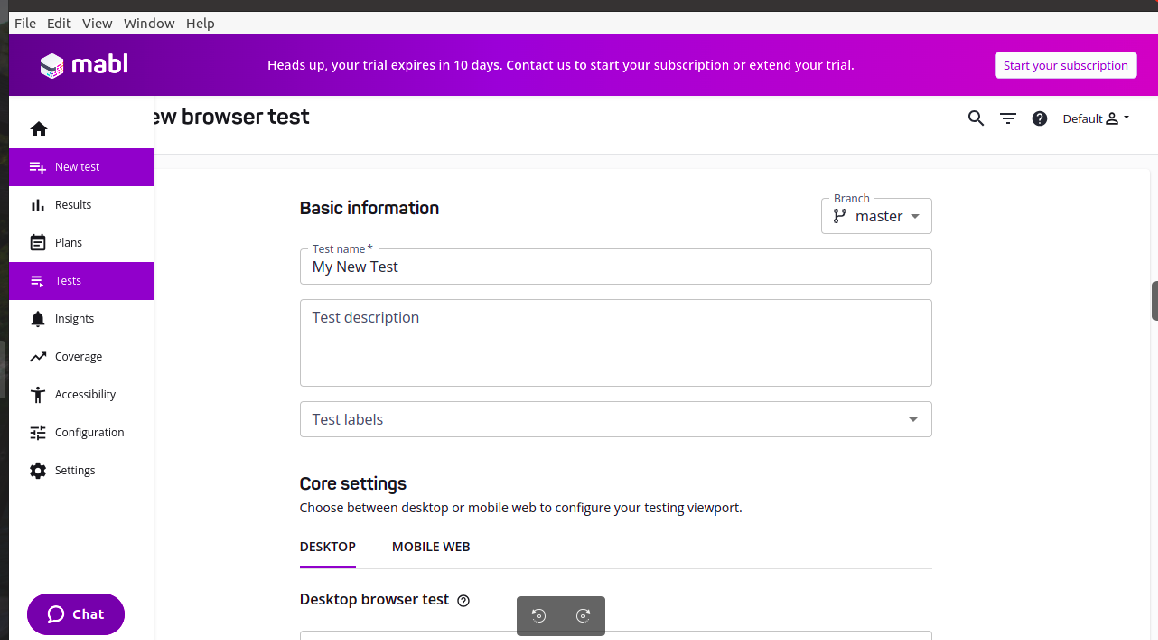
Basically, to create a new browser test, click on New test and choose Browser test. Fill in all details such as Input Test name, Description, and Test labels. Label for distinguishing the practice tests.
Select device: Desktop or Mobile web.
5.1.1 Create a Test- Click on Create My First Plan then this page will open.
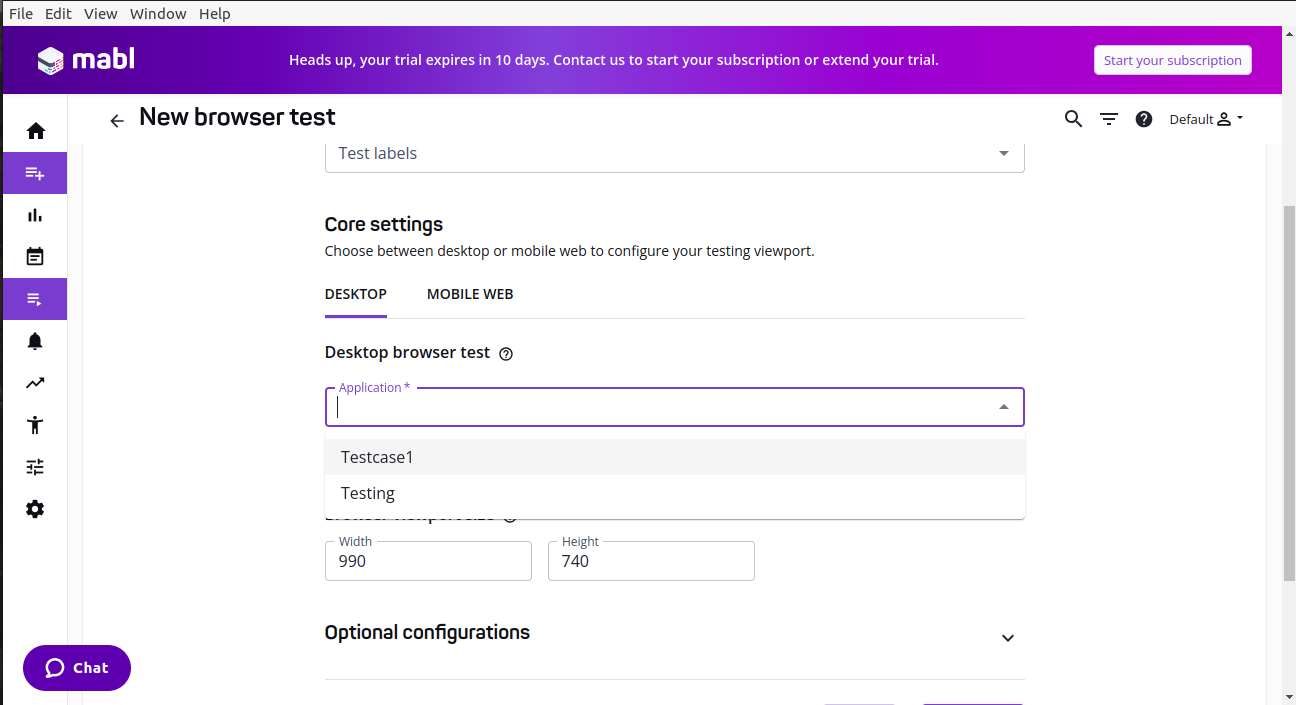
5.1.2 Fill in all the basic details- Fill in all the details such as the Test name, Description, and tab on the Application, options will show that you have created in configuration and environments and click on the save button.
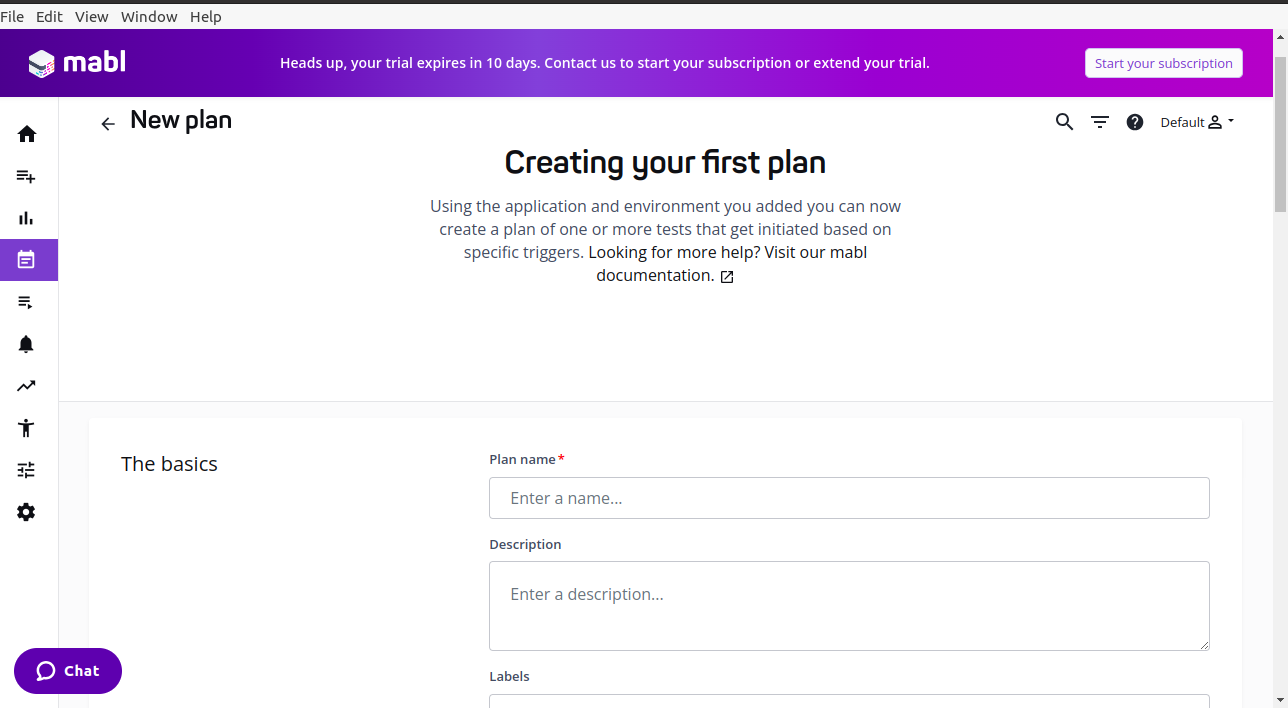
5.1.3 Create a plan- After creating a test, need to create your first plan and parameterize all tests that you have created under the Test Tab.
 5.1.4 Fill in all the details such as Plan name, Description, Add Environment, and Add Tests under the Stage tab
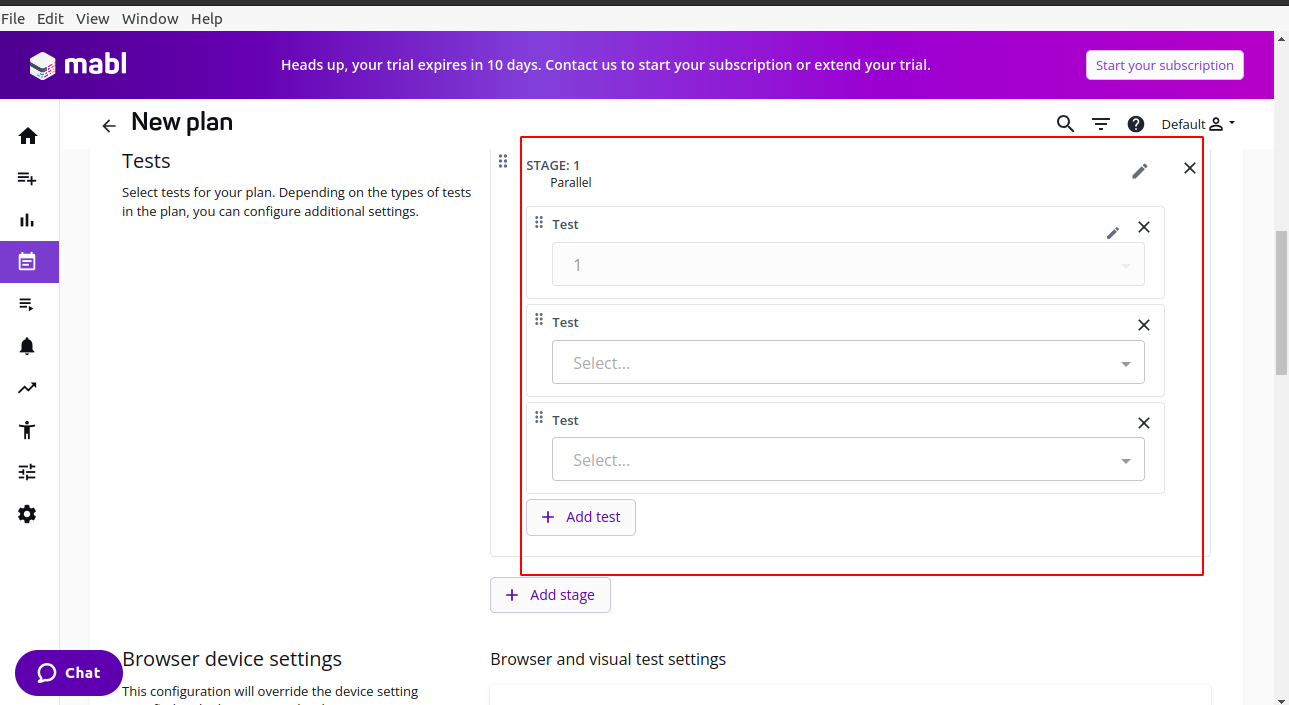 5.1.5 Select Browsers and click on Save.
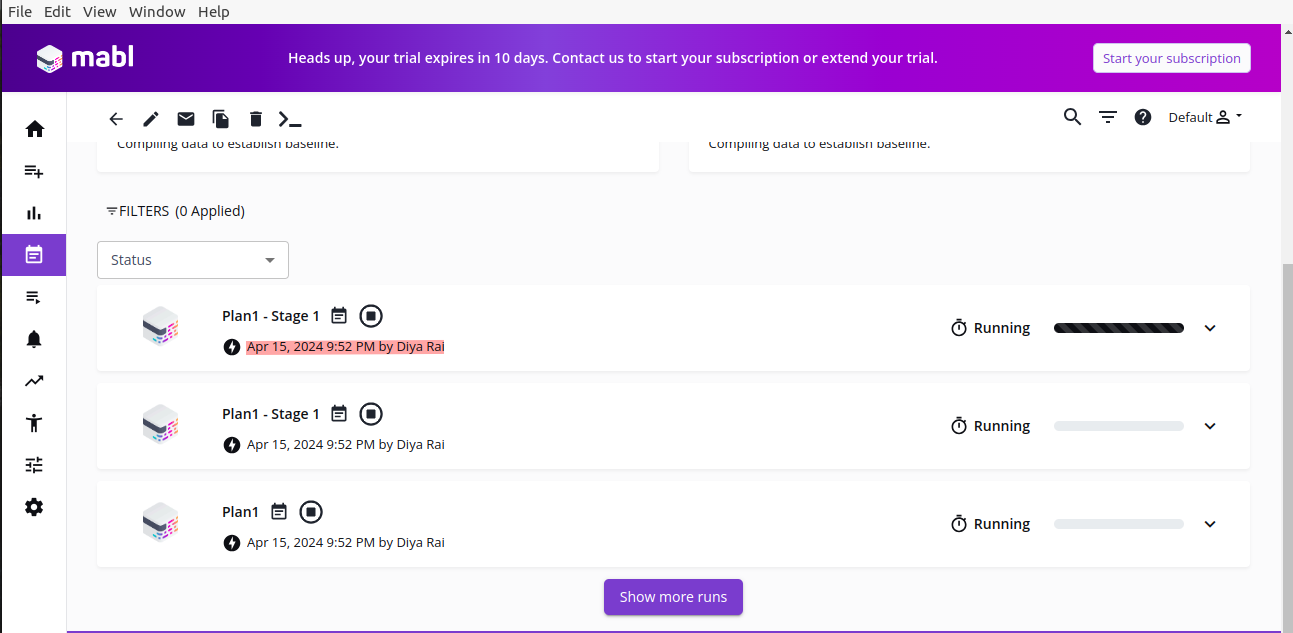
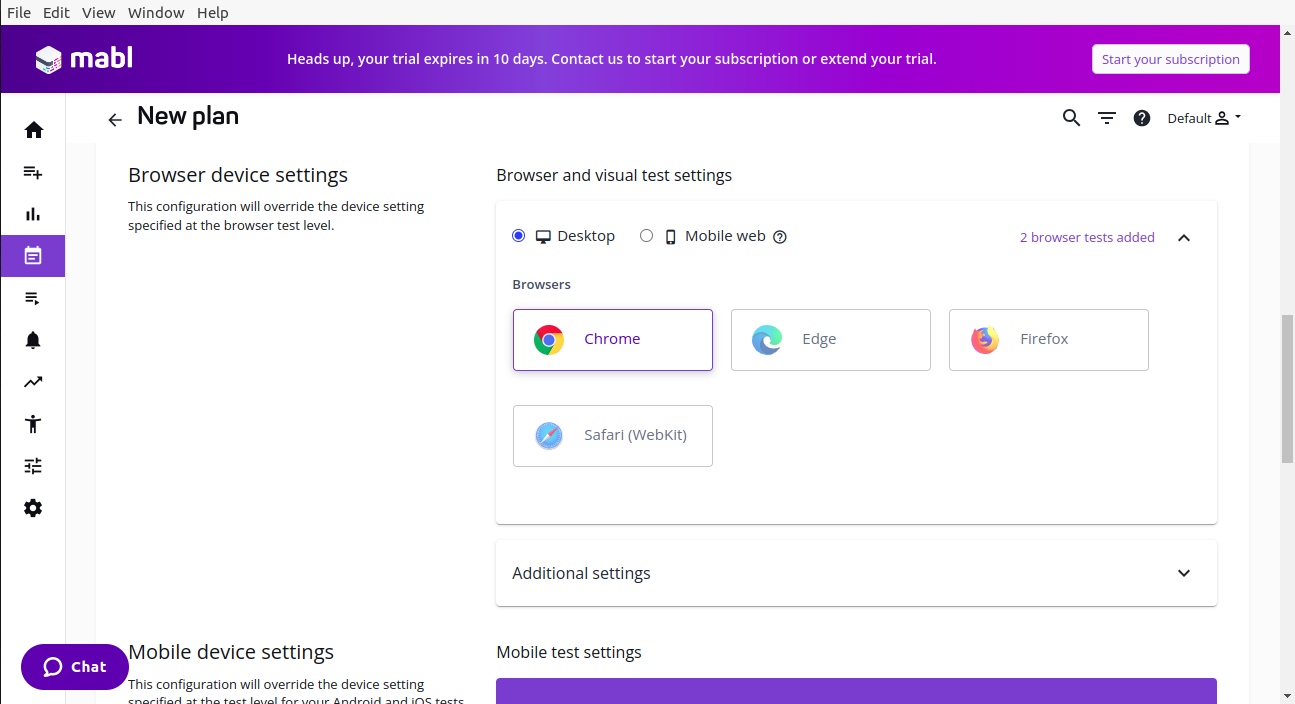 After saving the plan then click on the Run button and the plan will execute according to your test case Prioritization.
6. Challenges:-
6.1 Dependency on Third-party Services: Mabl relies on cloud-based services for certain functionalities like test execution and reporting. This dependency may raise concerns about data security, reliability, and accessibility.
6.2 Limited Browser Support: While mabl supports popular web browsers, it may not cover all browsers or versions, which can be a limitation depending on the target audience of the application being tested.
6.3 Initial Setup Complexity: Setting up mabl for a project can sometimes be complex, especially when integrating it with existing systems, version control, and CI/CD pipelines.
6.4 Integration Challenges: Integrating mabl with existing tools and workflows, such as issue tracking systems, project management tools, or test case management tools, may require additional effort and may not always be seamless.
Reference:-
Navigating mabl: A Step-by-Step Tutorial for Test Automation Success