


Introduction
In the dynamic landscape of software development, ensuring code reliability and maintainability is paramount. Test-Driven Development (TDD) stands out as a methodology that not only guarantees robust code but also fosters a sustainable and iterative development process. Test-Driven Development (TDD) is a software development methodology that emphasizes writing tests before writing the actual code. In this blog post, we’ll explore the principles and practices of Test-Driven Development within the context of .NET Core.
Understanding Test-Driven Development
Test-Driven Development is a software development approach where tests are written before the actual code. The TDD cycle typically involves three stages: writing a failing test, implementing the minimum code to make the test pass, and refactoring the code while ensuring the test continues to pass.
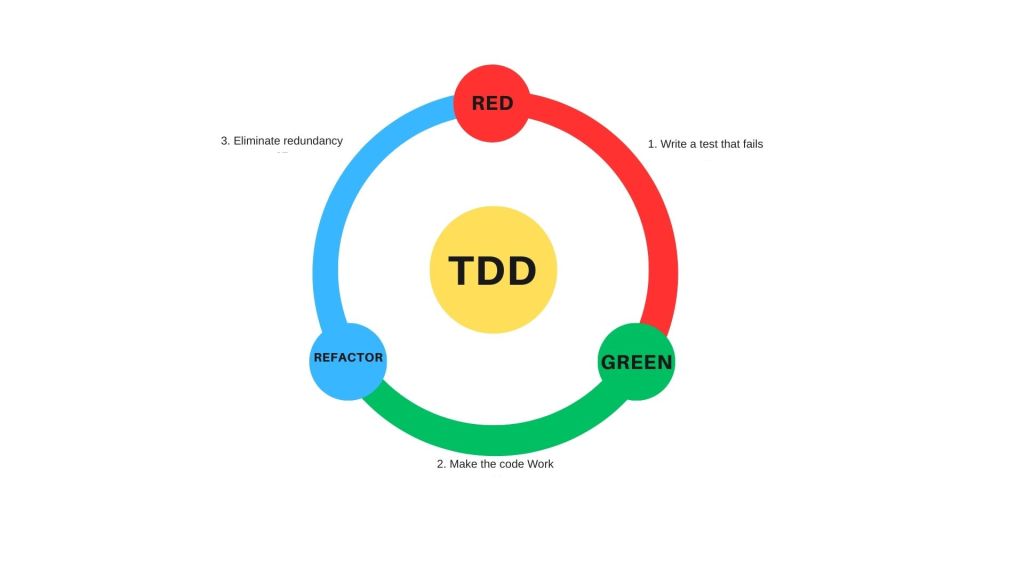
- Red: Write a failing test that describes a piece of desired functionality.
- Green: Write the minimum amount of code necessary to make the test pass.
- Refactor: Improve the code without changing its behavior.
Benefits of Test-Driven Development in .NET Core
- Early Bug Detection: By writing tests before the code, TDD facilitates early bug detection. Developers catch potential issues at the inception of the development process, minimizing the chances of defects in the final product.
- Code Confidence: TDD instills confidence in the codebase. As the code evolves, the comprehensive test suite acts as a safety net, providing assurance that modifications or additions do not introduce regressions.
- Improved Code Design: TDD encourages modular and loosely coupled code. Developers design software components with testability in mind, leading to more maintainable, extensible, and modular code architecture.
- Enhanced Collaboration: TDD promotes collaboration between developers and other stakeholders. Clear specifications in the form of tests serve as a shared understanding of the expected behavior, fostering better communication among team members.
Implementing TDD in .NET Core
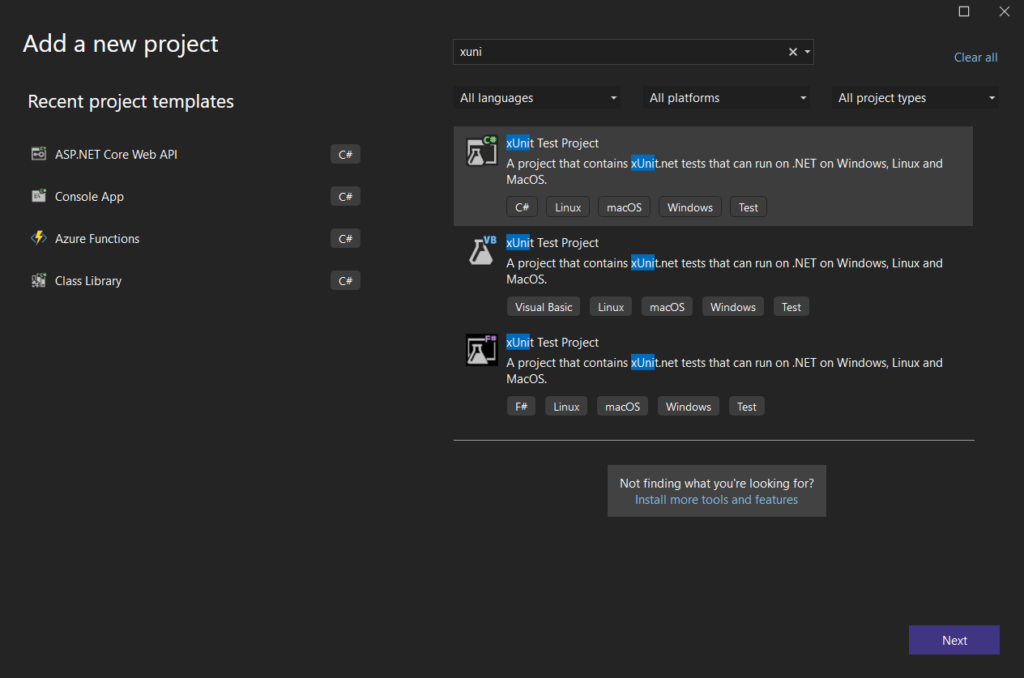
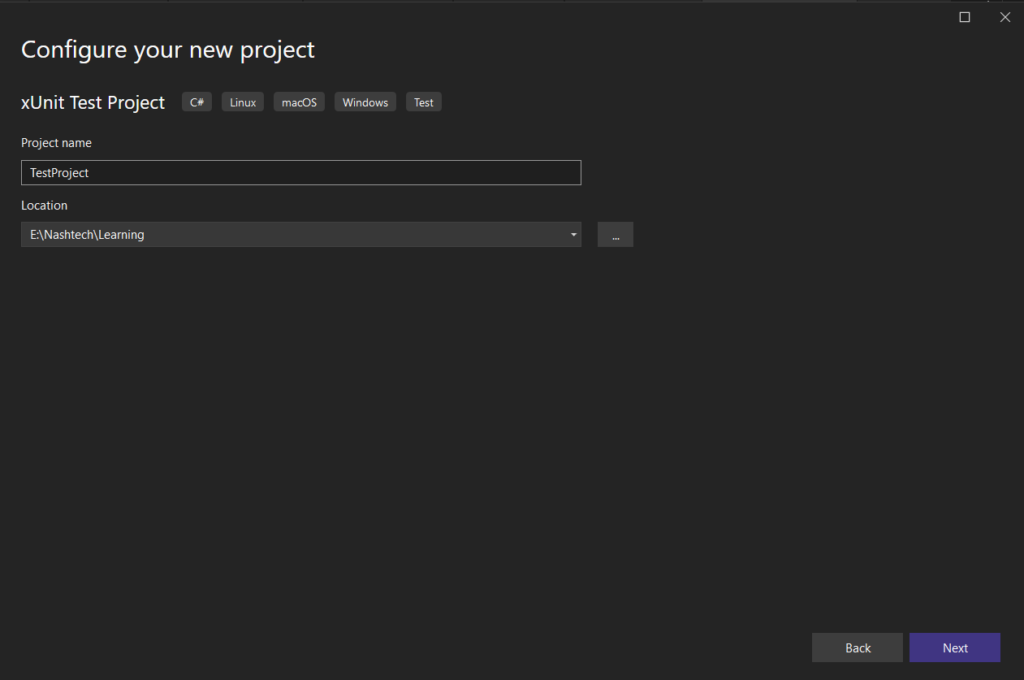
Step 1: Create a Test Project
Begin by creating a separate test project alongside your .NET Core application. This project will house your unit tests
Step 2: Install Required NuGet Packages
Install the necessary NuGet packages, including Moq, for your test project.
dotnet add package Moq
Step 3: Write Your First Test
Develop a test class containing a straightforward test scenario. For instance, consider the testing of a class named Calculator. Establish a file named CalculatorTests.cs. Assuming there is a function called AddTwoNumbers() that needs to be mocked, the example below demonstrates the handling of both the happy path and the fail path.
public class Calculator
{
    private readonly ILogger _logger;
    public Calculator(ILogger logger)
    {
        _logger = logger;
    }
    public int DivideNumbers(int a, int b)
        {
            _logger.LogTrace("DivideNumbers function called");
            if (b == 0)
            {
                throw new DivideByZeroException("Cannot divide by zero.");
            }
            return a / b;
        }
}
using Xunit;
using Moq;
public class CalculatorTests
{
[Fact]
public void DivideNumbers_ReturnsNumber()
{
// Arrange
var mockLogger = new Mock<ILogger>(); // Assuming ILogger is a dependency of Calculator
var calculator = new Calculator(mockLogger.Object);
// Act
var result = calculator.DivideNumbers(12, 3);
// Assert
Assert.Equal(4, result);
}
[Fact]
public void DivideNumbers_ReturnsException()
{
// Arrange
var mockLogger = new Mock<ILogger>(); // Assuming ILogger is a dependency of Calculator
var calculator = new Calculator(mockLogger.Object);
// Act and Assert
Assert.Throws<DivideByZeroException>(() => calculator.DivideNumbers(10, 0));
}
}
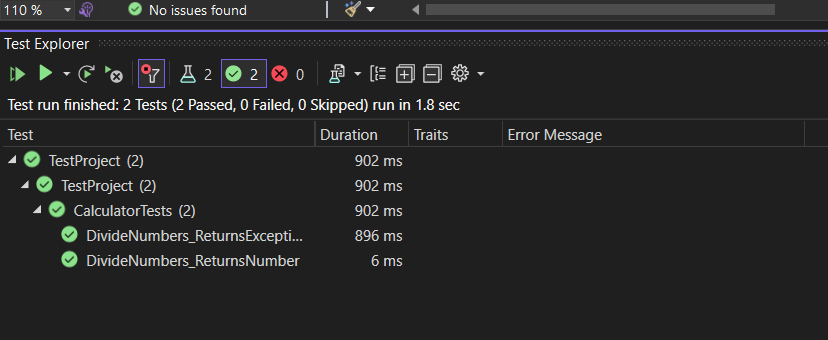
Step 4: Run Test Cases
Now, we will run the test cases. Click on test in visual studio & select Run All Tests. Below is the visualization of test cases
Conclusion
Test-Driven Development in .NET Core is a powerful methodology that transforms the development process, fostering a culture of reliability and agility. By prioritizing test creation, developers not only detect and prevent bugs early in the development cycle but also create a foundation for a robust and maintainable codebase. Embrace the TDD approach in your .NET Core projects to unlock the benefits of improved code quality, accelerated development, and enhanced collaboration among your development team. Happy testing!