



When building modern web applications, communication with a server is a crucial aspect. Angular, a popular front-end framework, provides a powerful HttpClient service for handling HTTP requests. In this blog post, we’ll focus specifically on HTTP GET requests and how to use the HttpClient service to fetch data from a server in an Angular application.
Prerequisites
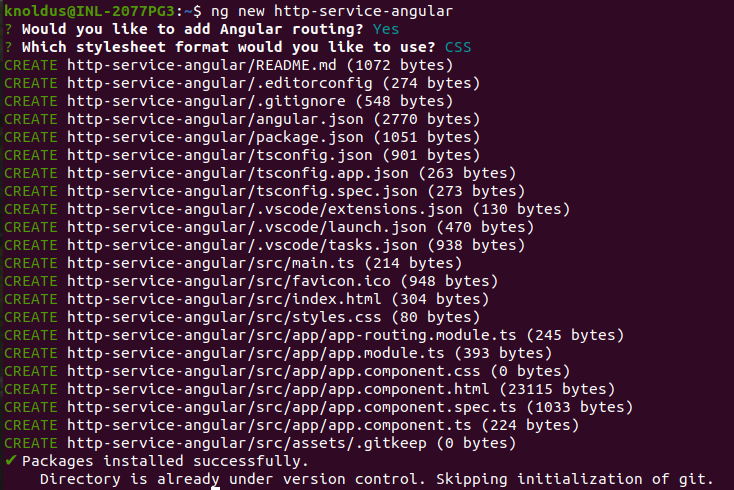
Before diving into the details, make sure you have an Angular project set up.If you haven’t done so already, you can initiate a new Angular project using the Angular CLI:
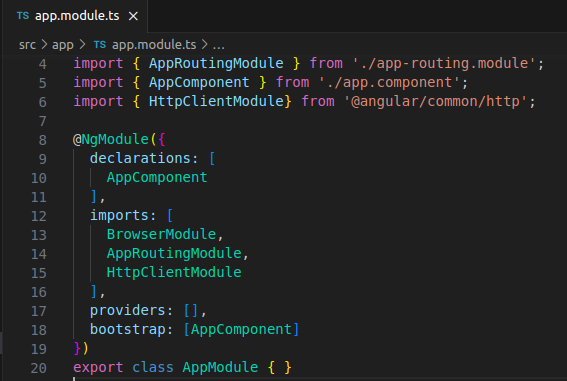
Ensure you have the Angular HttpClientModule imported into your application. You can find this in the src/app/app.module.ts file:
Setting up the HttpClient Service
The HttpClient service simplifies the process of making HTTP requests in Angular applications. It is part of the @angular/common/http module. To use it, you’ll need to inject it into your component or service. Open the component or service file where you want to make the HTTP GET request and add the following import statement:
import { HttpClient } from '@angular/common/http';Next, inject HttpClient in the component or service’s constructor:
constructor(private http: HttpClient) {}
Making a Simple GET Request
Let’s create a simple example to fetch data from a fictional API. In your component or service, you can define a method to make an HTTP GET request:
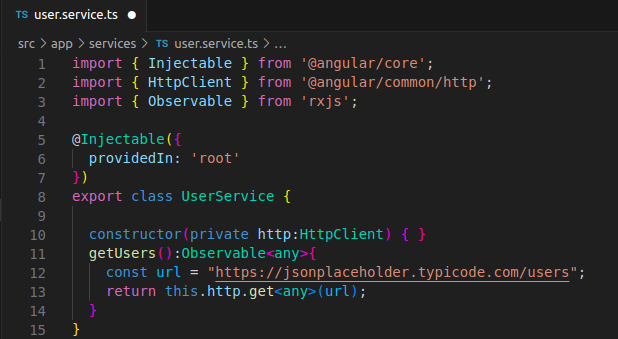
In this example, we have a service calledDataServicewith a methodgetPosts()that makes an HTTP GET request to the specified API endpoint (https://jsonplaceholder.typicode.com/posts). The method returns an Observable of typeany[], indicating that it expects an array of data.
Consuming the Data in a Component
Now that we have our service set up, let’s consume the data in a component. In your component file, import the DataService:
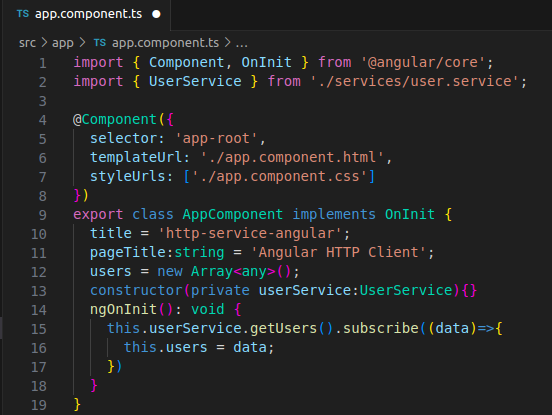
In the ngOnInit lifecycle hook, we call the getPosts method from the DataService and subscribe to the observable. When the data is received, we populate the posts array with the fetched data.
Displaying Data in the Component Template
Now, you can display the fetched data in your component template (posts.component.html):
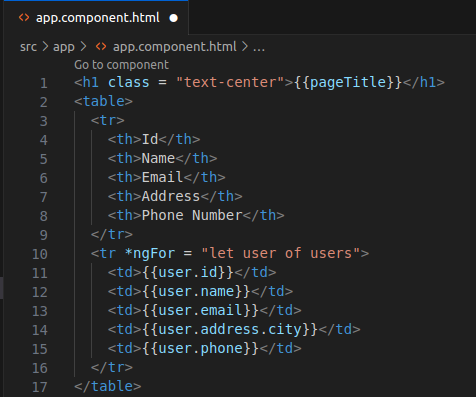
*ngFor directive to iterate over the posts array and display the title and body of each post.
Run the Application
Start your development server with:
ng serveNow, open your browser and visit http://localhost:4200.
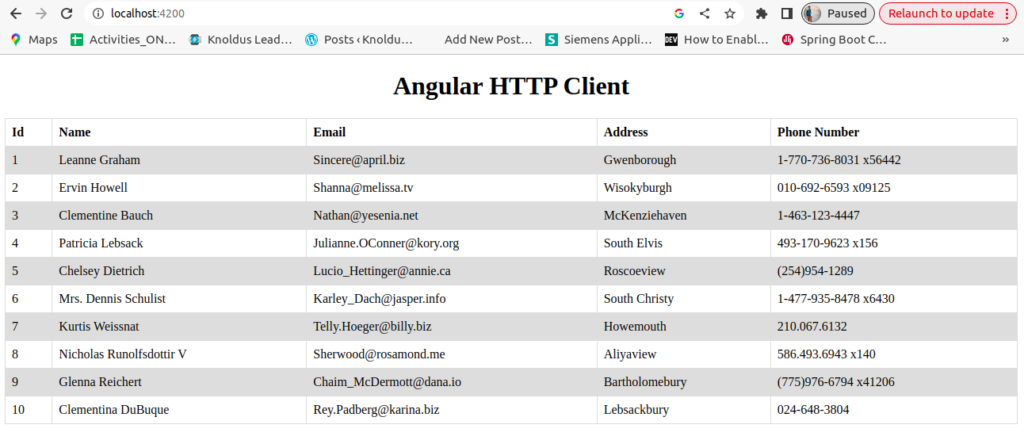
Conclusion
In summary, using the HttpClient service in Angular makes it easy to perform HTTP GET requests and retrieve data from a server. By creating a service to encapsulate the data-fetching logic and subscribing to observables in the component, you can efficiently manage and display data in your Angular application. Remember to handle errors and incorporate error-handling mechanisms in your production code for a robust application.
Reference
https://angular.io/guide/understanding-communicating-with-http