


1. Overview
With more teams adopting agile and shipping features at a faster pace, the volume of Jira tickets grows rapidly. Manual test case design alone can no longer keep up with modern development speed. As software systems become more complex, testers face increasing pressure to create complete, accurate, and maintainable test cases.
1.1. Challenges for testers in modern Jira projects
Poorly analyzed tickets or incomplete test cases often lead to:
- Missing test coverage, leaving critical scenarios untested
- Misunderstanding of requirements, resulting in misaligned testing efforts
- Increased defects in UAT or production
- Additional rework for QA and development teams
- Delays in delivery and reduced customer satisfaction
Optimizing test design is no longer optional—it is essential for ensuring high-quality releases and maintaining consistency across teams.
1.2. Why optimizing test cases and ticket analysis matters
As Jira becomes the central hub for requirements, issue tracking, and acceptance criteria, the ability to quickly interpret tickets and design thorough test scenarios directly impacts product quality. Effective test analysis allows QA teams to:
- Reduce gaps in coverage
- Detect requirement ambiguities early
- Improve team alignment
- Deliver faster and more reliable results
1.3. What is Rovo?
Rovo is a new AI-driven tool developed by Atlassian, designed to help teams efficiently manage and utilize their data across various applications, including Jira and Confluence. It integrates seamlessly into the Atlassian ecosystem, transforming Jira from a passive record-keeping system into an active, intelligent partner that automates routine tasks, enhances decision-making, and supports testers in generating, analyzing, and optimizing test cases.
By using Rovo, testers can focus more on critical thinking and exploratory testing, while repetitive and time-consuming tasks—such as analyzing user stories, generating test steps, and preparing test data – are handled intelligently by the AI.

2. How Rovo supports building test cases
Creating effective test cases is a critical part of the QA process. Rovo helps testers streamline this task by analyzing requirements and automatically suggesting detailed test scenarios. Here’s how it works in practice:
2.1. Analyzing Acceptance criteria and User stories
Rovo reads the user stories and acceptance criteria (AC) in Jira tickets to identify what needs to be tested. By understanding functional and non-functional requirements, it can extract key test conditions automatically.
Example:
User Story: “As a user, I want to log in so that I can access my dashboard.”
AC:
- AC1: User can log in with valid credentials.
- AC2: System shows an error message for invalid credentials.
Rovo identifies both ACs and prepares test conditions for each.
2.2 Generating happy path and unhappy path
Rovo automatically proposes:
- Happy path (expected user flows)
- Negative path (error handling and edge cases)
- Validation scenarios
- Boundary conditions when relevant
Example:
Happy path:
- Enter valid username and password → Login successful → Dashboard displayed.
Unhappy path:
- Incorrect password → Error message
- Blank username → Prompt displayed
- Invalid email format → Validation message
By surfacing both positive and negative flows, Rovo reduces the risk of missing critical test scenarios.
3. Benefits of applying Rovo in the testing process
Applying Rovo in Jira brings practical, measurable benefits to the testing workflow. Instead of manually reading long user stories and acceptance criteria, testers can leverage AI to analyze requirements, suggest test conditions, and validate coverage more efficiently.
3.1. Faster & more accurate test design
Traditionally, testers spend considerable time reading long user stories, understanding business rules, and breaking requirements into test steps. Rovo accelerates this process by:
- Summarizing complex Jira tickets, including the main goal, scope, and acceptance criteria (AC).
- Automatically extracting key test conditions from user stories and ACs.
- Generating initial drafts of happy path, negative, and integration scenarios.
With these AI-generated starting points, testers no longer begin from a blank page. Instead, they refine and validate the suggestions using their domain knowledge. This leads to:
- Faster test case creation
- More accurate interpretation of requirements
- More time available for exploratory and risk-based testing
3.2. Improved coverage & consistency
Maintaining full test coverage—especially for edge cases—is one of the biggest challenges in QA. Manual analysis often results in missed scenarios, such as:
- Invalid input formats
- Missing required fields
- Boundary conditions
- Duplicated or conflicting data
Rovo enhances coverage by:
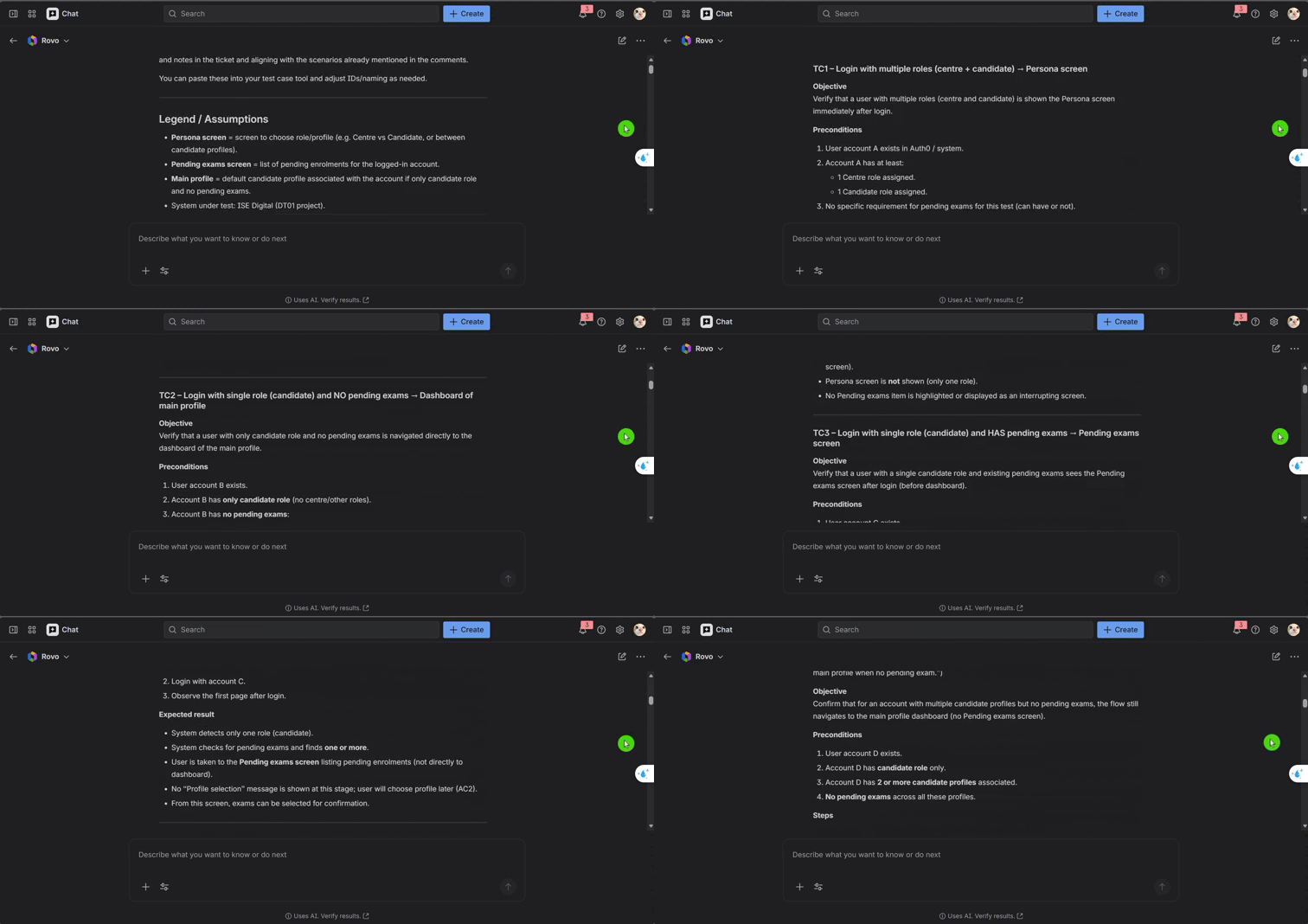
- Mapping ACs to candidate test scenarios, ensuring nothing is overlooked
- Surfacing negative and boundary cases automatically
- Providing consistent logic across similar user stories
- Reducing the risk of misaligned coverage or misunderstood requirements
By systematically including happy paths, unhappy paths, edge cases, and boundary tests, Rovo helps teams achieve more predictable and reliable test quality.
3.3. Better collaboration & documentation
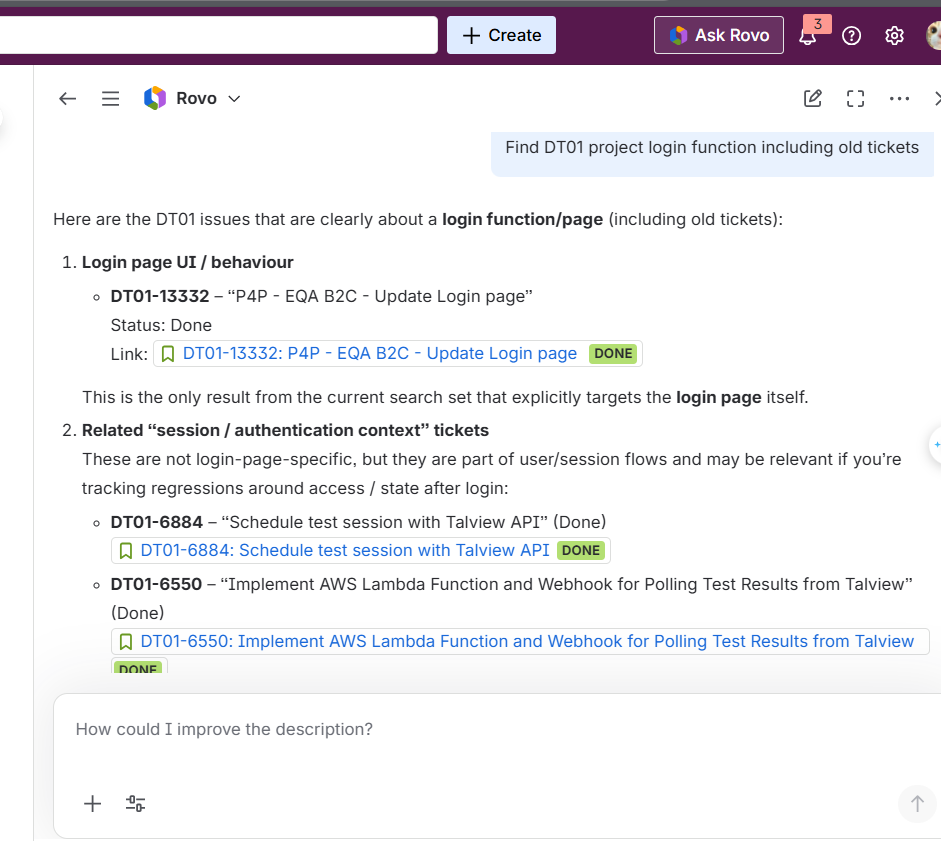
In real projects, I often use Rovo as a smart search assistant inside Jira to:
- Find tickets related to the same feature or area (for example, login, data import, booking, session details).
- Find tickets with similar acceptance criteria or descriptions, so I can reuse or adapt previous test ideas.
- Look up past bugs, regressions, or UAT issues related to a function, in order to extend or strengthen current test coverage.
Instead of:
- Remembering old issue keys, or
- Manually writing complex JQL filters,
Rovo returns a list of relevant tickets with short summaries. From there, I can:
- Review how we tested similar stories before,
- Reuse or refine existing test cases,
- Make sure I don’t miss scenarios that have caused bugs in the past.
4. Conclusion
Rovo introduces a modern, AI-enhanced approach to analyzing Jira tickets and designing test cases. Instead of manually reading long user stories, gathering scattered information, or creating test scenarios from scratch, testers can leverage Rovo to accelerate requirement analysis, improve coverage, and maintain consistency across the testing process.
Rovo does not replace human reasoning, but it acts as a powerful assistant that helps testers focus on high-value activities such as risk analysis, exploratory testing, and evaluating user experience. By automating repetitive work, Rovo enables QA teams to deliver higher-quality outcomes in less time.
Recommendations for Testers and QA Teams
- Integrate Rovo early in the test design workflow, especially during requirement analysis and test case preparation.
- Use Rovo before test case review sessions to ensure that all Acceptance Criteria are covered.
- Apply Rovo across web, mobile, and API projects, particularly those involving complex data flows or numerous edge cases.
- Encourage new testers to use Rovo as a learning assistant, helping them quickly understand requirements and common testing patterns.
- Always review and refine Rovo’s outputs, as AI suggestions should complement – not replace – the tester’s expertise and critical thinking.
Incorporating Rovo into Jira saves time, reduces missing coverage, and strengthens overall product quality. It represents a meaningful step forward in the digital transformation of QA processes—making testing smarter, more efficient, and more scalable.