


Introduction
A SQL Warehouse is a compute( cluster ) in Databricks that is used to run the SQL Queries on data objects within Databricks SQL.
There are three available SQL Warehouse in Databricks:
- Serverless
- Pro
- Classic
Advantages of SQL Warehouse
1. It provides the support to run the SQL Queries on the Data Object such as Catalog, Schema, Table, and View.
2. Helps to schedule the Query to run on scheduled day & time.
3. Provides the cluster scalable functionality.
4. It supports an auto-stop feature to terminate the cluster when there is no need. Helps in cost optimization

How to Setup Databricks SQL Warehouse
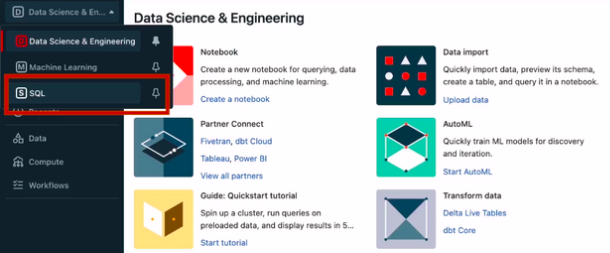
1. Login to Databricks account. On the Databricks UI Dashboard, Switch to SQL.
2. Now navigate to SQL Warehouse. Click on Create SQL Warehouse


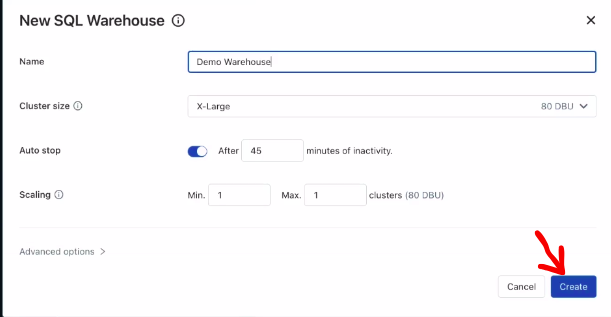
3. Now sql warehouse configuration tab will open in that you have to enter the details such as name, cluster size, auto stop, scaling, etc.
4. Enter the name of your SQL Warehouse.

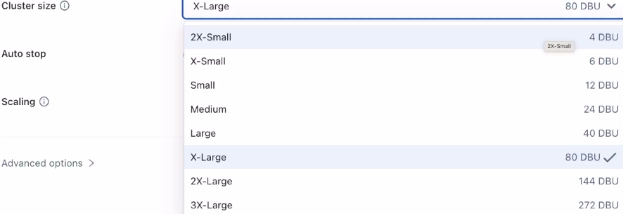
5. Select the cluster size as per your workload select the size of the cluster. Here we have to run a few queries that’s why we are selecting the size of cluster 2X-Small
6. Now enable the auto-stop duration and minute to terminate the SQL Warehouse in case of idle. It is best practice to set the auto-stop duration to minimize the cost of the warehouse


7. Now we have to define the minimum and maximum number of clusters same as the worker node. This is basically used to run multiple queries parallelly if queries are waiting in a queue.
8. Click on the Create button it will take some time to up the SQL Warehouse.
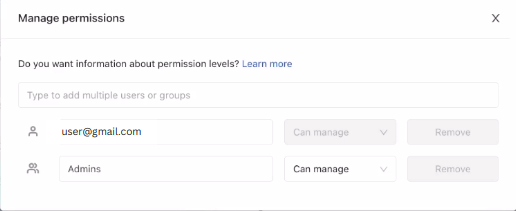
9. You can also manage permission of the SQL Warehouse means who can use it to run the queries. Navigate to the Permissions tab and in the Search bar search the user and grant them the permission.
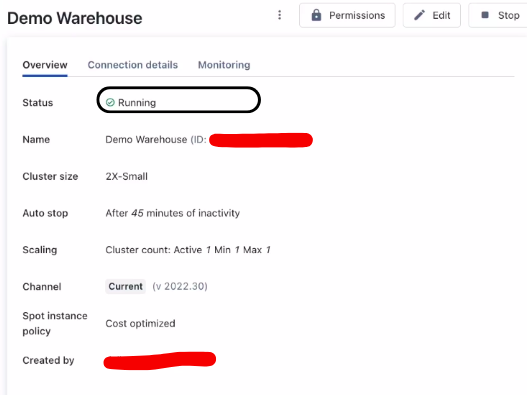
10. In the Overview tab you can see the all configuration details of your SQL Warehouse.
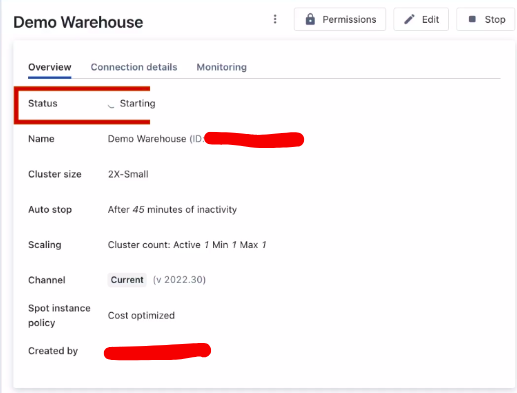
SQL Warehouse Dashboard
How to Run DBSQL Queries
1. To run the Queries you must have some data in Unity Catalog or Hive Metastore.
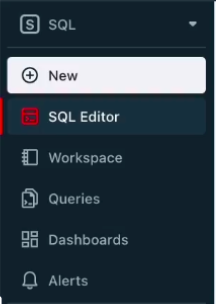
Now click on the SQL Editor in the sidebar.
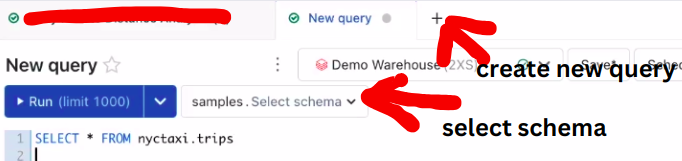
2. Click on New Query or + sign and inside it select the schema in which your data exists.
3. Select the SQL Warehouse.
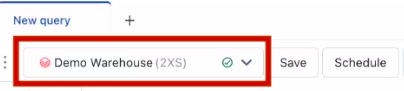

4. Write a query to fetch the data from your table and click on Run to run the Query.
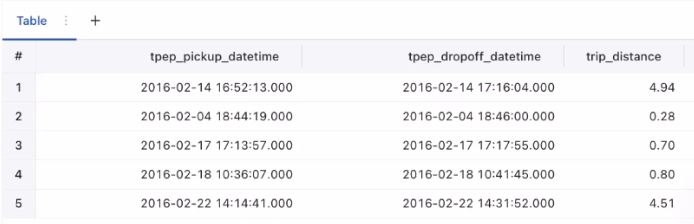
Example: SELECT * FROM table_name.5. Below you can view the result of the query & from that query you can design a visualization.
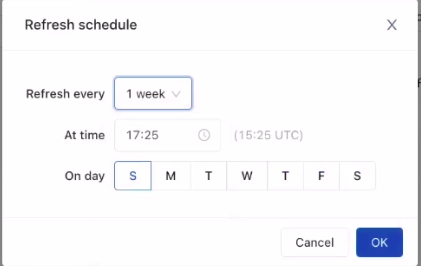
6. We can also schedule the query, share it, and perform many more things.
Conclusion
Databricks SQL Warehouses offer a powerful platform for running SQL queries on various data objects, providing scalability, scheduling capabilities, and cost optimization through features like auto-stop. Setting up an SQL Warehouse involves configuring details such as cluster size and auto-stop duration. The user-friendly SQL Warehouse dashboard facilitates query execution and management, making it a valuable tool for data processing and analysis in Databricks.
Related Article
Databricks Job Workflow

Delta Time Travel

Databricks All-Purpose Cluster